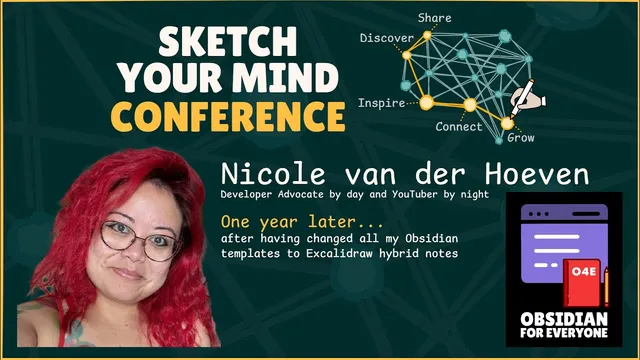
One Year Later with Nicole van der Hoeven - Session 2 at the Sketch Your Mind Conference, 2025
Based on Zsolt's Visual Personal Knowledge Management's video on YouTube. If you like this content, support the original creators by watching, liking and subscribing to their content.
Nicole van der Hoeven’s hybrid-note template makes every new note include both text and Excalidraw drawing space, removing the need to decide whether a note “should” be visual.
Briefing
Nicole van der Hoeven’s year-long shift in personal knowledge management centers on one practical decision: make every new note a “hybrid” by default—text plus Excalidraw drawing space—so switching between writing and sketching never becomes a separate workflow. After converting her approach, she reports that the friction disappears so completely that she now creates notes that are purely visual more often than expected, while still keeping text searchable inside the drawing.
The core mechanics start with templates inside Obsidian. Using the Templater plugin and Excalidraw integration, she sets up a new-note template that automatically provides both a markdown/text side and an Excalidraw side. A hotkey flips between modes, and the template reduces the mental question of whether a note “deserves” visuals—every note already has room for them. She also keeps multiple hybrid templates (for example, for people) with front matter and Excalidraw-related metadata, but the principle stays the same: hybrid is the default state.
From there, her workflow splits into two directions. First is “going backwards” by treating visuals as modular components. She builds libraries—especially an icon library—by scanning her vault for assets labeled with a naming pattern (e.g., “icon-”). Those icons function like notes: when an icon appears inside a larger visual, Obsidian backlinks let her trace where each component is used. She gives a telemetry-collector example where a “pipeline” component wasn’t a standalone note, yet it still behaves like one in her system because it’s embedded as a visual constituent and connected through backlinks. This encourages iterative refinement: if she later realizes a component should have been reused elsewhere, she can find it through the library.
Second is “going forwards,” assembling smaller pieces into larger diagrams. She describes embedding a telemetry-collector visual into an “observability” page, so the larger concept inherits traceability back to the smaller parts—links work in both directions, not just top-down. She also deconstructs existing architecture diagrams (from Loki marketing materials) into linked subpages, turning a single slide into a navigable system of concepts.
She addresses practical constraints that come with visual PKM at scale. Excalidraw notes don’t noticeably slow local vault performance, but they can slow publishing and can hit Obsidian Publish storage quotas. She also notes that image formats matter: she prefers SVGs when possible, uses scripts like “Shade Master” to recolor SVGs, and avoids backing up images to GitHub because they’re “hopelessly bloated,” relying instead on other sync/backups.
Beyond diagrams, she applies the same hybrid logic to conferences (embedding PDFs, screenshots, and photos into Excalidraw-based conference documentation), reference notes (book notes with short-form summaries plus per-chapter visuals), and even “observability for her own PKM.” That last experiment pipes note metadata through a Python/cron-to-JSON-to-Alloy-to-Loki-to-Grafana stack to track writing activity over time.
The session’s takeaway is less about drawing talent and more about system design: if hybrid notes are effortless to create and components are traceable through backlinks, visual thinking scales from individual ideas into maintainable knowledge structures.
Cornell Notes
Nicole van der Hoeven’s PKM workflow makes every new note hybrid by default: Obsidian templates automatically create both a text/markdown side and an Excalidraw drawing side. Hotkeys let her flip modes instantly, eliminating the “should this be visual?” decision and enabling notes that are sometimes purely visual while remaining searchable because Excalidraw text is plain text. She treats visuals as modular building blocks: an icon library is generated by scanning the vault for labeled assets, and backlinks preserve traceability from components to the larger diagrams that use them. She then scales up by embedding smaller visuals into bigger concept pages (e.g., telemetry collectors inside observability), creating two-way navigation between parts and systems. The approach matters because it turns visual thinking into a maintainable, linkable knowledge system rather than isolated sketches.
Why does making every note hybrid reduce friction so much, and what’s the concrete mechanism behind it?
How do visuals become “modular components” that behave like notes rather than static drawings?
What does “going forwards” look like in her system, and how does traceability survive the assembly?
What scaling problems show up when using lots of Excalidraw notes, and how does she mitigate them?
How does she handle design consistency for icons across many diagrams?
How does she extend hybrid visual PKM beyond diagrams into tracking and documentation?
Review Questions
- What specific template and hotkey setup makes switching between text and Excalidraw “frictionless,” and why does that matter for habit formation?
- How do backlinks and vault indexing turn icons/visual components into reusable building blocks that support both bottom-up and top-down knowledge building?
- What trade-offs appear when scaling visual notes (especially for publishing), and what backup/sync choices does she make to manage them?
Key Points
- 1
Nicole van der Hoeven’s hybrid-note template makes every new note include both text and Excalidraw drawing space, removing the need to decide whether a note “should” be visual.
- 2
Hotkey-based mode switching (markdown ↔ Excalidraw) is central to keeping the workflow fast enough to sustain habit.
- 3
Visual components become reusable “building blocks” when backlinks preserve traceability from embedded parts (like icons) to the larger diagrams that use them.
- 4
Complex systems scale by embedding smaller visuals into larger concept pages, keeping two-way navigation between parts and whole ideas.
- 5
She prefers SVGs for icons because they can be recolored/styled (e.g., via Shade Master), improving consistency without breaking asset links.
- 6
Excalidraw-heavy vaults may slow publishing and can hit Obsidian Publish storage quotas, so she plans around publishing limits.
- 7
She applies the same hybrid approach to conferences, reference notes, and even PKM observability dashboards built with Python, Loki, and Grafana.