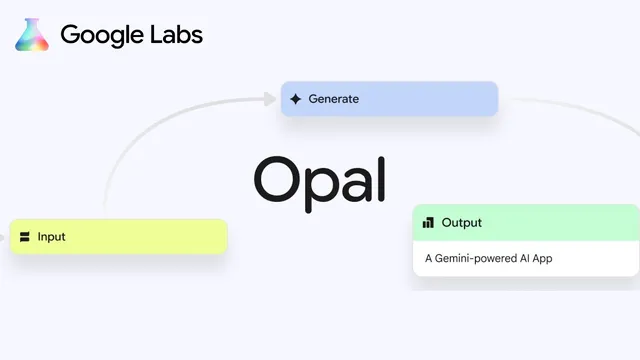
Opal - Google Labs Killer NEW App
Based on Sam Witteveen's video on YouTube. If you like this content, support the original creators by watching, liking and subscribing to their content.
Opal is a Google Labs no-code workflow builder that converts natural-language requests into chained LLM steps for prototyping mini apps.
Briefing
Google Labs’ Opal is a no-code workflow builder aimed at turning natural-language requests into working LLM “mini apps,” with built-in steps for web research, text generation, and media creation. The core shift is that the boundary between what people configure and what they code is getting thinner: Opal chains prompts and model/tool calls into a reusable sequence, then lets users inspect and remix each step.
Opal arrives as a public preview from Google Labs, a team behind products such as NotebookLM. The transcript traces how similar tools emerged from the broader LLM ecosystem—moving from early frameworks like LangChain toward more agentic, multi-step systems—and argues that Opal is Google’s latest entry into the same category as n8n and Lindy. Unlike fully “hardcore agent” platforms, Opal focuses on prototyping: users can quickly assemble workflows, test them, and later translate the underlying prompts into code if they want.
The workflow process starts either by remixing examples from Opal’s gallery or by describing what to build. Opal then maps the request into a set of steps, showing intermediate outputs along the way. In the demo, a “blog post generator” workflow runs through web search, outline creation, full post writing, and banner image generation. A console view reveals which models and tools were used—for example, research calling Gemini 2.5 flash and subsequent generation using Gemini 2.0 flash—along with the retrieved web pages and the produced outline.
A key feature is step-level editing. The user can change which model powers a step (switching between Gemini 2.5 flash and Gemini 2.5 Pro, for instance) and swap image generation backends. The demo specifically replaces the banner image generator from a Gemini 2.0 flash image generator to Imagen 4, then adjusts the prompt wiring so the blog topic is embedded in the image prompt. Opal also supports additional user inputs: the user adds a “reader persona” input, threads it into the research and writing prompts, and reruns the workflow to produce a blog post tailored to an intended audience—here, an IT worker focused on automation.
Beyond remixing, Opal can generate workflows from scratch. The transcript describes creating a literature-review tool for uploaded archive papers, where Opal asks for an archive paper URL and a literature review topic, then builds a node graph to fetch and search related material. The user can insert further steps—such as using “deep research” with Gemini 2.5 flash to extract author information—illustrating how Opal can be extended into more complex pipelines.
The preview is US-only, with the transcript noting that a VPN may be needed to access it. Still, the takeaway is clear: Opal packages Google’s model and tool ecosystem into a visual, inspectable workflow system that non-coders can use immediately, while developers can later extract prompts and implement the same logic in code. The transcript frames this as an early version likely to expand over time, similar to how NotebookLM gained features after launch.
Cornell Notes
Opal from Google Labs is a no-code workflow builder that turns a plain-language request into a chain of LLM steps—research, writing, and media generation—so users can prototype “mini apps” without coding. Workflows can be remixed from a gallery or generated from scratch, then edited at the step level by changing models (e.g., Gemini 2.5 flash vs Gemini 2.5 Pro) and tools (e.g., swapping image generation to Imagen 4). Opal exposes intermediate outputs and shows which models were used, making it easier to debug and refine results. Adding extra inputs like a “reader persona” lets the same workflow produce tailored outputs for different audiences. The preview is US-only, but it’s positioned as a bridge between no-code experimentation and later code-based implementation.
What makes Opal different from earlier LLM app approaches like simple prompt wrappers or early frameworks?
How does Opal handle customization—both model choice and prompt wiring?
What role do additional user inputs play in producing tailored outputs?
How does Opal support building workflows from scratch, not just remixing templates?
What built-in capabilities does Opal bundle for prototyping LLM apps?
Review Questions
- How does Opal’s step-level editing change the workflow outcome compared with only changing a single top-level prompt?
- In the blog post demo, which models were used for research versus writing, and how did the user verify that in Opal?
- What inputs and wiring changes were needed to tailor the blog post to a specific reader persona?
Key Points
- 1
Opal is a Google Labs no-code workflow builder that converts natural-language requests into chained LLM steps for prototyping mini apps.
- 2
Workflows can be remixed from a gallery or generated from scratch, then saved and reused.
- 3
Opal exposes intermediate outputs and shows which models/tools powered each step, making debugging and iteration faster.
- 4
Step-level editing lets users swap model choices (e.g., Gemini 2.5 flash vs Gemini 2.5 Pro) and replace tools such as image generation backends.
- 5
Adding extra inputs like a “reader persona” and wiring them into research and writing prompts enables audience-specific outputs.
- 6
Opal bundles common workflow components—web research, outline/post generation, and image creation—so users can build more than text-only assistants.
- 7
The preview is US-only, and access may require a VPN alongside a Google account.