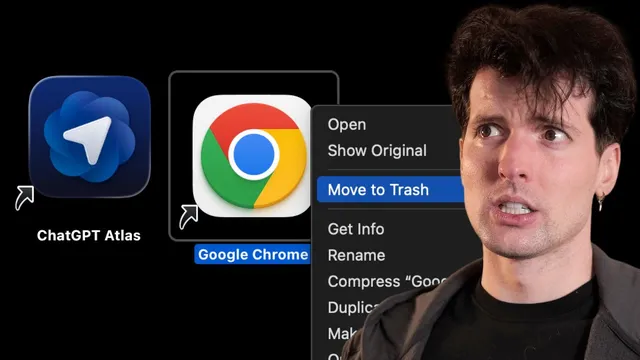
OpenAI made a browser???
Based on Theo - t3․gg's video on YouTube. If you like this content, support the original creators by watching, liking and subscribing to their content.
ChatGPT Atlas is a Mac-only, Chromium-based browser that integrates ChatGPT into core browsing workflows, including a prompt-driven new tab experience.
Briefing
OpenAI’s ChatGPT Atlas is a Mac-only, Chromium-based browser that folds ChatGPT into the browsing experience—complete with an “agent mode” that can navigate pages and complete tasks—yet it lands as more buggy experiment than finished product. The most consequential takeaway is the security tradeoff: agent mode can access logged-in sites to speed up work, but that also creates a new attack surface where prompt injection and malicious instructions embedded in web content could potentially steer actions.
Atlas starts with a UI that tries to blur the line between address bar, search, and image generation. The “new tab” page functions like a prompt box: typing a URL can behave like navigation, while more specific queries can trigger image generation (for example, “corgi riding a bike” leads to an image rather than a conventional search). The concept is compelling—one input surface for multiple intents—but the execution feels awkward. The browser shows noticeable performance lag, and the ergonomics are uneven: extension access requires manual pinning, tooltips dismiss in unintuitive ways, and some UI elements auto-dismiss or don’t persist (including chat history behavior during certain interactions).
Under the hood, Atlas is clearly Chromium-based, with Chrome DevTools available. But it also diverges from familiar Chrome settings and extension workflows, making it feel like a “weirder Chromium fork” rather than a drop-in replacement. It lacks several features the narrator considers essential—strong extension support, picture-in-picture, and common hotkeys like the command-shift-C “copy current tab URL” workflow used in browsers such as Zen, Helium, and Arc. The sidebar that keeps ChatGPT context visible is also described as intrusive because it mixes browsing history with chat history in a way that becomes distracting.
Agent mode is the centerpiece. In logged-in mode, ChatGPT can access sites where the user is already authenticated; in logged-out mode, it reduces risk by operating in a more isolated context (described as similar to incognito/cloud behavior). The browser claims safeguards, including pausing when focus leaves and requiring user control to proceed. Still, the narrator runs prompt-injection-style tests—attempting to get the agent to follow malicious instructions from page content—and finds it difficult to fully exploit, though it can successfully scroll and categorize large sets of replies when the task is framed correctly.
Atlas also introduces “browser memories,” letting ChatGPT retain key details from browsing to improve future answers. Memories are private to the account and user-controlled, but the transcript raises concerns about how long stored data may need to persist, especially amid ongoing legal scrutiny involving the New York Times.
Why build this at all? The narrator’s theory is that Atlas functions as “dogfooding” for OpenAI’s coding and agent tooling: a greenfield Chromium fork gives engineers a controllable environment to test AI-assisted development, while new product surfaces keep engineers building and iterating. Even so, the verdict is cautious. Atlas is described as buggy, resource-hungry, and not ready for daily use—useful mainly as a glimpse of where browser-agent systems might go next, and a reminder that security research will be essential before these tools become trustworthy.
Cornell Notes
ChatGPT Atlas is a Mac-only, Chromium-based browser that integrates ChatGPT directly into browsing, including a “new tab” prompt box that can act like a URL/search/image entry point. Its standout feature, agent mode, can navigate pages and complete tasks; logged-in mode can access authenticated sites to speed work, while logged-out mode aims to reduce risk. The tradeoff is security: agent systems add a new prompt-injection attack surface, so safeguards and user oversight matter. Atlas also offers “browser memories” to retain key browsing details for smarter responses, raising questions about data retention and legal context. Overall, it’s presented as an ambitious but buggy experiment rather than a reliable daily driver.
How does Atlas try to merge browsing and ChatGPT interaction in its UI?
What is agent mode, and what changes between logged-in and logged-out operation?
What kinds of security concerns show up with browser agents?
What ergonomic and compatibility issues affect Atlas usability?
How do “browser memories” work, and why do they raise legal or privacy questions?
What’s the transcript’s theory for why OpenAI built a browser at all?
Review Questions
- What design choices in Atlas attempt to unify URL/search/prompting, and what usability downsides are reported?
- Explain how agent mode’s logged-in vs. logged-out modes change both capability and risk.
- Why does the transcript claim browser-agent systems are especially vulnerable to prompt injection, even when safeguards exist?
Key Points
- 1
ChatGPT Atlas is a Mac-only, Chromium-based browser that integrates ChatGPT into core browsing workflows, including a prompt-driven new tab experience.
- 2
Agent mode can navigate and complete tasks, but logged-in mode’s access to authenticated sites increases the consequences of prompt injection and other malicious instructions.
- 3
Atlas’s UI and ergonomics have multiple friction points—extension access requires manual steps, tooltips and UI elements auto-dismiss, and some chat/history behaviors are inconsistent.
- 4
The browser’s “single input” approach (URL/search/QA/image generation) is functional but feels less controllable than explicit mode switching.
- 5
Browser memories aim to improve responses by retaining key browsing details, yet data retention and legal context (New York Times lawsuit) complicate privacy expectations.
- 6
The transcript frames Atlas as an engineering dogfooding effort for OpenAI’s agent/coding tooling rather than a straightforward attempt to replace mainstream browsers.
- 7
Despite security safeguards and some successful prompt-injection resistance in tests, the overall readiness for everyday use is judged as limited due to bugs, performance issues, and feature gaps.