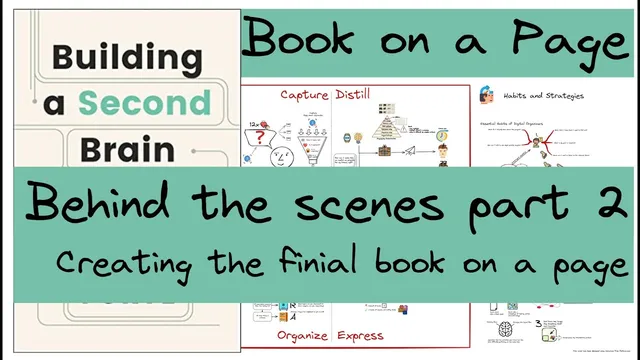
Part 3 Behind the Scenes 2/2: Creating the final book on a page for Building a Second Brain
Based on Zsolt's Visual Personal Knowledge Management's video on YouTube. If you like this content, support the original creators by watching, liking and subscribing to their content.
Convert an empty note into an x-collaborative drawing canvas, then assemble the book’s components as movable visual elements rather than rewriting everything as text.
Briefing
A single “book on a page” layout is built by converting scattered literature notes and sketches into one structured visual map—then iterating on links, references, and information density until the page can reliably remind the creator of the full “Building a Second Brain” workflow. The central move is turning an empty note into an x-collaborative drawing canvas and assembling four major components around a diamond-shaped centerpiece, with “code” (capture, organize, express, and the supporting processes) positioned as the organizing spine.
Work begins with a first pass of highlighted notes and hand sketches from Thiago’s “Building a Second Brain.” Those raw materials get pulled into the drawing workspace as separate elements, then arranged according to a pre-thought concept: the diamond in the center represents the core convergence point, while the “divergent” parts fan out into four code-related quadrants. The creator explicitly plans a layout where capture sits in the upper-left, organize in the lower-left, express in the bottom-right, and the remaining quadrant supports the overall flow. Additional reference ideas—such as Zettelkasten and GTD (Getting Things Done)—are considered but not fully committed at first.
A key technical detail is how references are embedded so the visual map stays connected to the source notes. Instead of linking directly to a title row that would pull in unwanted markdown, the creator creates a dedicated “bookmark” line in the literature notes that contains only the pure text needed for the drawing. In the drawing, a block reference is inserted with a hashtag-style link so hovering over “Super powers of a second brain” jumps to the exact section in the source document. A small refresh test is used to confirm the embedded content updates correctly.
The drawing also incorporates specific conceptual anchors from the book’s ecosystem: the “super powers of a second brain” section, the “12 favorite problems” idea tied to filtering and collecting topics during daily work, and a broader emphasis on the “support powers” behind a second brain. Over roughly an hour of consolidation, the creator transforms the whiteboard of sketches into a polished page.
When the final layout is ready, it’s judged as “a little bit too busy,” prompting the recognition that distillation and condensation are still needed. Still, the page is structured into three main zones: a left column for the promise and legacy of a second brain (including commonplace books and the claim that creativity comes from process rather than chance), a central column anchored around “code” (with large red labels clarifying capture/organize/express), and a right column for habits and strategies that support creative output—especially the express-oriented practices. Those include essential habits like starting with a checklist, finishing with a checklist, and running weekly and monthly reviews, plus “noticing” habits for building the system in small increments.
Not everything from the book makes it onto the page. The creator omits items like a project closeout checklist (not found as insightful) and a monthly checklist (seen as already familiar through GTD-style practice). The result is a dense but functional one-page memory aid meant to capture the book’s “essence,” help recall the code process, and reinforce the best practices later—useful enough that pulling it up again should quickly refresh understanding of the full methodology.
Cornell Notes
The creator turns highlighted notes and sketches from “Building a Second Brain” into a single “book on a page” by converting an empty note into an x-collaborative drawing canvas and assembling four core components around a diamond centerpiece. The layout centers on “code” as the organizing spine: capture (top left), organize (bottom left), express (bottom right), with the remaining quadrant supporting the overall flow. A major improvement is linking the drawing back to source literature notes using block references and a dedicated “bookmark” line so hover navigation jumps to the right section without pulling in unwanted markdown. The finished page is intentionally dense—busy at first—but it captures the book’s promise, legacy, and key habits (checklists, weekly/monthly reviews, noticing) while omitting a few items that felt redundant or less insightful.
How does the creator structure the “book on a page” so it can function as a memory map rather than a summary paragraph?
What problem does the creator solve with block references and “bookmark” lines in the literature notes?
Why does the creator test a refresh behavior after adding an empty character?
Which specific concepts from the book get integrated into the visual map beyond the four-part “code” structure?
How does the creator decide what to include versus leave out on the final one-page layout?
Review Questions
- What layout choices (centerpiece, quadrants, and side columns) make the “book on a page” usable as a quick recall tool?
- How does the “bookmark” line approach prevent unwanted markdown from being embedded when using block references?
- Which habits and review routines are placed under the express-aligned right-hand column, and why are they grouped there?
Key Points
- 1
Convert an empty note into an x-collaborative drawing canvas, then assemble the book’s components as movable visual elements rather than rewriting everything as text.
- 2
Use a central convergence symbol (diamond) and quadrant placement to represent the four-part “code” flow: capture, organize, express, and the supporting element.
- 3
Link drawing labels back to source notes using block references, but create dedicated “bookmark” lines so only the intended text embeds or appears on hover.
- 4
Validate embedded reference behavior with a refresh test to ensure the drawing stays synchronized with the source literature notes.
- 5
Build the page from raw highlights and sketches first, then spend time distilling to reduce clutter—expect the first pass to be busy.
- 6
Select habits and strategies based on personal usefulness and overlap; omit items that feel redundant (e.g., already-known GTD-style checklists).
- 7
Treat the final page as a durable memory aid meant to refresh understanding of the full workflow when revisited later.