PRODUCTIVELY Learning New Things Using Obsidian
Based on FromSergio's video on YouTube. If you like this content, support the original creators by watching, liking and subscribing to their content.
Learning sticks best when knowledge is consumed, retained with spaced repetition, and then applied through projects soon after learning.
Briefing
Learning new skills in a way that actually sticks comes down to a repeatable loop: acquire knowledge, remember it with spaced repetition, and practice it through real projects. The core idea is that study works best when it feeds into immediate or near-term use—otherwise it tends to fade like school notes that never get applied. From there, the method breaks learning into three parts: a way to consume information, a system to recall it over time, and a mechanism to turn it into something you can do.
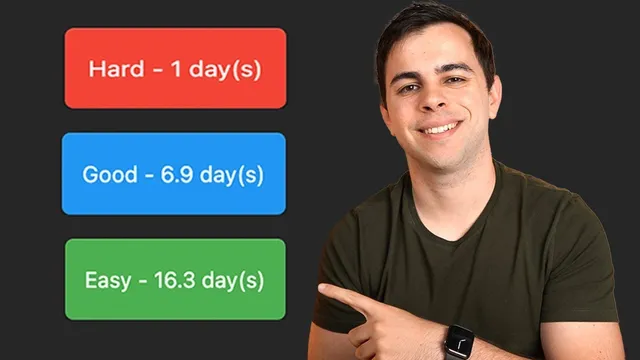
For acquiring, the approach depends on the domain. Languages might come from teachers; law or medicine might come from professors. Self-directed learners can use videos, blogs, courses, and other resources to gather material. But consumption alone doesn’t create long-term retention. That’s where spaced repetition enters: it uses flashcards and schedules reviews based on how well each card was recalled. If a card is marked “hard,” it reappears sooner; if it’s marked “easy,” it’s delayed further—keeping attention focused on weak spots until they strengthen.
Practice is the third leg, and it’s treated as non-negotiable for practical subjects like programming, Linux, or languages. The strategy is to start with small, simple projects that force new concepts to surface, then iterate into more complex work. In a Python example, once the basics are known, a learner builds something small and expects to hit unfamiliar ideas. Each new concept gets captured as notes and flashcards, then the learner returns to the next project—repeating the cycle. Over time, familiar concepts recur (now with real understanding), while new ones keep getting added. The result is described as “exponential” learning because projects continuously generate both review material and fresh gaps.
To implement spaced repetition inside Obsidian, the workflow centers on the Space Repetition plugin (created by Stefan). After installing it via Community plugins, the key setup is telling the plugin which tags to treat as flashcards—by default it uses #flashcards, but the system can be customized (for example, tagging notes with #Linux). Reviews are run through a dedicated command (“review flashcards”), where each card shows a prompt, reveals the answer, and then the user rates recall as easy/good/hard to control when the card returns.
The transcript also details practical ways to structure flashcards. Inline flashcards store prompt/answer pairs in a single note, often using a YAML header with the relevant tag. Another approach spreads flashcards across multiple notes (e.g., “Linux networking”), so when a card is missed, the user can jump directly to the note containing that card for context and clarification. The plugin supports multiple flashcard types—inline, inline reversed, multi-line, multi-line reversed—and even “cloze/blank” style cards for context-dependent answers, such as language learning. There’s also a notes-level review feature for entire notes, though it’s presented as optional.
Finally, the transcript argues for prioritizing one’s own flashcards over community-made ones. The reasoning is that flashcards should reflect what was encountered during active work, not what someone else found useful later. The system is meant to keep limited review time focused on concepts that matter right now, then add new cards only when they become relevant through real projects. Brilliant is mentioned as an alternative way to learn STEM interactively by doing, with lessons curated from basics to advanced.
Cornell Notes
The learning system is built around three steps: acquire knowledge, retain it with spaced repetition, and practice it through real projects. Spaced repetition schedules flashcard reviews based on recall difficulty, so “hard” cards return sooner and “easy” cards return later. In Obsidian, the Space Repetition plugin (by Stefan) turns tagged notes into review sessions, letting users rate each card after seeing the answer. Flashcards can be stored inline in one note or distributed across multiple notes so missed items can be traced back for context. The method emphasizes using your own flashcards created from what you encountered while working, rather than importing others’ cards that may not match current needs.
Why does the system insist on using what’s learned soon after studying?
How does spaced repetition decide when a flashcard should reappear?
What is the practical Obsidian setup for the Space Repetition plugin?
Why store flashcards across multiple notes instead of one big note?
What do the different flashcard formats (inline reversed, multi-line reverse, cloze) accomplish?
Why does the transcript discourage using other people’s flashcards?
Review Questions
- How do the three stages—acquire, remember, practice—work together to prevent forgetting?
- In what situations would inline reversed or multi-line reverse flashcards be more effective than basic inline prompt/answer cards?
- What trade-off comes with distributing flashcards across multiple notes versus keeping them in one place?
Key Points
- 1
Learning sticks best when knowledge is consumed, retained with spaced repetition, and then applied through projects soon after learning.
- 2
Spaced repetition schedules flashcard reviews using recall ratings, bringing “hard” cards back sooner and “easy” cards back later.
- 3
The Space Repetition plugin in Obsidian can be configured by tag (e.g., #Linux) so only relevant notes enter review sessions.
- 4
Project-driven practice continuously generates new concepts to capture as flashcards, while repeated projects reinforce previously learned ones.
- 5
Storing flashcards in multiple notes makes it easier to get context for missed items by jumping directly to the note where the card lives.
- 6
Flashcard formats like reversed cards and cloze/blank cards reduce memorization shortcuts and handle context-dependent answers.
- 7
Prioritizing self-made flashcards keeps review time focused on what’s currently useful rather than what might be useful later.