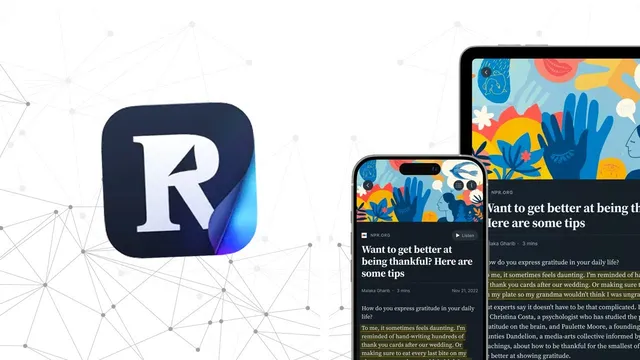
Readwise Reader Review + Tutorial
Based on Systematic Mastery's video on YouTube. If you like this content, support the original creators by watching, liking and subscribing to their content.
Readwise Reader syncs in-app highlights back to Readwise, turning saved reading into a searchable memory system.
Briefing
Readwise Reader turns saved reading into an interactive research workspace by syncing highlights and notes back to Readwise, then layering AI help and powerful organization on top. The core value is a tight loop: save an article, PDF, RSS item, or even a YouTube transcript into Readwise Reader, highlight directly inside the app, and have those highlights immediately appear in the Readwise highlight system—so “reading later” becomes “remembering better.”
A common workflow starts with web browsing. While reading an article online, a user can save it into Readwise Reader with a browser icon. The saved page opens inside the app, where highlights can be created on the spot. Those highlights then become available in the Readwise highlight library, using the same tagging structure the user already relies on. Metadata can be edited in the sidebar, and items can be moved into a “short list” for later attention.
The same highlight-and-sync approach extends to PDFs, which is especially useful for research. After saving a paper, the app tracks reading progress and supports note-taking alongside highlights. In practice, this makes Readwise Reader feel less like a passive reading list and more like an annotation tool for academic and technical material.
Readwise Reader also adds an AI layer through “Ghost Reader,” an integration that can summarize documents, generate thought-provoking questions, produce Q&A, and support custom prompts. The transcript-based workflow is a standout: when a YouTube video is saved into Readwise Reader, the app can use the video transcript to follow along with the speaker, pause, and highlight the exact spoken lines. That capability—highlighting transcripted YouTube text—is positioned as rare among tools, and it matters for people who consume “infotainment” heavily and want to retain specific claims from long-form videos.
Organization is handled through a personal library with filters. Users can create filtered views using queries (for example, items estimated to take longer than 10 minutes, or items tagged with a topic like “cryptocurrency”). The library can become large—hundreds of saved items—so these filters are meant to keep the system usable. The transcript also notes a real-world tension: heavy organization can sometimes lead to “piles” of well-managed items that never get revisited, so the user’s habit is to read a few things and archive them.
Feeding content into the library is another major theme. Readwise Reader supports adding URLs and uploading files, plus subscribing to RSS feeds. The transcript highlights RSS.app as a way to aggregate multiple feeds and apply keyword filters so only relevant items are pulled in. There’s also an email-to-Readwise Reader feature: newsletters and other emails can be forwarded using a Gmail trick (e.g., plus-addressing like “+read later”), and Twitter threads can be saved via the browser extension.
Overall, Readwise Reader is presented as a central hub for capturing and structuring knowledge—web, PDFs, RSS, email, and YouTube—while keeping highlights synchronized with Readwise and using AI to accelerate comprehension and question generation.
Cornell Notes
Readwise Reader is built for capturing what people read and turning it into durable knowledge. It saves web pages, PDFs, RSS items, emails, and even YouTube videos, then lets users highlight inside the app so those highlights sync into Readwise. Ghost Reader adds AI features like summaries, Q&A, and question generation to help users engage with complex documents. The library supports advanced filtered views (using query-like rules) to manage large collections, and content can be ingested via RSS.app, Gmail forwarding, and Twitter saving. The transcript emphasizes the unique value of highlighting YouTube transcript lines—something the creator says is uncommon—making it useful for “infotainment” retention and later synthesis in tools like Obsidian.
How does Readwise Reader connect “saving” with “remembering”?
What makes the YouTube workflow different from typical reading-list apps?
What role does Ghost Reader play in the reading process?
How does the library avoid becoming unmanageable as saved items grow?
What are the main ways content gets into Readwise Reader?
Why does the transcript emphasize research workflows on an iPad?
Review Questions
- What steps connect a saved web page or PDF to highlights in Readwise, and why does that matter for retention?
- How do filtered views in Readwise Reader work, and what kinds of queries might keep a large library usable?
- What specific capability does Readwise Reader claim for YouTube transcript highlighting, and how could that change how someone synthesizes video-based learning?
Key Points
- 1
Readwise Reader syncs in-app highlights back to Readwise, turning saved reading into a searchable memory system.
- 2
Web pages and PDFs can be saved from the browser or via uploads, then highlighted and annotated directly inside Readwise Reader.
- 3
Ghost Reader adds AI functions—summaries, Q&A, and question generation—to speed comprehension and deepen engagement.
- 4
Filtered views let users manage large libraries using rule-based queries (e.g., time-to-read estimates and topic tags).
- 5
RSS.app can aggregate and keyword-filter multiple RSS feeds so only relevant items are imported into Readwise Reader.
- 6
Email forwarding (including Gmail plus-addressing) and Twitter saving via a browser extension provide additional ingestion paths.
- 7
A distinctive workflow enables highlighting YouTube transcript lines while the transcript follows the speaker, supporting retention from video “infotainment.”