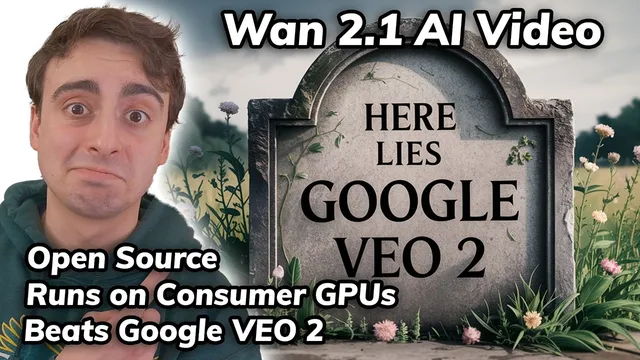
Revolutionary! Open Source & Local Video Model STOMPS on VEO 2
Based on MattVidPro's video on YouTube. If you like this content, support the original creators by watching, liking and subscribing to their content.
W 2.1 is positioned as a top VBench performer (#1), aiming to outperform both open-source and commercial video generators.
Briefing
Open-source video generation just jumped a major tier: Alibaba’s W 2.1 (rolled out as “W 2.1”) is being positioned as a top performer on VBench, landing at #1 and beating both leading open-source and commercial rivals—while still running on consumer GPUs. The practical headline is that it can produce complex motion (horse riding, ice dancing, breakdancing) without the usual “mushy” body-part deformation, and it handles a range of physics-flavored prompts like food cutting and objects interacting with surfaces in a way that looks unusually coherent for an open model.
The model’s demo-style results emphasize motion stability and fewer anatomical glitches. A breakdancer scene is described as looking like a real performance rather than a compiled mess of warped limbs. Other examples include a panda skateboarding, a bald eagle fencing match, men’s diving, and a vine-climbing style shot that stays clean enough to read as intentional animation rather than random artifacts. Even when the prompt is abstract—like vines growing into a window—the output is described as “pretty flawless,” with the model also supporting text generation and multilingual output.
On the hardware side, W 2.1 is presented as unusually accessible. Minimum VRAM requirements are reported as just under 9 GB, and the transcript lists consumer GPU families (including NVIDIA 30-series and newer) that should fit that threshold. Hugging Face hosts multiple checkpoints: larger 14B models capable of up to 720p, plus a smaller 1.3B option optimized for lower VRAM. The 1.3B model is described as most optimal at 480p, with upscaling possible for higher resolution.
Access options split into three buckets. First, an official Hugging Face Space is available but congested, meaning queue times can be long. Second, a Chinese website is mentioned as another route, though it appears to require a Chinese phone number for sign-in. Third, Korea AI offers limited free generations and has added W 2.1, though it can also be swamped.
Local running is pitched as straightforward via ComfyUI, with a step-by-step workflow import and model placement instructions. But there’s a key caveat: on Windows with a very new RTX 90-series GPU, the transcript reports CUDA errors tied to PyTorch not fully supporting CUDA 12.8 on Windows yet—even after trying nightly builds. Linux is suggested as the smoother path, and older cards (30-series/40-series) are expected to work more reliably. Community reports are cited as showing success even on an RTX 2060 with 6 GB VRAM.
To benchmark quality, the transcript compares W 2.1 against Google VEO 2 using multiple prompts. In a “man eating nails” test, W 2.1 is preferred for nail shape and motion, despite VEO 2 being the prior best. In an anime-style “lemon monster destroying skyscrapers” test, W 2.1 is again favored for more convincing animation and action, while VEO 2 is described as failing to actually destroy buildings. For a close-up “cat eating a lemon,” VEO 2 wins on realism, though W 2.1 stays extremely close. Some prompts are harder for both models—like CCTV-style bullfrog riding at a gas station—where W 2.1 flops and VEO 2 wins. In a “Shrek and Bigfoot wedding” scenario, W 2.1 is said to handle the characters better overall, while VEO 2 shows subject confusion.
The closing takeaway is that W 2.1 looks like a “stable diffusion moment” for video: open, locally runnable, and competitive with top proprietary systems—while the community is already expected to optimize it further (including LoRA-style adaptations and fine-tunes for animation styles).
Cornell Notes
Alibaba’s W 2.1 is presented as an open-source video generator that reaches the top of VBench (#1), outperforming both leading open models and commercial systems while still targeting consumer hardware. The model is described as producing complex motion with fewer “mushy” body distortions, and it supports multilingual output plus text generation and visual effects. Access ranges from a Hugging Face Space (queue-heavy) to regional free sites and local runs via ComfyUI, with minimum VRAM reported just under 9 GB. Local use can be limited by Windows + very new GPUs due to PyTorch/CUDA compatibility, while Linux and older cards are expected to work more smoothly. Side-by-side tests against Google VEO 2 show W 2.1 winning many action and animation prompts, with VEO 2 sometimes taking realism wins in close-up eating scenes.
What makes W 2.1 feel like a “stable diffusion moment” for video generation?
How accessible is W 2.1 for users without high-end hardware?
What are the main ways to try W 2.1 for free?
What technical issue can block local W 2.1 runs on Windows?
Where did W 2.1 beat Google VEO 2 in the transcript’s comparisons?
Where did VEO 2 win, even though W 2.1 stayed close?
Review Questions
- Which W 2.1 model size is described as the most practical for low VRAM, and what resolution is it optimized for?
- What Windows-specific compatibility problem is reported for local W 2.1 runs, and why does Linux get recommended?
- In the transcript’s side-by-side tests, what kinds of prompts tended to favor W 2.1 over Google VEO 2?
Key Points
- 1
W 2.1 is positioned as a top VBench performer (#1), aiming to outperform both open-source and commercial video generators.
- 2
The model’s standout capability in demos is complex motion without severe body-part deformation or “mushing.”
- 3
Minimum VRAM is reported as just under 9 GB, making local runs plausible on many consumer GPUs.
- 4
Hugging Face hosts multiple W 2.1 checkpoints, including a low-VRAM 1.3B model and larger 14B models targeting up to 720p.
- 5
Free access options include a congested Hugging Face Space, a Chinese site that appears to require a Chinese phone number, and Korea AI with limited free generations.
- 6
Local setup via ComfyUI is described as straightforward, but Windows users with very new GPUs may hit CUDA/PyTorch compatibility errors.
- 7
In prompt-by-prompt comparisons, W 2.1 often wins action/animation tasks, while VEO 2 sometimes wins close-up realism and difficult “CCTV-style” scenes.