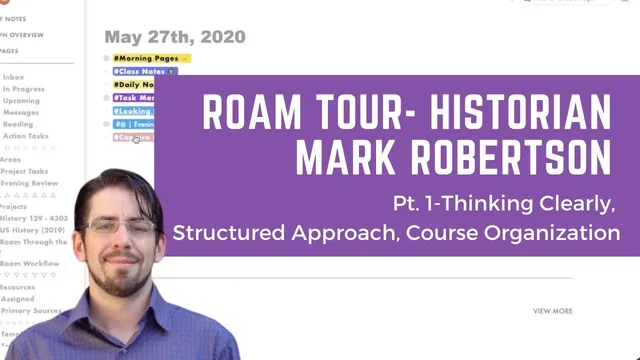
Roam Tour with Historian Mark Robertson Pt. 1: Daily Notes, Structured Roam, Course Organization
Based on Robert Haisfield's video on YouTube. If you like this content, support the original creators by watching, liking and subscribing to their content.
Transclusion is used to reuse assignment and guide blocks so a single edit can update many course pages without copy-and-paste drift.
Briefing
A historian built a Roam Research setup that turns daily capture, teaching planning, and long-form writing into one connected workflow—using transclusion, queries, and block references to reduce clutter and prevent repeated edits across multiple course pages. The core shift is less about “backlinking” and more about reusing the same source blocks everywhere, so a single wording change can propagate without hunting through dozens of copies—an approach that matters when one confusing sentence can derail a whole class.
The workflow starts with a mobile-first “daily notes” page driven by an iOS shortcut. That daily hub pulls in structured inputs automatically: a journal area with an “evening reflection” query that surfaces the prior day’s entry, a randomly selected camera-roll memory for reflective prompts, weather attributes, a sleep log, and calendar data. It also includes a daily inbox for fleeting thoughts and an action list for tasks. Instead of trying to make every task show up in every query, tasks are managed with tags that control what appears by default—especially for subtasks. Subtasks are excluded from the main task query so the daily view stays readable; they only appear when expanded via transclusion, letting projects retain context without flooding the interface.
That design choice feeds into a broader tension: Roam’s “non-hierarchical” network of notes still needs hierarchy in real working life. The setup therefore imposes structure where it counts—particularly for teaching and curriculum. For courses, the system uses a Kanban-style project view for status (on deck, ongoing, done) and a course “modules” structure that must repeat each semester. Rather than migrating old content, the historian recreates course modules from a curated collection of reusable blocks. Those reusable blocks are maintained as templates using block references, so updates happen once and then flow outward.
Teaching organization is handled through course-specific pages that link to shared assignment directions and learning-management-system (LMS) materials. The course pages also track which foundational questions are being “remixed” depending on course length (e.g., a 15-week version versus a 7-week version). Visual cues—like colored dots or unicode icons—help distinguish references to content that lives elsewhere, while keeping the course map navigable without constantly checking the LMS.
Finally, the writing system adds lightweight self-interaction without turning prose into an outline. In an article workspace, the historian uses an inbox query for project capture and then annotates drafts inline with markers (pushpins) that function like argumentative or stylistic notes. A key benefit is rapid review of past writing introductions: clicking into an “introduction” section surfaces prior intros so the writer can compare style and context. The result is a Roam environment that treats daily life, teaching logistics, and drafting as one connected system—designed to stay fast, minimize clutter, and make updates reliable through transclusion rather than copy-and-paste repetition.
Cornell Notes
Roam Research is used as a single system for daily capture, teaching planning, and long-form writing. A mobile-first daily page pulls in journal prompts, weather, sleep, calendar items, and tasks via iOS shortcuts and Roam queries. To keep the interface usable as volume grows, tasks use tags so subtasks stay hidden in the main view and only appear when expanded, reducing clutter while preserving project context. For teaching, course modules are rebuilt each semester from reusable templates using block references, so a one-word change can propagate across many assignment directions. For writing, inline markers and an inbox query support drafting while also letting the writer review past introductions to refine style and structure.
Why does the setup treat transclusion as more than “just backlinking”?
How does the system prevent task queries from becoming cluttered?
What role does mobile-first automation play in daily notes?
How is hierarchy handled in a system that’s described as non-hierarchical?
How are course materials kept consistent across semesters?
What writing workflow supports drafting without turning everything into an outline?
Review Questions
- How do tags and transclusion work together in this setup to balance context and readability in task lists?
- What mechanisms ensure that course assignment directions stay consistent when the historian updates wording or instructions?
- How does the writing system use inline annotations to support revision without forcing a traditional outline format?
Key Points
- 1
Transclusion is used to reuse assignment and guide blocks so a single edit can update many course pages without copy-and-paste drift.
- 2
A mobile-first iOS shortcut populates a daily Roam hub with journal prompts, weather, sleep, and calendar data to reduce manual input.
- 3
Task clutter is controlled by tagging subtasks so they’re excluded from default queries and only revealed when expanded.
- 4
Course organization relies on repeatable structure—Kanban-style project status plus course modules rebuilt from template blocks each semester.
- 5
Block references function as templates for repeated teaching materials, making semester-to-semester updates efficient and consistent.
- 6
Inline writing annotations (pushpins/markers) support revision and style tracking while preserving paragraph flow.
- 7
The system treats hierarchy as necessary for real work, even if the note network itself is non-hierarchical.