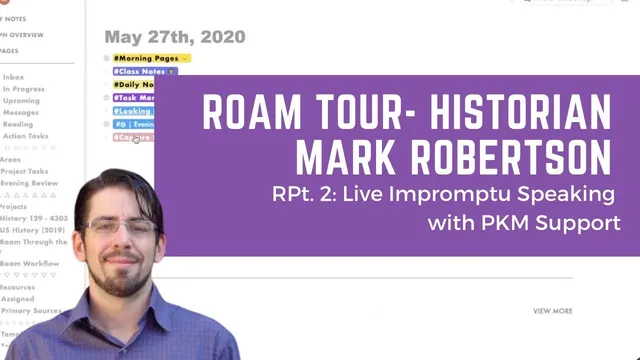
Roam Tour with Historian Mark Robertson Pt. 2: Live Impromptu Speaking with PKM Support
Based on Robert Haisfield's video on YouTube. If you like this content, support the original creators by watching, liking and subscribing to their content.
Use a year-tagged timeline in Roam so classroom questions can be routed to the right notes and primary sources instantly.
Briefing
A history instructor is using Roam Research as a live, searchable “thinking layer” so students can follow their curiosity in real time—without the teacher needing to memorize a sprawling curriculum. The setup centers on a timeline of year-by-year tags, where questions from class map to notes, links, and primary sources. When a student asks something adjacent—say, about 1968, the Black Panthers, or the Catonsville 9—the instructor can jump to the right year, pull government reports and other documents tagged to that period, and bring them onto a digital whiteboard for shared reading.
The practical workflow is built for Socratic teaching. Students drive the direction by asking questions, while the instructor navigates a Roam sidebar on an iPad/slide-over style interface. Notes are organized so that a topic like “Reagan revolution” can be scanned quickly, including election calendars and linked images/documents. If a question arises that the instructor doesn’t know well (rare, but possible), the timeline and tagged references act as a navigational map—turning uncertainty into an on-demand research path that can be followed during class.
A key part of the system is pairing Roam with Concepts (a digital whiteboard/inking tool). The instructor keeps Concepts open alongside Roam and uses Concepts’ infinite canvas for visual thinking. A standout detail: highlighted content can be copied from Roam to the computer clipboard, enabling side-by-side mixing of notes and visuals. For primary sources, documents tagged to a specific year can be opened and then dropped into Concepts so the class can read and absorb passages together. The instructor also describes “professorial magic” as the ability to traverse notes and resources quickly while students don’t see the behind-the-scenes searching.
The approach extends beyond teaching into how the notes are captured and matured. Roam is treated partly like a bullet journal, with tasks, journaling, and thoughts. Draft capture happens outside Roam—using drafts aggregated via a daily template—then pulled in based on last-modified timing. This keeps the repository from becoming a cluttered inbox while still preserving a steady stream of raw material (clips, tweets, articles, clips to watch). Over time, structure is added through sidebars for quick access to email messages, student messages (with no private information), reading lists, tasks, projects, and resources.
Advice for new Roam users is less about perfect linking and more about “thinking in writing.” The instructor argues that full-text search won’t replace the need for a usable structure, and that users should accept early chaos while imposing enough intellectual logic to make ideas discoverable later. The underlying pedagogy is that forcing students into a fixed path limits retention, while letting them pursue interest—then anchoring that pursuit with tagged notes and primary sources—supports deeper exploration.
Overall, the system matters because it reframes note-taking as an interactive teaching tool: a way to improvise responsibly, guide students toward richer contexts, and continuously convert open questions into searchable, teachable material.
Cornell Notes
Roam Research is used as a year-tagged timeline and question-driven knowledge base to support live, Socratic teaching. When students ask about a topic like 1968 or related movements, the instructor can jump to the correct year, open primary sources tagged to that period, and bring them into a shared reading workflow on a Concepts digital whiteboard. The system also relies on pairing Roam with visual thinking: highlighted content can be copied to the clipboard so notes and visuals can be combined quickly. Outside-class capture is handled through drafts aggregated by a daily template, keeping the repository usable while still collecting raw clips and ideas. The broader lesson is to “think in writing” and impose enough structure for later retrieval, since full-text search alone won’t substitute for a personal system.
How does a year-by-year tag timeline change what can happen during class?
What role does Concepts play alongside Roam during live discussion?
Why does the instructor emphasize guiding students down “more paths” rather than only the first topic that comes up?
How does the capture system keep Roam from becoming an unmanageable inbox?
What’s the core principle behind the advice for new Roam users?
What does “thinking in writing” change about how the instructor works?
Review Questions
- How does tagging by year support improvisation when a student asks an unexpected question?
- What tradeoffs does the instructor describe between relying on full-text search and building a personal structure for retrieval?
- How does the draft-to-daily-template workflow affect the quality and usability of stored notes over time?
Key Points
- 1
Use a year-tagged timeline in Roam so classroom questions can be routed to the right notes and primary sources instantly.
- 2
Pair Roam with a live whiteboard workflow (Concepts) so documents and passages can be read together while discussion stays interactive.
- 3
Let students’ interests set the direction of inquiry, then anchor that inquiry with tagged references and contemporaneous documents.
- 4
Capture raw material as drafts outside Roam and aggregate it into daily notes via templates to keep the repository usable.
- 5
Treat Roam as a repository for thinking in writing, not just backlinking, and accept early messiness while preserving discoverability.
- 6
Impose enough logical structure for later retrieval because full-text search alone won’t match how people actually recall and connect ideas.
- 7
Track open questions explicitly and link them to ideas so unfinished thinking remains visible and actionable.