Roam42 Smartblocks and Notion: Ancestry Research Tour
Based on Red Gregory's video on YouTube. If you like this content, support the original creators by watching, liking and subscribing to their content.
Roam Research is used as the working draft for ancestry, with nested family lines and generation-ordered layouts that mirror how relationships are traced.
Briefing
Ancestry research can become far more manageable when raw records from Ancestry.com are funneled into a structured system that both tracks relationships and produces a “family booklet” view for relatives. This workflow pairs Roam Research with Roam42 Smartblocks and Notion: Roam42 handles the heavy lifting inside Roam (templates, maps, and structured embeds), while Notion acts as the polished front end where family members can browse profiles, events, and documents—and leave comments when something looks off.
The setup starts with a single Roam “ancestry page” organized by family lines. Each family name sits on a main page as a nested structure, with embeds that display children and “through line” connections. Color-coding distinguishes extended-family members from direct lines, and namespace links help keep those relationships visually consistent. The result is one long, generation-ordered layout that mirrors how the researcher thinks: starting from great-grandparents and moving forward, generation by generation, while keeping the closest-to-me person at the bottom and the farthest at the top.
For each individual, the Roam templates standardize the fields needed for later automation: birth year, generation number, death place and date, spouse, and parent/child links. Generation numbers aren’t just labels; they’re used to quickly locate where someone lands in the tree. The system also generates relationship context (e.g., identifying whether a person is a great-great-great aunt/uncle) using formulas tied to generation data. Roam42 Smartblocks further automates map creation from latitude/longitude and zoom settings, so birth and death locations appear as markers without manual plotting.
Time-based views add another layer of navigation. Birth and death dates feed decade and century pages, letting the researcher jump from a person to “everyone born in the 1850s” or “all deaths in the 18th century.” Occupations, age at death, and even zodiac signs are pulled into structured sections, with links that let the researcher filter by occupation (for example, listing all carpenters). Children and sibling navigation are handled through nested embeds and backlinks, so relatives can trace family connections without learning the underlying database logic.
The key bridge to Notion is a “notion import” template. Instead of exporting everything, the workflow selectively captures the most story-relevant fields—years, places, spouse/ancestry URL, and a status tag (complete, loose ends, open door, active research). Roam42 Smartblocks converts the structured Roam page into outputs like Markdown/JSON, then the researcher pastes pipeline-delimited rows into Excel (or later Google Sheets). Notion imports the data into a master database using the same delimiter scheme, aligning columns and properties automatically.
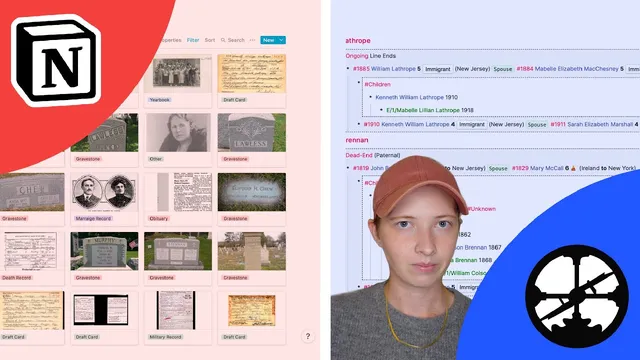
Once in Notion, relationships (parents, spouses, children) and rollups/formulas generate the booklet experience: family pages show members by last name, events appear as cards, and filters surface missing information. A separate documents database is populated via the “Save to Notion” extension, prioritizing visually compelling sources like gravestones, marriage announcements, newspaper clippings, yearbook photos, and draft records—while avoiding bulk records like census documents. The end product is a collaborative, comment-enabled ancestry hub where the researcher can keep Roam as the working draft and Notion as the family-facing final draft.
Cornell Notes
The workflow builds an ancestry “booklet” by combining Roam Research, Roam42 Smartblocks, and Notion. Roam stores and structures family relationships using nested templates, generation numbers, and automated map/time views (decades and centuries). A dedicated Roam “notion import” template exports selected fields as pipeline-delimited rows, which are pasted into Excel and imported into a Notion master database. Notion then generates the front-end experience through templates, rollups, formulas, and filters—showing events, family navigation, missing-information flags, and linked documents. This matters because it turns scattered records from Ancestry.com into a browsable, collaborative resource for relatives, not just a personal research log.
How does the system keep family relationships readable across generations?
What role do templates and formulas play in turning raw dates into navigable history?
How are maps generated without manual geocoding work for each person?
How does the workflow move data from Roam into Notion reliably?
What makes Notion function like a family-facing booklet rather than a spreadsheet?
Why prioritize certain document types in the Notion documents database?
Review Questions
- Describe the data path from Ancestry.com to Roam to Notion, including how the pipeline delimiter enables the import.
- What specific Notion features (templates, rollups, formulas, filters, and linked databases) are used to create the “booklet” experience for family members?
- How do decade/century pages and map markers reduce manual navigation compared with browsing individual profiles one by one?
Key Points
- 1
Roam Research is used as the working draft for ancestry, with nested family lines and generation-ordered layouts that mirror how relationships are traced.
- 2
Roam42 Smartblocks automates map generation and supports template-driven views like births/deaths by decade and century.
- 3
A dedicated “notion import” template captures only the most story-relevant fields (years, places, spouse, ancestry URL) and assigns status tags such as complete, loose ends, and open door.
- 4
Roam42 conversion plus pipeline-delimited export enables fast batch imports into Notion via Excel (and potentially Google Sheets).
- 5
Notion acts as the family-facing booklet using templates, rollups, formulas, and filters to generate events, family navigation, and missing-information queues.
- 6
A separate documents database—populated via Save to Notion—links high-value sources (gravestones, marriage announcements, clippings, photos) to individual profiles for easy browsing.