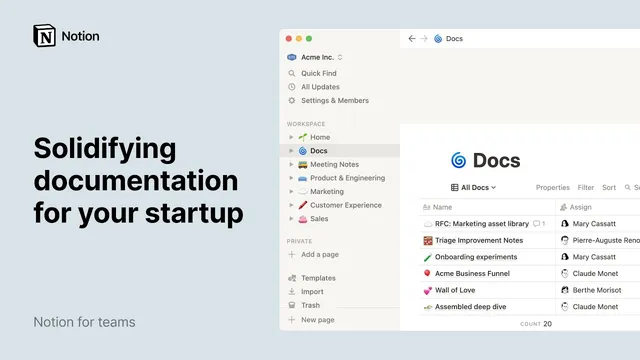
Solidifying documentation for your startup
Based on Notion's video on YouTube. If you like this content, support the original creators by watching, liking and subscribing to their content.
Centralize company-wide documentation in one Notion database and store meeting notes in a separate shared meeting database to avoid silos and enable filtering.
Briefing
Startup speed depends on reliable knowledge—missing context leads to wrong processes, duplicated work, and wasted time. A practical way to prevent that is to centralize documentation and meeting records in Notion, then connect everything with links, templates, and reusable blocks so employees can find the right information instantly.
The foundation is workspace structure. Notion pages can nest indefinitely, but teams should still impose order: keep a small number of top-level pages and use breadcrumb navigation to preserve clarity. For documentation, centralize company-wide materials in a single database rather than scattering them across team pages. That approach creates consistency and makes updates transparent—from managers to support staff—while also enabling sorting and filtering. Meeting notes follow the same logic: instead of siloing notes inside department areas, store them in a shared meeting database so cross-functional teams can search, review, and learn from each other’s work.
Within each database, standard properties turn scattered documents into a system. For the docs database, entries can include fields such as document type, last updated date, summary, relevant tags, priority level, assignee, and the date the document was added. These properties support consistency and also power multiple views—such as a priority-sorted list or a filtered view that shows only open RFCs (requests for comment). The meeting notes database uses similar property thinking: capture creation time, attendees via a people property, the team via a select property, creator via a “created by” field, and last edited time. Additional views can then present weekly syncs in a list or meetings by team in a board.
To reduce friction, recurring work should be templated. Notion templates can pre-fill sections and checklists for stand-ups, process changes, or RFCs. When a team member creates a new page from a template, the structure stays consistent, which helps new hires ramp faster and keeps updates comparable over time.
Once content is organized, the next step is making it usable: link pages instead of referencing names. Using Notion’s “@” page linking creates dynamic links that take readers directly to the source and automatically generate backlinks—so every document knows where it’s referenced. For broader reuse, teams can embed synced copies of databases across pages using linked databases, applying filters and views so recruits see only relevant items (for example, documents tagged as “user feedback”). For non-database content that still needs to stay consistent, synced blocks let teams paste shared text (like mission and vision) once and automatically propagate future edits everywhere it’s used.
Finally, keep the system navigable and sustainable. Use Quick Find for fast retrieval, favorite frequently used pages, and archive obsolete documents rather than deleting them outright. The result is a documentation culture that scales with the company—structured enough for consistency, connected enough for discovery, and flexible enough to evolve as processes change.
Cornell Notes
Centralized documentation in Notion prevents the startup problems that come from missing context: incorrect processes, duplicated work, and wasted time. The core setup is two shared databases—one for company-wide docs (including RFCs) and one for meeting notes—backed by standardized properties like type, priority, owners, and timestamps. Multiple database views and filters make it easy to surface the right information for different purposes, such as open RFCs or weekly syncs. Templates reduce friction for recurring work, while page links, backlinks, linked databases, and synced blocks keep knowledge connected and automatically up to date. Archiving obsolete items and using Quick Find keeps the system usable as the company grows.
Why centralize docs and meeting notes into shared databases instead of keeping them in team-specific pages?
What properties make a Notion documentation database scalable as the number of documents grows?
How do templates and templates-based page creation reduce operational overhead?
What’s the practical difference between linking pages, linked databases, and synced blocks?
How do backlinks improve knowledge navigation in a growing workspace?
What maintenance practices keep the documentation system trustworthy over time?
Review Questions
- How would you design a docs database so that different teams can quickly find the right updates (e.g., open RFCs vs. high-priority changes)?
- When should a team use a linked database versus a synced block, and what problem does each solve?
- What steps would you take to ensure recurring meetings and process-change requests stay consistent across new and existing teammates?
Key Points
- 1
Centralize company-wide documentation in one Notion database and store meeting notes in a separate shared meeting database to avoid silos and enable filtering.
- 2
Use standardized database properties (type, priority, tags, assignee, timestamps, summaries) so entries stay consistent and sortable across the organization.
- 3
Create multiple database views to surface different slices of information, such as priority lists or only open RFCs.
- 4
Build templates for recurring pages (stand-ups, process changes, RFCs) so every new entry starts with the same structure.
- 5
Link pages instead of referencing names to create dynamic navigation and automatic backlinks that reveal where content is used.
- 6
Use linked databases for synced, filterable access to the same dataset across different pages, and use synced blocks for shared non-database content that must stay updated everywhere.
- 7
Archive obsolete documents and rely on Quick Find and favorites to keep the workspace fast and trustworthy as it grows.