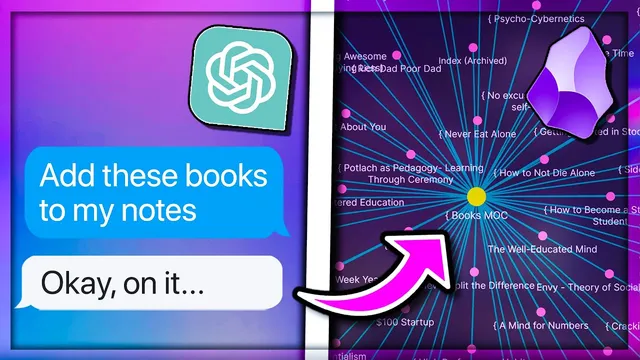
Supercharging Your Learning with AI for Better Notes And Learning with ChatGPT and Obsidian
Based on John Mavrick Ch.'s video on YouTube. If you like this content, support the original creators by watching, liking and subscribing to their content.
Use transcript-based prompts to generate key takeaways before committing time to watch or read, reducing exposure to clickbait and fluff.
Briefing
AI can turn “information overwhelm” into a structured learning pipeline by filtering what’s worth consuming, translating confusing ideas into your preferred mental model, and converting highlights into connectable conceptual notes inside Obsidian. The core workflow starts before reading or watching finishes: paste transcripts (or raw notes) into ChatGPT with prompts that produce key takeaways, then further narrow those takeaways using your own goals and interests—so clickbait and irrelevant sections get screened out early.
A practical example centers on deciding whether to watch a YouTube video. Instead of relying on a vague title, the workflow copies the transcript from the YouTube interface and asks ChatGPT for a detailed, dash-formatted list of key takeaways. That list becomes a “holistic view” that helps the learner judge relevance immediately. The prompts can then be customized to exclude categories like sponsorships and product placements, and—more importantly—to filter content against a personal objective. In the transcript, the objective is finding a meaningful, fulfilling life tied to “living a life that is difficult to explain” and the concept of the self. ChatGPT narrows the material to only what matches those criteria, leaving out everything else.
The same goal-based filtering extends to curiosity-driven learning. The workflow uses a set of “12 favorite problems,” open-ended questions the learner wants to answer. ChatGPT is asked to check each problem against the content and, for each problem, list the most relevant ideas—or explicitly report “no direct relevance” when nothing fits. This turns passive consumption into targeted research: the learner can decide what to dive into next based on which problems actually connect.
Once relevant material is identified, AI acts as a personalized tutor for understanding. When a paragraph or concept is unclear, the learner asks ChatGPT to explain it from different angles—such as “as if I was a gamer” when studying mental models and systems thinking. The transcript emphasizes iterative questioning: if the first explanation still doesn’t land, follow-up prompts can keep refining the explanation until it clicks. AI can also reframe explanations for different audiences (e.g., a five-year-old) or for first-principles reasoning.
After comprehension comes note transformation. Raw highlights often need cleanup—punctuation, grammar, and sometimes deduplication—so ChatGPT is used as a “formatting slave” while preserving each highlight’s link. Then the workflow converts highlights into conceptual notes without drowning in volume. It recommends progressive summarization: start with general summaries and themes, then organize key takeaways under higher-order topics, and optionally extract only the most important parts (e.g., bolded headers) to keep the conceptual notes atomic and connectable.
Finally, the system focuses on building a web of connections in Obsidian. It uses AI to generate new note titles and to creatively connect new notes to existing ones (e.g., linking non-dual mindfulness ideas to a self-actualization note). For discovery inside a vault, it leverages the Smart Connections plugin to surface relevant existing notes even when terminology varies. When connections are too broad, it proposes creating bridging links using FEI Ling seng’s “Compass” framework: North links (sources/parents), West links (similar/contrasting ideas), and South links (what the note causes). The result is a repeatable method for turning scattered highlights into a structured, searchable knowledge network.
Cornell Notes
The workflow uses ChatGPT to manage knowledge from start to finish: filter what’s worth consuming, deepen understanding, and convert highlights into conceptual notes that connect inside Obsidian. It begins by pasting transcripts (like YouTube captions) and asking for detailed key takeaways, then narrows relevance using personal goals or a list of “12 favorite problems,” optionally excluding sponsorships and product placements. For unclear ideas, it uses iterative re-explanations in different frames (e.g., “as if I was a gamer”) until the meaning becomes clear. Highlights are then cleaned for punctuation/grammar and progressively summarized into atomic, connectable notes. Finally, it builds relationships between notes using Smart Connections and the Compass framework (North/West/South links) to create bridges when direct linking is too broad.
How does the workflow prevent clickbait and irrelevant content from wasting time at the start of learning?
What’s the difference between goal-based filtering and curiosity-based filtering in these prompts?
How does AI help when a concept is confusing even after reading or highlighting?
Why does the workflow emphasize progressive summarization when turning highlights into conceptual notes?
How are connections between notes built when keyword search fails or when links are too broad?
What does “AI as copilot” mean in the note-creation steps?
Review Questions
- When deciding whether to consume a piece of content, what two layers of filtering can be applied to ChatGPT prompts (and what does each layer accomplish)?
- Describe a situation where you would use “as if I was a gamer” style re-explanation versus progressive summarization into conceptual notes.
- How would you use the Compass framework to create a bridge between two notes whose direct connection feels too broad?
Key Points
- 1
Use transcript-based prompts to generate key takeaways before committing time to watch or read, reducing exposure to clickbait and fluff.
- 2
Customize prompts to exclude irrelevant categories such as sponsorships and product placements when they distort relevance.
- 3
Filter content against either a single life goal or a set of “favorite problems” to decide what to dive into next.
- 4
Treat ChatGPT as an iterative tutor: request explanations in different frames (audience, first principles, or domain analogies) until understanding stabilizes.
- 5
Clean and standardize raw highlights with AI while preserving highlight links, then progressively summarize to avoid overwhelm.
- 6
Convert highlights into atomic, connectable conceptual notes by extracting themes first and then reducing to the most important elements (e.g., bolded headers).
- 7
Build a network of notes using Smart Connections for discovery and the Compass framework (North/West/South links) to create bridges when direct linking is too broad.