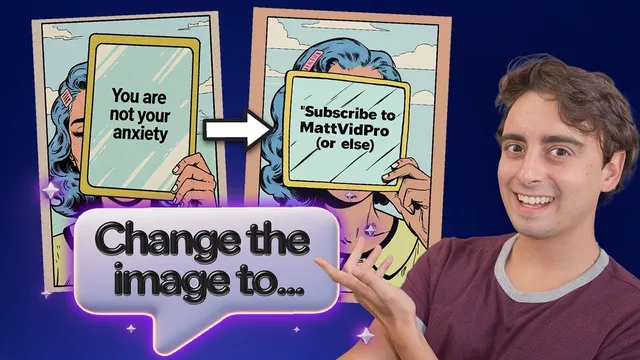
The Easiest Design Tool is also the Most POWERFUL. (thanks to AI)
Based on MattVidPro's video on YouTube. If you like this content, support the original creators by watching, liking and subscribing to their content.
Playground Design emphasizes template-based creation where natural-language edits preserve the original style, colors, and layout.
Briefing
Playground Design’s standout pitch is that advanced graphic design can be done through plain-language edits—often by “texting” changes—without the prompt-tuning and style management that usually trips up newcomers. Instead of wrestling with layers, typography settings, or complex generation prompts, users pick a template (poster, logo, thumbnail, social post, and more), swap text, and press Create. The system then preserves the original look—lettering style, background, and color—while updating the requested content, producing results that would typically require significant Photoshop or 3D experience.
That template-first workflow is the core differentiator. The interface hides the complexity by translating natural-language requests into consistent style-preserving variations. When the creator changes a “Good Vibes” bubble-letter poster to “Matt vid Pro,” the output keeps the same design language and palette rather than starting a fresh, style-agnostic generation. The same pattern shows up in logo transformations: a bear with a sun background can become a jellyfish while retaining the composition and aesthetic; a stylized panther can be remade into a centipede with coherent text styling. Even when the prompt is more demanding—like replacing a logo concept while keeping the exact typographic treatment—the results tend to stay aligned with the template’s visual rules.
The workflow also supports iterative refinement. Users can adjust parts one at a time—turning a creepy thumbnail character into a lemon, then changing the headline to “how to become a lemon,” and continuing to tweak details over multiple prompts. The system isn’t perfect—some generations miss (text spelling can glitch, colors can drift, or elements may change unexpectedly)—but the “hits” are described as strong enough to feel near-magical, especially compared with tools that require more prompt expertise.
A major comparison point is how Playground Design reduces the learning curve versus general image generators like DALL·E-style workflows or idiogram AI. With general tools, inexperienced users often struggle to specify constraints such as aspect ratio (e.g., 16:9 for YouTube thumbnails) and desired style consistency, leading to results that look like “throwing things at the wall.” Playground Design’s starting templates and style transfer-like behavior aim to deliver closer-to-ready outputs immediately, which matters for democratization: people can create professional-looking assets without mastering prompt engineering.
The platform also expands beyond flat graphics. It includes a general art generator for style transfer and character transformations (for example, turning a 3D ghost into a pumpkin while keeping the cute 3D look and props like a book). There’s a resize feature to change aspect ratios, an undo option, sharing and download/upscale options tied to Pro, and an iOS app. Users can also start from an uploaded image for style transfer, generating a new version rather than directly editing the original.
Commercially, the creator highlights a free tier with limited generations and Pro plans starting around $15/month, recommending monthly over annual due to how quickly AI tools evolve. Overall, the product’s market appeal is framed as a balance of power and accessibility: it targets both beginners who need simplicity and advanced users who still want control, while betting that future model improvements will reduce current imperfections.
Cornell Notes
Playground Design is presented as a design tool where complex, style-consistent graphics can be generated through simple, natural-language edits. Users start from templates (posters, logos, thumbnails, social posts) and then change text or swap concepts while the system preserves the original style, colors, and layout. Iterative prompting lets creators refine outputs step-by-step, though occasional glitches and imperfect adherence to details still happen. The tool is positioned as easier than general image generators because it reduces the need for prompt engineering and constraint management like aspect ratio. That accessibility is framed as the key reason it can help democratize professional-looking design for newcomers and speed up workflows for experienced users.
What makes Playground Design feel “easier” than typical AI image generation tools?
How does the tool handle iterative changes during a design session?
Why does the transcript claim general tools can produce weaker results for beginners?
What kinds of transformations demonstrate style consistency?
What limitations or failure modes are acknowledged?
How does the platform expand beyond templates, and what does image upload do?
Review Questions
- How does a template-first workflow change the amount of prompt engineering a user needs compared with general image generators?
- Give two examples of transformations where style preservation is emphasized, and describe what stayed consistent in each case.
- What are two specific ways the transcript says results can fail or drift from the user’s intent?
Key Points
- 1
Playground Design emphasizes template-based creation where natural-language edits preserve the original style, colors, and layout.
- 2
Iterative prompting supports step-by-step refinement, such as transforming a thumbnail character and then updating headline text in later prompts.
- 3
The tool is positioned as more beginner-friendly than general image generators because it reduces the need to manage constraints like aspect ratio and style coherence.
- 4
Logo and character transformations (bear→jellyfish, panther→centipede, ghost→pumpkin) are used to demonstrate consistent style transfer.
- 5
Outputs can still glitch—text spelling, colors, and small design elements may drift even when the overall look is close.
- 6
Pro features include capabilities like download/upscale, while free usage is limited and Pro pricing is discussed as starting around $15/month.
- 7
The platform includes resize, undo, sharing, an iOS app, and an image-upload mode that generates a new style-transferred result rather than directly editing the original.