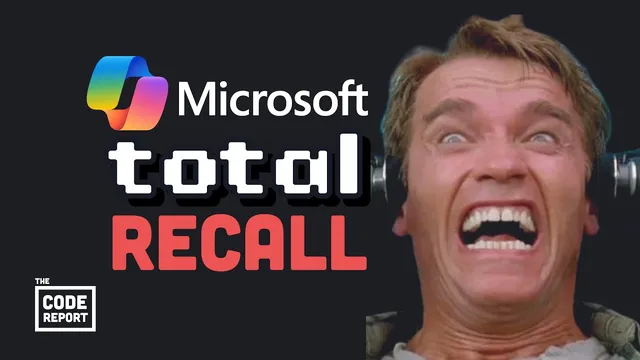
These new computers are getting creepy… Copilot+ PC first look
Based on Fireship's video on YouTube. If you like this content, support the original creators by watching, liking and subscribing to their content.
Copilot+ PCs emphasize AI features powered by an on-device neural processing unit rated at 40 TOPS, alongside ARM-based efficiency.
Briefing
Microsoft’s new Copilot+ PC line is drawing attention less for raw speed and more for a feature called Recall: a system that continuously takes on-device snapshots of what changes on the screen, then uses built-in image classification to help users find past activity without manually digging through files. The pitch is convenience—ask Copilot to locate a specific video or document from weeks ago and it can surface the right item. The reaction is unease because the same mechanism can feel like a constant record of private life, raising fears about surveillance, data misuse, and targeted influence.
At the same time, the hardware shift is real. The Copilot+ PC is built around Qualcomm’s Snapdragon Elite chip using the ARM architecture, aiming to compete with the MacBook Air while delivering better battery life and avoiding overheating. Microsoft claims performance gains of 58% versus an M3 MacBook Air, with “up to 0% faster” versus an M4. Those numbers matter, but they come with a major constraint: most Windows apps were built for x86 processors. As of now, some popular software works—Chrome and Microsoft Office are cited as working—while other apps lag or don’t run, including Adobe Premiere. Microsoft’s path forward depends on emulation software such as Prism, described as similar to Apple’s Rosetta approach for translating x86 apps to ARM.
The “creepy” label also connects to how Copilot+ PCs handle AI voice. A Copilot+ PC AI voice was reportedly close to Scarlett Johansson’s—an uncanny resemblance that sparked concern and legal threats, leading OpenAI to discontinue the voice after GPT-4. The transcript frames this as another controversy for a company at the center of the AI boom, and it underscores how quickly AI capabilities are colliding with celebrity rights and public trust.
Recall is the centerpiece of the privacy debate. The transcript emphasizes that Recall data stays entirely on-device: it doesn’t go to the cloud, and users can delete it like browser history and choose which apps are monitored. Still, the core worry remains psychological and political—people already assume government surveillance, and any system that records “everything” can feel like an invitation to abuse, whether by advertisers or other actors.
Overall, Copilot+ PCs signal a new computing direction: ARM-based Windows laptops with dedicated neural processing hardware (40 TOPS is cited) and AI-first features that blur the line between assistance and observation. The trade-off is clear—more AI capability and efficiency, paired with app compatibility hurdles and a privacy conversation that won’t go away.
Cornell Notes
Copilot+ PCs run Windows on Qualcomm’s Snapdragon Elite ARM chips and include a 40 TOPS neural processing unit aimed at AI-heavy workflows. Microsoft’s biggest “creepy” draw is Recall, which continuously snapshots screen changes and uses on-device image classifiers so users can search for past activity by asking Copilot. The convenience is obvious, but so are privacy concerns: even if Recall stays on-device and can be deleted, the idea of constant recording feels like surveillance. Compatibility is another constraint—many x86 Windows apps don’t work yet, with emulation tools like Prism offered as a bridge. Separate controversy surrounds an AI voice that resembled Scarlett Johansson, which was discontinued after legal pressure.
What makes Recall on Copilot+ PCs feel different from normal search or file browsing?
Why does Recall raise privacy alarms even if it’s “on-device”?
What safeguards are mentioned to reduce Recall’s privacy risk?
How does the ARM switch affect app compatibility on Copilot+ PCs?
What controversy is tied to AI voices on Copilot+ PCs?
Review Questions
- How does Recall decide when to capture a snapshot, and what does it store or classify?
- What are the main trade-offs of moving Windows laptops from x86 to ARM in the Copilot+ PC approach?
- What privacy controls are described for Recall, and which concerns remain even with those controls?
Key Points
- 1
Copilot+ PCs emphasize AI features powered by an on-device neural processing unit rated at 40 TOPS, alongside ARM-based efficiency.
- 2
Recall continuously snapshots screen changes and uses on-device image classification to help users retrieve past activity through Copilot queries.
- 3
Recall’s privacy risk is debated because constant capture can feel like surveillance, even though the transcript says data never leaves the device.
- 4
App compatibility is a central limitation: many x86 Windows apps don’t work yet on ARM, with Prism offered as an emulation bridge.
- 5
Microsoft claims strong performance gains for Copilot+ PCs versus Apple’s M3 MacBook Air, but the practical experience depends heavily on which apps users rely on.
- 6
A separate controversy involves an AI voice resembling Scarlett Johansson, which was discontinued after legal pressure tied to GPT-4-era changes.