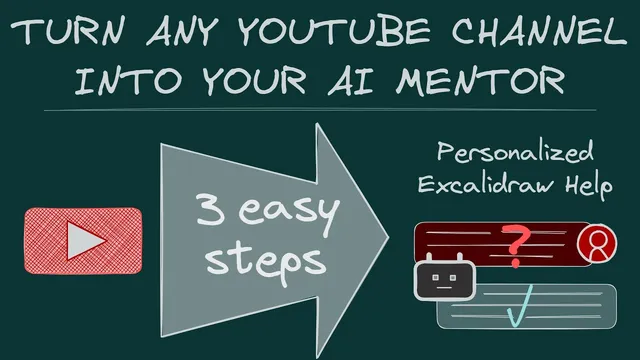
Turn any YouTube Channel into your AI Mentor - Obsidian is the ultimate automation workbench for PKM
Based on Zsolt's Visual Personal Knowledge Management's video on YouTube. If you like this content, support the original creators by watching, liking and subscribing to their content.
Obsidian automation can fetch YouTube transcripts and convert them into structured Markdown notes with summaries, key takeaways, and timestamped transcript links.
Briefing
A practical way to turn any YouTube channel into an “AI mentor” for Obsidian is taking shape: feed Google’s Notebook LM with condensed, timestamped transcripts and summaries, then ask questions and get answers that point back to the exact video moments. The payoff is simple—when a user has a specific how-to question (like enabling a particular Excalidraw panel or custom tools), the system can retrieve the relevant guidance from hundreds of videos and dozens of release notes without manually hunting through playlists or search results.
The core bottleneck is twofold. First, Notebook LM can only ingest up to 50 “resources,” but a typical creator’s library can easily exceed that—here, 250 YouTube videos plus 400 detailed release notes. Second, Notebook LM needs the text in a form it can read, which requires obtaining YouTube transcripts. The solution is a pipeline built around Obsidian automation: two scripts (created with help from ChatGPT) fetch video data and generate structured Markdown “notes” for each video. Each output includes a summary, key takeaways, and the full timestamped transcript, with clickable links that jump directly to the corresponding moment in the YouTube video.
To make the dataset small enough for Notebook LM, the transcripts are bundled into quarterly files—so the system can process a manageable number of resources while still preserving the ability to trace answers back to specific videos. In a live example, a question about turning on the “custom tools panel” (including “custom pens”) is answered by routing the user to the exact Obsidian settings path and the relevant video segment. Another example addresses a misunderstanding about assigning properties to Excalidraw drawings, steering the user toward the correct document-property approach and pointing to the specific documentation file and video guidance.
Once the Notebook LM workspace is created from these quarterly bundles, users can ask questions against the condensed knowledge base and receive targeted responses. The creator also demonstrates that Google does not allow public sharing of Notebook LM workspaces, so the workaround is to distribute the training files. Users can extract a provided folder, create a Notebook LM account, and drop the files in—reportedly taking less than a minute.
The approach scales beyond one channel. With the same Obsidian scripts, users can download transcripts from other YouTube channels, generate the Markdown training materials, and then load them into Notebook LM. A demo uses Nicole van der Hovind’s channel: the downloader pulls recent videos, produces quarterly bundles, and those bundles can then be queried in Notebook LM about that channel’s content.
Underpinning everything is the claim that Obsidian is the automation workbench for PKM: APIs, templating, data view, Excalidraw integration, and scripting turn note-taking into a system for collecting, transforming, and interrogating knowledge. The announcement ends with a community launch—Technov Visual PKM Community—positioned as a place to learn and troubleshoot this automation workflow, including scripting basics and how to use AI tools alongside Obsidian.
Cornell Notes
The workflow turns a large YouTube library into an “AI mentor” by feeding Notebook LM with condensed, timestamped transcripts and summaries. Obsidian automation solves two constraints: transcripts must be fetched and Notebook LM’s 50-resource limit must be respected by bundling videos into quarterly Markdown files. Each generated note includes key takeaways plus the full transcript with clickable timestamps, so answers can be traced back to exact moments in the source videos. After loading the quarterly bundles into Notebook LM, users can ask detailed questions (e.g., how to enable Excalidraw-related panels or clarify property misconceptions) and get targeted guidance. The same pipeline can be reused for other channels by downloading their transcripts and regenerating the Notebook LM training materials.
Why does the project need both transcript fetching and transcript condensation before Notebook LM can help?
How do the generated notes preserve “where to look” inside long videos?
What does “quarterly bundling” accomplish in the Notebook LM workflow?
How does the system handle questions that are really about Obsidian/Excalidraw settings rather than general knowledge?
How can someone use the same approach for a different YouTube channel?
Why can’t the Notebook LM workspace simply be shared publicly, and what replaces it?
Review Questions
- What two constraints (one about input size, one about input format) determine the design of the pipeline, and how does the workflow address each?
- How does quarterly bundling help stay within Notebook LM limits while still allowing users to navigate to exact video timestamps?
- If you wanted to adapt this system to a new YouTube channel, what steps would you repeat in Obsidian before asking questions in Notebook LM?
Key Points
- 1
Obsidian automation can fetch YouTube transcripts and convert them into structured Markdown notes with summaries, key takeaways, and timestamped transcript links.
- 2
Notebook LM’s 50-resource limit is handled by bundling many per-video notes into quarterly files rather than loading each video separately.
- 3
Clickable timestamps inside the generated notes let answers be traced back to exact moments in the source videos.
- 4
The same pipeline can be reused for other channels by downloading their transcripts and regenerating the quarterly training bundles.
- 5
Notebook LM workspaces can’t be publicly shared, so distributing training files is the practical workaround.
- 6
Obsidian is positioned as the central “automation workbench” by combining scripts, templating, data organization, and AI-assisted processing.
- 7
A community launch is planned to support learning and troubleshooting of this PKM automation workflow.