Using Notion AI to improve daily work
Based on Notion's video on YouTube. If you like this content, support the original creators by watching, liking and subscribing to their content.
Notion AI accelerates common work by generating tables, automating formatting changes, and pre-populating databases from bullet points or text.
Briefing
Notion AI is positioned as a practical “thought partner” that turns everyday work in Notion—tables, databases, documentation, and definitions—into faster, more structured output, while still requiring human judgment to avoid errors. The core pitch is that Notion’s flexible block-based workspace lets users assemble almost any workflow, and AI can accelerate the creation and refinement of those workflows: from formatting fixes and table generation to code snippets, chart visualizations, and quick reference help.
The lesson begins with a rationale for why this matters: early computing pioneers imagined computers augmenting human intellect, and Notion’s Lego-like block system is framed as the platform that makes those ideas usable. A supporting example cites a Kyoto University study claiming AI-written poems edited by humans outperform either alone on engagement and aesthetic appeal—used to reinforce the theme that AI performs best when paired with human direction.
From there, the transcript moves through common, time-consuming tasks. Notion AI can generate tables, automate simple edits like find-and-replace, convert bullet lists into table format, remove extra spaces, and pre-populate databases with AI-generated tables. It can also take existing bullet points or machine-generated text, convert them into a Notion database, and then help users add custom properties so the structure matches the way the work will actually be tracked.
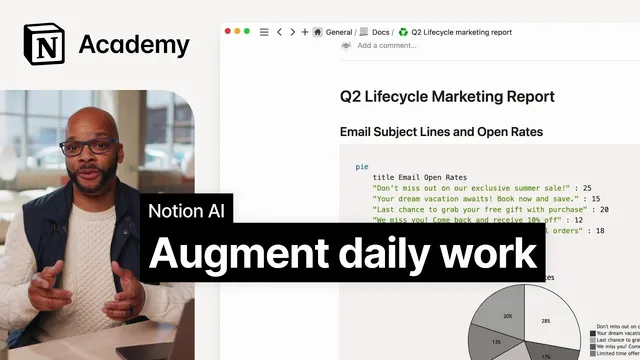
For documentation and technical work, Notion AI can draft code snippets and examples. In Notion’s “code blocks,” the transcript notes that syntax highlighting supports dozens of coding languages, and AI can even translate table data into Mermaid code for charts—allowing visualizations inside Notion without leaving the workspace or requiring coding knowledge.
Language support is another everyday win: when drafting or reading long documents, users can ask for definitions, synonyms, or translations directly in Notion rather than switching tools.
The transcript then adds a caution that becomes central to using AI effectively: AI can make things up convincingly. Examples include hallucinated interface steps (searching for buttons that don’t exist) and overly confident planning recommendations (like trip plans that route someone across town multiple times or to places that no longer exist). The guidance is to start with something concrete, then judge outputs against expectations and fact-check with third-party sources when stakes are higher.
Finally, the transcript demonstrates a more advanced workflow: building a project plan database by working backwards from the desired end output. Using a hypothetical task database for launching a redesign of an iOS app, users are instructed to prompt AI for a task list, specify timeline and output format, and then refine the results by adding or removing items. The refined list can be highlighted and converted into a table with a second column for task descriptions, producing a usable project page. The closing message ties it together: AI should complement human creativity and intuition, helping teams move faster and think more clearly, not replacing judgment. The session ends by pointing to “50 more ways” to use Notion AI in a workspace, generated by AI.
Cornell Notes
Notion AI is presented as a productivity assistant that accelerates how people build and maintain structured work inside Notion. Its value comes from Notion’s block-based flexibility, which lets AI-generated content become tables, databases, documentation, and even Mermaid charts with minimal manual formatting. The transcript emphasizes practical use cases—turning bullet points into databases, drafting code snippets, and providing definitions—while warning that AI can hallucinate steps or produce unrealistic plans. Effective use means starting from a clear end goal, prompting with specifics (timeline and desired output format), and then fact-checking and editing outputs with human judgment.
How does Notion AI help with routine formatting and database setup?
What kinds of “advanced” outputs can Notion AI produce inside Notion beyond plain text?
Why does the transcript repeatedly warn about hallucinations?
What does “work backwards from the expected output” look like in practice?
How does the transcript connect AI assistance to human creativity rather than replacing it?
Review Questions
- When converting a task list into a Notion database, what prompt details (like timeline and output format) improve the usefulness of AI-generated results?
- What are two concrete examples of AI failure modes mentioned (e.g., hallucinated UI steps or unrealistic plans), and what should a user do after seeing them?
- How can Notion AI help create a chart without leaving Notion, and what language format is referenced for that visualization?
Key Points
- 1
Notion AI accelerates common work by generating tables, automating formatting changes, and pre-populating databases from bullet points or text.
- 2
Notion’s block-based structure makes AI outputs usable immediately—tables can become databases, and refined lists can become project pages.
- 3
For technical documentation, Notion AI can draft code snippets and examples that fit into syntax-highlighted code blocks across many languages.
- 4
Mermaid code enables chart visualizations inside Notion, letting users create charts from simple data without separate tooling.
- 5
AI can hallucinate convincingly, including non-existent interface steps and unrealistic recommendations, so outputs must be checked against expectations.
- 6
Effective prompting starts with a clear end goal, then specifies context (like app details and timeline) and the desired output format.
- 7
AI should complement human creativity and intuition, with humans responsible for editing, prioritizing, and verification.