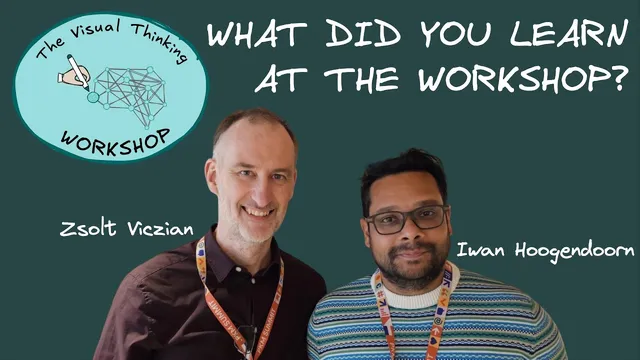
What did you learn at Cohort 12 of Visual Thinking Workshop? Interview with Iwan Hoogendoorn
Based on Zsolt's Visual Personal Knowledge Management's video on YouTube. If you like this content, support the original creators by watching, liking and subscribing to their content.
Hoogendoorn’s main improvement came from integrating Excalidraw drawings directly into Obsidian, linking visuals back to existing notes instead of relying on screenshots or separate tools.
Briefing
Cohort 12 participant Iwan Hoogendoorn built a tightly integrated workflow in Obsidian and Excalidraw to turn dense reading—especially “The Lessons of History” by Will and Ariel Durant—into a set of visual, searchable, and repeatable learning artifacts. The core payoff is practical: he can navigate his life and his study topics through a visual “dashboard,” then convert each chapter into icons, diagrams, and highlighted takeaways that make the book’s message easier to remember and easier to act on.
Hoogendoorn’s system starts with Obsidian as the central memory for a busy, multi-domain life. He already used Obsidian for years after moving through Evernote, Bear, and Notion. What changed after joining the Visual Thinking Workshop was the ability to create drawings inside Obsidian and link them back to existing notes. That integration—rather than bouncing between separate tools—made the workflow “come together,” especially for people who find both Obsidian and the visual-thinking approach daunting at first.
For the course, he created a “course outline” note that functions like a planning dashboard: a single long note with a table of main topics, video lengths, and homework estimates. He tracked the time burden honestly, noting that the homework—around 79 hours in his estimate—felt the hardest part, even if the estimates were broadly accurate. He also imported the book’s PDF into his Obsidian vault so every chapter and page could be reached with one click.
His reading-to-visual pipeline is iterative and granular. He reads chapter-by-chapter, and within each chapter he processes highlights and produces a visual after each paragraph. He imports the PDF pages into Excalidraw, then uses PDF highlighting as a way to pinpoint what matters. Those highlights aren’t copied text; they become transparent overlays that guide what he turns into diagrams.
To overcome difficulty with complex language and to speed comprehension, he uses ChatGPT as a companion: first to generate a one-sentence or one-word summary of a chapter, and later to produce explanations “like I was 12 years old.” When he still needs direction, he prompts for multiple illustration ideas and then chooses the one that best matches the chapter’s message. This approach helps him translate abstract historical themes into concrete visual metaphors—such as different “versions of history” depending on what lens a person uses (technology, music, leadership, and more).
Hoogendoorn argues that visuals outperform paragraph-only notes for recall and understanding. Looking at a diagram gives an immediate sense of the chapter’s takeaway, while written paragraphs require more reading time to locate meaning. He also emphasizes curation over artistic skill: simple icon choices, consistent color rules, and repeated visual motifs (like lines indicating movement) are enough to make the result personal and effective.
Finally, he recommends the workshop broadly but with a clear expectation: it demands effort to learn the tools (Obsidian, Excalidraw, and the workshop’s visual thinking framework). The reward is a method that can be reused across life domains—work, music practice, DJing, and more—by building visual “maps” that keep knowledge navigable over time.
Cornell Notes
Iwan Hoogendoorn describes how Cohort 12 of the Visual Thinking Workshop helped him turn reading into visual, linked knowledge inside Obsidian. Using Excalidraw drawings embedded in his Obsidian vault, he converts each chapter (and even paragraph chunks) of “The Lessons of History” into diagrams built from PDF highlights. Because the book’s language is challenging, he uses ChatGPT to summarize chapters in simpler terms (including “like I was 12 years old”) and to generate illustration ideas, which then guide what he draws. He highlights that this workflow improves comprehension and recall compared with writing paragraphs, since a single image can quickly communicate a chapter’s takeaway. The approach also supports long-term navigation through a visual dashboard of his life and learning.
Why did Hoogendoorn stick with Obsidian after trying other note tools?
How did he structure his learning plan for the workshop’s Cohort 12 work?
What was his reading-to-visual method for “The Lessons of History”?
How did ChatGPT help him when the book’s language was hard to follow?
Why did he prefer visuals over writing paragraph summaries?
What does he claim matters most in the quality of the drawings?
Review Questions
- How does Hoogendoorn’s workflow connect PDF reading, highlighting, Excalidraw diagrams, and Obsidian navigation into one loop?
- What specific ways did ChatGPT support his comprehension and his choice of what to illustrate?
- Why does he believe paragraph notes and visuals differ in speed of understanding and recall?
Key Points
- 1
Hoogendoorn’s main improvement came from integrating Excalidraw drawings directly into Obsidian, linking visuals back to existing notes instead of relying on screenshots or separate tools.
- 2
He built a course “course outline” dashboard with video lengths and homework estimates, then turned content into checklists to manage a heavy workload.
- 3
For “The Lessons of History,” he imported the PDF into his Obsidian vault and created visuals iteratively after paragraph-level chunks, not only after finishing a chapter.
- 4
He used ChatGPT to simplify hard-to-read chapters—first with one-sentence summaries and later with explanations “like I was 12 years old”—to make the author’s message easier to grasp.
- 5
He treated PDF highlighting as a planning step: highlights helped him decide what mattered, and those highlighted sections guided what he drew in Excalidraw.
- 6
He argues visuals beat paragraph-only notes for quick recall because a single image can communicate a chapter’s takeaway at a glance.
- 7
He recommends the workshop broadly but stresses that tool learning and time investment are required to make the system usable long-term.