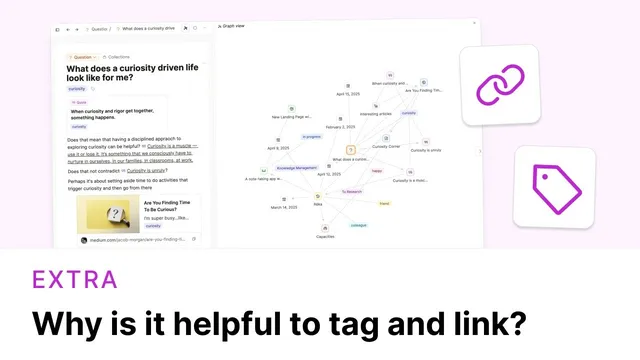
Why is it Helpful to Tag and Link?
Based on Capacities's video on YouTube. If you like this content, support the original creators by watching, liking and subscribing to their content.
Tagging and linking create multiple retrieval paths, including calendar, search, object type, and tag pages.
Briefing
Tagging and linking notes does more than make a workspace feel organized—it creates multiple retrieval paths and, just as importantly, builds new “contexts” that can surface insights you wouldn’t get from any single source. The core benefit comes in two parts: first, tags and links make saved material easier to find later through several routes (calendar, search, object type, and tag pages). Second, linking content together effectively re-frames it, letting related items be viewed side by side so patterns, tensions, or fresh ideas can emerge.
A practical example uses a Capacities workspace where web highlights are exported into the system. Once an item is added, it automatically appears in “Created on this day” for the day it was saved and also under its object type. From there, the user can locate a specific article through multiple methods: clicking the “web links” object type, returning via the calendar entry for the save date, or using search (e.g., searching for “style of curiosity”). But the deeper payoff shows up when tags are used. In the example, several web links relate to “curiosity,” with some having “curiosity” in their titles and others carrying the tag. Clicking the “curiosity” tag reveals not only the tagged links but also other related items elsewhere in the workspace—turning the tag page into a curated view of everything connected to that theme.
That tag page becomes a thinking tool. By reviewing all “curiosity” items together, the user can ask what new content changes about earlier writing. The transcript highlights a moment where a newly created web link about curiosity was missing from the tag page until it was explicitly tagged. Once tagged, it joined the existing cluster, and the user could revisit conclusions—continuing or revising their notes based on the added perspective. Tagging, in other words, is treated as a way to both (1) create another way back to the same source and (2) feed ongoing reflection with new material.
Linking works similarly when the “context” is broader than a single tag. Another example centers on a “New York” location object. When items tied to that location—people, architectural references, and mentions of key figures—are reviewed together, the user can zoom out from individual names (like Raymond Hood) or single styles (like Art Deco) and instead assess the larger picture: how much architecture-related material exists in the workspace under the New York context. Linking and back links then support updating existing notes, because the connections reveal what should be revised when new related objects are added.
The takeaway is operational: when saving something, it’s not enough to rely on search, object types, or the calendar. A better question is where the item should reappear in future thinking. The transcript suggests tagging the same quote to multiple relevant themes—such as a “knowledge management” tag and an “ideas” tag—so it surfaces in different contexts. There are “no limits on linking,” but the value depends on choosing tags and links intentionally, based on where the content will matter next.
Cornell Notes
Tagging and linking in a Capacities workspace deliver two major benefits: easier retrieval and richer thinking. Multiple access routes—calendar, search, object type, and tag pages—make it straightforward to find saved material later. More importantly, tags and links create new contexts by grouping related objects together, which can reveal insights, contradictions, or new angles that single sources don’t provide. In practice, a web link about “curiosity” only appears on the “curiosity” tag page after it’s tagged, and that inclusion can prompt updates to existing writing. The same approach applies to broader contexts like a “New York” location object, where linked people and references help users reassess their understanding of the topic collectively.
Why does tagging and linking improve retrieval beyond just using search?
How does linking create a new context rather than just a connection?
What changes when a web link is tagged after it was created?
How can reviewing linked items update existing notes?
What guiding question helps decide where an item should be linked or tagged?
Review Questions
- When does a saved web link become visible on a tag page, and how does that affect later review?
- What are the two distinct benefits of tagging and linking, and how does each show up in the examples (curiosity vs. New York)?
- How would you decide which tags to apply to a new quote if you want it to support multiple kinds of future thinking?
Key Points
- 1
Tagging and linking create multiple retrieval paths, including calendar, search, object type, and tag pages.
- 2
Tag pages act as thematic “contexts” that let related items be reviewed together for deeper insight.
- 3
A link only appears in a tag page after it’s explicitly tagged with that theme.
- 4
Adding new tagged content can force updates to existing writing when earlier conclusions no longer fit the expanded set.
- 5
Linking to broader objects (like a location) helps users zoom out from individual items and reassess the overall topic.
- 6
When saving something, choose tags/links based on where you want the item to reappear in future thinking, not just how you’ll search for it later.
- 7
Use multiple tags for the same item when it supports different future contexts (e.g., knowledge management and ideas).