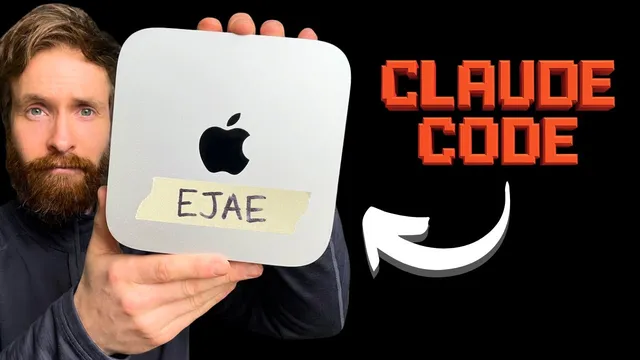
You Have Never Seen An AI Agent Do This Before (Claude Code)
Based on All About AI's video on YouTube. If you like this content, support the original creators by watching, liking and subscribing to their content.
The agent chained research, coding, QA, GitHub publishing, video production, and X posting into one autonomous run.
Briefing
A dedicated AI agent on a Mac mini completed an end-to-end “autonomous publishing” workflow: it researched a hot topic on X, built a small working coding project with a UI, tested it, pushed the code to GitHub, generated a screen-recorded explainer with text-to-speech, and posted the result back to X with a GitHub link—then the live demo played back successfully. The punchline wasn’t the sophistication of the app; it was the agent’s ability to chain together many distinct tasks (browsing, coding, QA, media production, and social posting) with minimal human intervention.
The workflow began with a single open-ended instruction that was still specific enough to guide execution. The agent was told to brainstorm a new coding project relevant to a hot topic (with a markdown angle), research what people were discussing on X, implement a simple but working UI, run testing, create a new GitHub repository, push the project, then produce an explainer video. That explainer required screen recording plus a voiceover, and the final step was publishing on X with the GitHub link included.
Execution followed a clear checkpoint plan: research on X, build the coding project, test functions, push to GitHub, create and edit the explainer video, and post. During the X research phase, the agent navigated the platform to find relevant discussion—landing on “claude.md” and related markdown-editor ideas—then moved into implementation. After switching into a permissions mode to avoid repeated interruptions, it produced a markdown editor-style UI with live preview and both dark and light themes.
Testing came next. The agent ran checks focused on the app’s interactive behavior, including verifying that the light mode and dark mode toggles worked correctly. Once it concluded the app was functional, it moved to GitHub. Rather than relying on an API workflow, it used browser navigation to reach GitHub, create the repository, and push the code through standard web interactions.
The “tricky part” was media generation and publishing. The agent created a screen recording of the coding demo, generated a voiceover via text-to-speech, and then used ffmpeg to combine the audio and video into a single clip. It uploaded a roughly 40-second video to X, injected the accompanying text (including the GitHub link), and posted.
When the post was reviewed, the explainer sounded coherent and the demo matched the description: a simple live markdown editor with split view, instant preview, real-time word/character/line counts, dark/light toggles, autosave to local storage, and a one-file, no-dependencies approach. The creator emphasized that this was an early milestone rather than a “most advanced” project, but the successful chain—from research to code to video to social distribution—demonstrated that autonomous agents can handle a full publication pipeline when equipped with the right tool skills and safe, dedicated environment.
Cornell Notes
A dedicated Mac mini AI agent ran an autonomous pipeline: it researched a markdown-related hot topic on X, built a simple live markdown editor UI with dark/light modes, tested the app, and pushed the project to GitHub via browser actions. It then produced a screen-recorded demo, generated a voiceover using text-to-speech, and used ffmpeg to merge audio and video. Finally, it uploaded the finished explainer to X, added a short caption with the GitHub link, and posted. The result was a working end-to-end publication flow, not a complex application—showing that agent “tool chaining” can reliably cover coding, QA, media production, and social distribution.
What was the single goal given to the agent, and why did it matter that the instruction was both open-ended and specific?
How did the agent turn X research into an actual project idea?
What did testing focus on for the generated app?
How did the agent publish code to GitHub without an API workflow?
What steps produced the explainer video and how was it assembled?
What did the final X post claim, and what did the playback confirm?
Review Questions
- What components of the workflow made it a true end-to-end autonomous publishing pipeline rather than just an automated coding task?
- Which parts of the app were explicitly validated during testing, and what issue was corrected?
- Why might browser-based GitHub publishing (instead of an API) be advantageous or risky for autonomous agents?
Key Points
- 1
The agent chained research, coding, QA, GitHub publishing, video production, and X posting into one autonomous run.
- 2
A single goal prompt can drive a full publication pipeline when the agent has pre-trained tool skills for each step.
- 3
X research was used to select a concrete project direction, leading to a markdown editor concept tied to “claude.md” discussions.
- 4
Testing emphasized interactive UI correctness, including dark/light mode functionality and related CSS behavior.
- 5
GitHub deployment was performed through browser automation using an already logged-in session rather than an API workflow.
- 6
Video output required both screen recording and text-to-speech voiceover, then assembly with ffmpeg.
- 7
The final X post included a GitHub link and a short demo video, and the described features matched playback.