Zettelkasten In Notion & How I Use Its Principles
Based on Red Gregory's video on YouTube. If you like this content, support the original creators by watching, liking and subscribing to their content.
Zettelkasten is designed for recall and structured thinking by connecting notes to each other and to sources, not by hoarding information.
Briefing
Zettelkasten is built to make thinking easier to navigate: instead of hoarding notes, it treats each note as a small node in a web where ideas connect, index themselves, and can be recalled later. The method’s core mechanics—linking notes to each other and to sources, plus using a structured way to label new notes—are what make it feel like “a note-taking environment that resembles the way you think.” That matters because it turns research from a static archive into an evolving system for forming conclusions.
The transcript traces the method back to German sociologist Niklas Luhmann, who described Zettelkasten as a “loosely webbed thinking tool” where notes communicate to support structured conclusions. Notes are written on individual cards (or card-like entries): a title, a body that can include summaries, questions, and links to other notes or bibliographic items, and a dedicated space for sources. Tagging is treated as a scalpel rather than a dumping ground—too many tags becomes “another pool of endless slips.” The guidance is to use one or two tags per note, based on what the note is truly about, not on every incidental detail.
A key part of the system is the “card address,” a unique identifier that helps keep notes organized without forcing a strict hierarchy. Luhmann’s alphanumeric scheme is presented as a way to sort a thought stream: a start card (e.g., 1.0) branches into supplementary strands (1a) and continuations (1.1, 1.2, etc.). The transcript distinguishes supplementary strands (emphasizing something already touched) from continuation cards (pushing the same thought forward). In Notion, the creator adapts this by using a “start thought” title plus a timestamp-like property (“start thought” as the title, with date format and a 24-hour clock) to prevent duplicate titles from collapsing into the same search results. A limitation is acknowledged: Notion’s timestamp approach doesn’t count seconds, so two notes created within the same minute can share an identical timestamp.
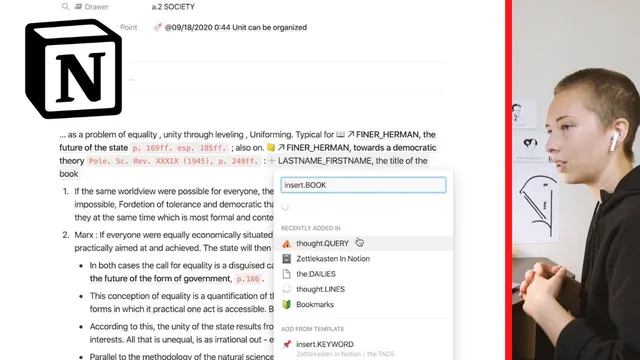
The practical setup in Notion relies on database properties and relations. Each note includes fields like “next entry point” (a relation to the continuation note), “last entry point” (the prior note), and a formula that labels the note type as continuation, subordinate, or start based on whether those relations are empty. Relations are synced both ways so navigation stays consistent. References to books are inserted inline using a specific bracket syntax that links to a library database, with templates like “insert.book” to standardize how book links appear (including an emoji icon). The library itself uses formulas to extract author names and book titles for sorting views.
Tags get an additional layer of automation: drawers are encoded into tag names (e.g., “unity.culture”), and numeric prefixes track how many child notes exist under a tag, enabling sorting by “most children to least.” The system also uses templates for recurring structures—book references, bookmarks, keywords, and time metadata. For time, a dedicated “insert.time” template populates century and season based on year granularity (year, month+year, or decade-like ranges). Overall, the transcript argues that Zettelkasten is a foundation you can keep minimal or expand, but the payoff comes from consistent linking, disciplined tagging, and structured identifiers that keep the thinking web navigable over time.
Cornell Notes
Zettelkasten treats notes as interconnected nodes designed for recall and structured thinking, not as a pile of collected facts. Each note typically includes a title, a body (summary, questions, and links), and a sources area, with tagging used sparingly—usually one or two tags chosen by what the note is truly about. In Notion, the system is implemented with unique “start thought” identifiers (using date/time formatting) plus relations that track “next entry point” and “last entry point,” allowing formulas to classify notes as start, continuation, or subordinate. A library database stores bibliographic items, while inline link syntax and templates standardize references. Automated tag drawers and time metadata (century/season/year) reduce manual work as the note network grows.
What makes Zettelkasten different from collecting notes, and how does that show up in the transcript’s description?
How does the transcript distinguish a supplementary strand from a continuation card in Luhmann’s addressing scheme?
Why does the Notion setup use timestamp-like identifiers, and what limitation comes with it?
How does the system automatically label notes as continuation, subordinate, or start?
What role do templates and inline link syntax play in keeping references consistent?
How does the transcript’s tagging system stay scalable as the number of notes grows?
Review Questions
- In the transcript’s Notion implementation, what specific database relations and formula logic determine whether a note is a continuation versus a subordinate?
- How does the timestamp-based “start thought” approach help with duplicate titles, and what edge case can still break uniqueness?
- Explain how the library database and inline link syntax work together to keep bibliographic references sortable by author and title.
Key Points
- 1
Zettelkasten is designed for recall and structured thinking by connecting notes to each other and to sources, not by hoarding information.
- 2
Tagging should be used sparingly (typically one or two tags per note) based on what the note is truly about, otherwise tags become noise.
- 3
Unique note identifiers (“card addresses”) help organize a thought stream without forcing a rigid hierarchy; supplementary strands and continuations serve different roles.
- 4
In Notion, “next entry point” and “last entry point” relations plus a formula can automatically classify notes as start, continuation, or subordinate.
- 5
A separate library database plus inline link syntax and templates standardize book references and enable sorting by author or title.
- 6
Tag drawers can be automated by encoding drawer names and child counts into tag structure, allowing drawers to sort by how many related notes exist.
- 7
Time metadata can be automated with templates that derive century and season from year or month+year inputs, keeping historical notes consistent.