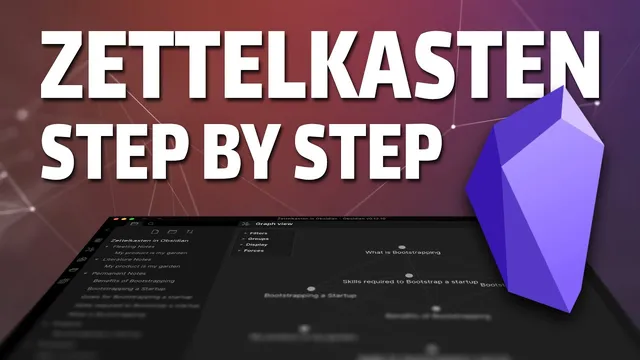
Zettelkasten Smart Notes: Step by Step with Obsidian
Based on Martin Adams's video on YouTube. If you like this content, support the original creators by watching, liking and subscribing to their content.
Create three folder-based note types in Obsidian: fleeting notes for quick captures, literature notes for deeper interpretation, and permanent notes for durable slip-box entries.
Briefing
A practical Zettelkasten workflow in Obsidian can turn scattered “quick captures” into a searchable knowledge base that actively supports new writing. The core move is to separate notes by purpose—fleeting notes for raw ideas, literature notes for meaning-making from sources, and permanent notes for durable concepts—then link them so questions and drafts can be built from the accumulated network.
The setup starts with a fresh Obsidian vault and a folder structure for the three note types: fleeting notes, literature notes, and permanent notes. Fleeting notes hold fast captures—snippets, highlights, and observations pulled from web articles, videos, or anything worth remembering. Literature notes then take those highlights and expand them into deeper thinking: what the material means, how it challenges assumptions, and what questions it raises. Permanent notes are where the “slip box” lives—stable entries that connect ideas across topics and become the source material for future projects.
To make the workflow repeatable, templates are enabled in Obsidian’s core plugins. A basic note template standardizes titles and metadata, while a “map of content” (MOC) template provides an outline for a topic. The process begins with an example: an article about bootstrapping a startup through a “product is my garden” mindset. A fleeting note is created from the article by copying the URL, inserting the note template, and recording brief highlights. Next, a literature note with the same theme is built using the fleeting note as a reference; the view is split so the original snippets can be expanded into more reflective, structured notes.
From there, permanent notes are assembled into a topic map. A MOC entry called “bootstrapping a startup” becomes the entry point, listing subtopics such as “what is bootstrapping,” “benefits of bootstrapping,” “skills required to bootstrap a startup,” and “goals for bootstrapping and startup.” Obsidian settings are adjusted so new notes default to the same folder as the current file, making linking and creating sibling notes frictionless. Each permanent note is filled by drawing from the relevant literature note, and—crucially—references are added using Obsidian’s linking syntax (double brackets). That creates traceability: permanent claims can be traced back to the fleeting capture and the literature interpretation that produced them.
As the network grows, Obsidian’s graph view helps reveal relationships, potential gaps, and over-linking that can dilute meaning. The payoff comes when the slip box is used for output. A new “projects” folder is created for writing tasks like blog posts or scripts. For a project titled “bootstrapping a startup,” the writer outlines sections (meaning, who can bootstrap, benefits, drawbacks, tips, conclusion) and then “decorates” the draft with links to the relevant permanent notes. Using preview-mode embedding (via an exclamation mark before links), sections can be pulled in inline while drafting, then cleaned up later for a final version.
The practical benefit is not just organization—it’s learning through writing. Drafting forces the system to expose gaps in understanding and shows where more research is needed. The workflow ends with a product pitch for “flowtelic,” a configurable app aimed at consistent daily study sessions and publishing, framed as a bootstrapped business aligned with the same incremental-growth philosophy.
Cornell Notes
The workflow builds a Zettelkasten “slip box” inside Obsidian by separating notes into three layers: fleeting notes for quick captures, literature notes for deeper interpretation of sources, and permanent notes for durable concepts that get linked together. Templates (including a map of content) make note creation consistent and help structure topic entry points. Permanent notes are populated from literature notes and include explicit references back to the original fleeting and literature material, creating traceability. Once the network exists, projects like blog posts and video scripts can be drafted by linking relevant permanent notes into an outline, then embedding them inline for faster writing. The system’s main learning advantage is that writing reveals gaps and drives further research.
Why split notes into fleeting, literature, and permanent layers instead of storing everything in one place?
How do templates and a “map of content” (MOC) change the workflow from ad hoc to repeatable?
What does traceability look like in Obsidian, and why does it matter?
How does the workflow ensure new notes are created in the right location for easy linking?
How does the system turn a slip box into a writing pipeline for blog posts or scripts?
What learning mechanism is emphasized beyond organization?
Review Questions
- When creating a permanent note, what specific linking step provides traceability back to earlier notes?
- How does a map of content (MOC) function as both an outline and an entry point for building permanent notes?
- What role does inline preview embedding (using an exclamation mark before links) play during drafting, and what happens before publishing?
Key Points
- 1
Create three folder-based note types in Obsidian: fleeting notes for quick captures, literature notes for deeper interpretation, and permanent notes for durable slip-box entries.
- 2
Enable Obsidian templates and use them to standardize note creation, including a “map of content” (MOC) template for topic outlines.
- 3
Start with a fleeting note extracted from a source, then build a literature note that expands those highlights into structured thinking and questions.
- 4
Populate permanent notes from literature notes and add explicit references (double-bracket links) to preserve traceability from durable ideas back to their origins.
- 5
Adjust Obsidian settings so new notes default to the same folder as the current file, making linked note creation and organization smoother.
- 6
Use graph view to spot gaps and over-linking so the network stays meaningful rather than cluttered.
- 7
Turn permanent notes into outputs by creating project drafts that link and embed relevant notes inline, then refine based on what the draft reveals about missing understanding.