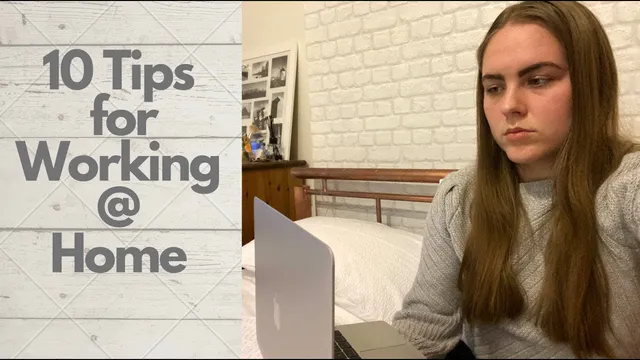
10 Tips for Working from Home Effectively as a Phd Student
Based on Ciara Feely's video on YouTube. If you like this content, support the original creators by watching, liking and subscribing to their content.
Keep a consistent work schedule with defined start times, work blocks, and set break periods to prevent the day from drifting.
Briefing
Working from home as a PhD student works best when boundaries are treated like part of the job: keep a predictable routine, build a dedicated work setup, and enforce “start and stop” rules so work doesn’t leak into the rest of the day. The core idea is simple—home can blur schedules, spaces, and attention—so effective productivity depends on deliberately recreating the structure of an on-campus workday.
A schedule is the first line of defense. Instead of letting the day stretch into late starts and evening catch-up, the advice is to follow a consistent pattern for when work begins, how long it runs, and when breaks happen. That doesn’t have to mean identical day-to-day timing; the transcript notes that circadian rhythms and a 28-day cycle can influence when different tasks feel easier, so the “same schedule” can be adapted while still keeping a reliable overall framework. Alongside scheduling, a morning routine helps “prime” the body for work—especially important when home life and work life are both happening in the same building. For parents or caregivers, the morning routine may need to happen earlier so deep work can happen before school-related demands take over.
Next comes the physical and behavioral setup. Creating a dedicated workspace—ideally a separate room, but at minimum a distinct area with a consistent orientation—helps the brain associate that location with focused work rather than TV, meals, or lounging. If space is limited, small changes like moving the dining table and adjusting the chair to face something different can still signal a shift. Getting ready for work is treated as a productivity tool too: dressing as if going to campus, preparing lunch in advance, and arranging desk essentials so there’s no constant getting up. The goal is to reduce friction and interruptions that turn into distraction.
During work time, the same “office rules” should apply. Netflix and other highly engaging background content are discouraged because they compete for attention; background noise is framed as a safer option than something visually stimulating. Phone use and unnecessary internet browsing are also flagged as productivity killers. When other people are at home, communication matters—setting expectations about working hours reduces interruptions and prevents coworkers or supervisors from wondering why responsiveness drops during “work time.”
Breaks are not optional just because the environment is home. The transcript recommends using structured breaks similar to an office setting—short pauses and a lunch break at set times—rather than leaving breaks open-ended. Breaks should include movement when possible: a walk, treadmill use, or even walking in place with resistance equipment, plus opening windows for fresh air if going outside isn’t feasible. Social contact also helps; isolation can drain motivation, so quick check-ins or Skype calls with coworkers, family, or friends can keep morale up.
Finally, productivity depends on stopping. Once the planned work window ends, work should stop—avoiding the temptation to blur home and work hours indefinitely. Stopping at a point where the next step is clear (even mid-task) is presented as a strategy to make the next day easier, since the mind continues processing in the background and returning becomes more immediate. The overall message ties together: schedule, space, rules, breaks, and a hard stop create the conditions for sustained focus and better recovery.
Cornell Notes
Effective work from home for a PhD student depends on boundaries that mimic an office day. A consistent schedule (with flexible timing based on personal rhythms) plus a morning routine helps the body and mind switch into work mode. A dedicated workspace and “get ready for work” habits reduce friction and distractions, while office-like rules—no binge-worthy background content, limited phone use, and controlled browsing—protect attention. Breaks should be timed and restorative (movement, fresh air, and some social contact), and work should end at a planned time so recovery happens and the next day starts with momentum.
Why does sticking to a schedule matter more than “working whenever”?
How can someone create a workspace when they don’t have a separate room?
What does “get ready for work” mean if no one is commuting?
Which distractions are most harmful during work hours?
What should breaks look like when working from home?
Why stop work at a planned time, and what’s the benefit of stopping mid-task?
Review Questions
- What specific routines and environmental changes would you implement to make your home workspace feel distinct from your living space?
- How would you design a work schedule that includes timed breaks and a hard stop, while still accounting for your most productive hours?
- What strategies could you use to reduce interruptions from family or roommates without sacrificing communication and flexibility?
Key Points
- 1
Keep a consistent work schedule with defined start times, work blocks, and set break periods to prevent the day from drifting.
- 2
Use a morning routine to prime your body for work, and adjust it earlier if caregiving or homeschooling demands take over later.
- 3
Create a dedicated workspace—even in a small home—by using a distinct area and consistent desk setup that signals “work mode.”
- 4
Get ready for work in a way that matches your normal routine: dress as if going in, prepare lunch, and set desk essentials the night before or each morning.
- 5
Follow office-like distraction rules at home: avoid binge-worthy background shows, limit phone use, and cut unnecessary browsing during work hours.
- 6
Take scheduled breaks that include movement, fresh air, and some social contact to avoid isolation and restore focus.
- 7
Stop work at your planned end time; if possible, pause mid-task with a clear next step so the next day starts faster.