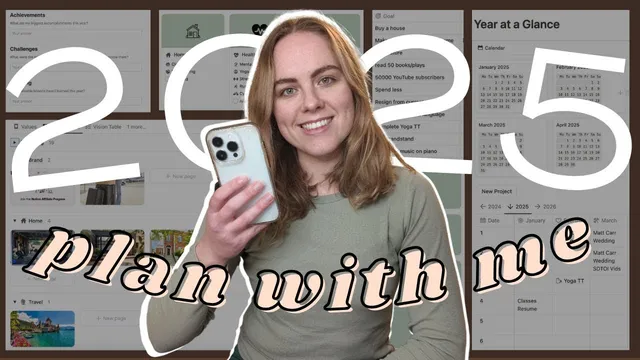
2025 Yearly Goal Setting & Plan with me in Notion
Based on Ciara Feely's video on YouTube. If you like this content, support the original creators by watching, liking and subscribing to their content.
Update all year-based filters and start-date ranges across yearly, monthly, weekly, and goals tables when switching from 2024 to 2025 so the correct content appears.
Briefing
The core takeaway is a structured, Notion-based system for setting up 2025 planning around reflection, values, and connected life areas—then turning goals into time-bound work using the template’s databases, filters, and auto-generated calendars. The setup matters because it prevents “blank page” planning: it forces a review of the prior year, anchors goals to responsibilities and values, and makes upcoming events and goal timelines visible across quarters, months, weeks, and daily routines.
Planning starts by switching the template from a 2024 view to a 2025 view. The yearly planning page initially shows last year’s reviews because the interface is filtered by start dates. Updating those filters (and later the underlying start dates across reviews, monthly sections, weekly sections, and goals) ensures that when 2025 arrives, the template automatically surfaces the correct year’s data instead of hiding it behind 2024 settings. A theme for the year is also set early (the example uses “Bliss”), establishing a consistent visual and motivational frame.
A key early step is the yearly reflection workflow. A “yearly review” form is used with a cover photo, an icon, and prompts for memorable moments and reflections. Submitting the form sends the completed review to a board view, and the template’s date ranges must be aligned so the review appears in the right year-specific context. The transcript emphasizes that these date-range adjustments need to be applied across multiple tables so past reflections remain browsable without being trapped in the current filter.
Next comes the template’s life-structure engine: “areas of life” and “areas of focus.” The creator builds root areas such as relationships, home, work (with subcategories like business, brand, and research/learning), health and well-being, joy/creativity, learning/growth, and finances. Each root area gets an icon/cover image and is linked to an “area of life” template so vision-board items, projects, and notes can attach to the right category. Sub-areas (for example, within relationships: family, romance, pets, friends) are added as “areas of focus,” and the system’s value is the connections it creates—projects and vision items automatically appear in the relevant mini-views.
Values and vision then provide the goal “why.” Values are filled in using a quiz-based approach, and vision items are added through a vision table rather than the gallery directly. Vision entries can be connected to an area of focus, and removing an item updates achieved dates automatically—turning the vision board into a trackable goal pipeline.
Finally, yearly goals are entered and organized by area of life, then converted into “smart goals” using an external AI tool (ChatGPT) to clarify what each goal actually means. The goals are further planned using a 12-week (12WE) method: longer goals (like resigning from a role or buying a house) span much of the year, while skill- and fun-based goals (like learning magic, composing music, memorizing cards, or travel) are assigned to specific seasonal 12WE blocks. The transcript also details how to set start and end dates for each goal, then update 2025 calendars (quarters, months, and weeks) so the system auto-generates the right review pages.
The last major setup piece is the “year at a glance” page, which aggregates birthdays, events, and major projects. It supports linking to other Notion pages and quick-adding projects via a form, helping convert recurring life logistics into structured planning. The creator closes by noting that daily/weekly habit tracking exists in the template too, with formulas that may need adjustment if habits are changed.
Cornell Notes
The template setup for 2025 planning hinges on three connected layers: (1) reflect on the prior year, (2) anchor goals to values and a clear vision, and (3) organize life through “areas of life” and “areas of focus” so projects and vision items automatically appear in the right places. To make the system work year-round, date filters and start-date ranges must be updated across reviews, goals, and calendar views so 2025 data surfaces correctly. Goals are written by area of life, converted into clearer “smart goals” using ChatGPT, and then scheduled using a 12WE (12-week) rhythm—long projects span most of the year, while skills and fun goals land in specific seasonal blocks. A “year at a glance” database ties in birthdays, events, and major projects with links and quick-add forms.
Why does the template require updating filters and start dates when moving from 2024 to 2025?
How do “areas of life” and “areas of focus” function as the backbone of the system?
What role do yearly reflection, values, and vision play in goal setting?
How are goals turned into actionable plans rather than just a list?
What does the “year at a glance” page do differently from a calendar?
How are 2025 calendars generated so weekly and daily reviews keep showing up?
Review Questions
- What specific date-range changes must be made across the template so 2025 views don’t stay stuck on 2024 content?
- How does connecting vision items and projects to “areas of focus” change what appears in planning views later?
- Why does the creator schedule goals using 12WE blocks, and how are long goals treated differently from seasonal goals?
Key Points
- 1
Update all year-based filters and start-date ranges across yearly, monthly, weekly, and goals tables when switching from 2024 to 2025 so the correct content appears.
- 2
Build “areas of life” first (root categories like relationships, work, health, joy/creativity, learning/growth, and finances), then add “areas of focus” as sub-areas to prevent missed categories.
- 3
Use the yearly reflection form and align its date ranges so reflections remain accessible in the correct year-specific views.
- 4
Anchor planning in values and vision by filling values prompts and connecting vision items to areas of focus so mini vision boards populate automatically.
- 5
Convert goal titles into “smart goals” using ChatGPT, then assign start/end dates based on whether goals are yearlong or seasonal.
- 6
Use the 12WE method to schedule work: set routines/habits early, then place skill, fun, and travel goals into specific seasonal blocks.
- 7
Generate 2025 calendars by duplicating and re-dating quarters/months, and use repeating templates for weekly/daily reviews to keep them automatically current.