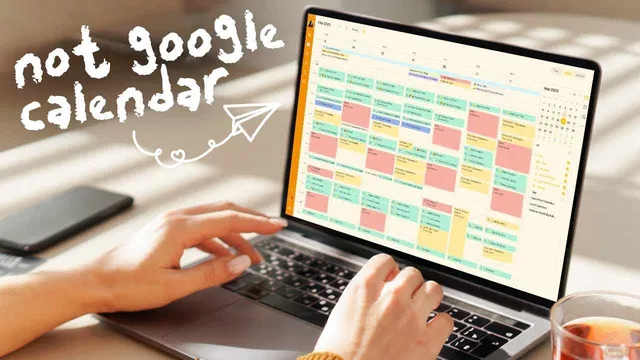
Ditch Google Calendar and Use These Apps Instead
Based on Mariana Vieira's video on YouTube. If you like this content, support the original creators by watching, liking and subscribing to their content.
Google Calendar’s task pane is described as unintuitive and forces tasks into a default 30-minute duration, which undermines time-blocking consistency.
Briefing
Time-blocking apps have surged as alternatives to Google Calendar, and the biggest difference isn’t just aesthetics—it’s how smoothly tasks and scheduling work together when plans shift. Google Calendar still offers a task pane, but its task management is described as clunky and unintuitive, including a rigid default task duration of 30 minutes that doesn’t match real work patterns. That mismatch often pushes people to ignore task-to-calendar integration, undermining time blocking.
Five alternatives stand out for different reasons: Plan, Timeblock, Cron, TickTick, and Akiflow (spelled “Quran”/“Keller” earlier, then “accuflow/akiflow” later). Plan is positioned as the most seamless “task + calendar” bridge, letting users create tasks and then click and drag them into the calendar pane—an integration the creator says most time-blocking apps lack. Plan also adds two practical touches: a priority selector (lowest to highest) and a postponing button that automatically moves a task to the next day, which matters when meetings spill over or schedules reorganize midweek.
Timeblock is praised for its visual, drag-and-drop daily layout using icons and colors, plus a timeline that lets users jump to different days without swiping through dates. It also includes routine creation to duplicate habits across selected days. The tradeoff is weaker task management: if a task scheduled for one hour finishes early (e.g., in 45 minutes), users must manually reset the task duration, and the app’s reliance on calendar features limits advanced time-blocking workflows.
Cron focuses on collaboration and availability sharing. Users can drag to mark availability, share it with teammates or external contacts, and automatically copy invites to the clipboard for quick sending via Slack or email. It supports meeting creation with Zoom or Google Meet, includes a confirmation link for attendance tracking, and offers overlays to view teammates’ calendars on top of one’s own—useful for teams across time zones.
TickTick is framed as the best balance of simplicity and power. It integrates a calendar view directly into a task manager, supports subtasks that can be checked off during a work session, and allows canceling or postponing tasks without losing them from the calendar—helpful for tracking non-completed work and rescheduling later. It also includes built-in timers (timer or stopwatch) with optional estimated durations. The creator’s final verdict favors TickTick as the most effective “time-blocking + task management” system, citing tiered task lists, fast rescheduling/postponing, and an easy learning curve that supports habit building.
Akiflow (Accuflow) aggregates tasks and events from other apps into a split task list/calendar view with click-and-drag scheduling, goal-for-the-day highlighting, and organization tools like labels, tags, snoozing, and a someday inbox. It looks polished, but the creator reports technical instability (the daily ritual feature crashed on the website), making it feel unfinished. The overall takeaway: the best Google Calendar replacement depends on whether the priority is personal time blocking, team coordination, or a unified task-and-schedule workflow—yet TickTick is presented as the most consistently usable option for advanced daily planning.
Cornell Notes
Google Calendar’s task integration is criticized for being unintuitive and for forcing tasks into a default 30-minute duration, which makes time blocking harder to maintain. The transcript compares five alternatives—Plan, Timeblock, Cron, TickTick, and Akiflow—through the lens of how well each app connects tasks to calendar scheduling and handles real-life schedule changes. Plan stands out for drag-and-drop task scheduling plus priority and an automatic “postpone to next day” button. Timeblock offers a visually guided drag-and-drop daily view and routine duplication, but weaker task management when task durations change. TickTick wins as the best overall fit for time blocking because it combines integrated calendar/task workflows, subtasks, postponing/canceling without losing tasks, and built-in timers, all with a low learning curve.
Why does Google Calendar’s task setup become a problem for time blocking?
What specific features make Plan feel built for time blocking rather than just scheduling?
How does Timeblock improve the day-planning experience, and what limitation holds it back?
What makes Cron different from the other options?
Why does TickTick come out as the recommended choice?
What role does Akiflow/AcuFlow play, and what drawback is reported?
Review Questions
- Which app(s) provide an automatic “postpone to next day” workflow, and how does that help when schedules shift?
- How do Cron’s availability-sharing and meeting-invite features differ from TickTick’s timer/subtask approach?
- What task-management weakness in Timeblock makes it less suitable for advanced time blockers?
Key Points
- 1
Google Calendar’s task pane is described as unintuitive and forces tasks into a default 30-minute duration, which undermines time-blocking consistency.
- 2
Plan is built around tight task-to-calendar integration using click-and-drag, plus priority levels and a one-button postpone that moves tasks to the next day.
- 3
Timeblock improves planning with a visually guided drag-and-drop daily view and routine duplication, but it requires manual duration resets when tasks finish early.
- 4
Cron is optimized for team coordination through availability sharing, clipboard-ready invites, Zoom/Google Meet meeting creation, and attendance confirmation links.
- 5
TickTick is recommended as the best overall replacement because it combines integrated calendar/task workflows, subtasks, postponing/canceling without losing tasks, and built-in timers.
- 6
Akiflow/AcuFlow aggregates tasks from other apps and supports goal highlighting and snoozing, but reported website crashes limit confidence in some features.