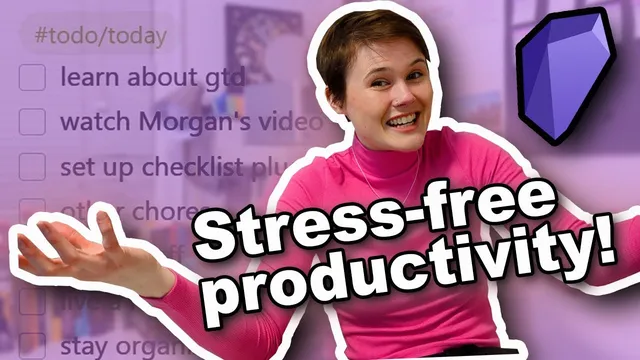
Getting Things DONE in Obsidian ✨ my stress-free life management system
Based on morganeua's video on YouTube. If you like this content, support the original creators by watching, liking and subscribing to their content.
Set up Obsidian Daily Notes as a dedicated capture inbox, and store them in a separate folder to prevent vault clutter.
Briefing
A stress-free life management system in Obsidian hinges on one practical shift: capture every task outside the head, organize it into clear lists and a calendar, then review and choose the next action based on context, time, and energy. The payoff is emotional as much as logistical—missing a 10 a.m. meeting after forgetting to add it to a calendar, and the lingering anxiety of “unfinished” tasks that prevented real downtime, both disappear once tasks live in a trusted system.
The approach starts with David Allen’s Getting Things Done (GTD) framework, adapted for Obsidian. The core workflow is simple: collect all actionable tasks, organize them into to-do lists and time-specific events, decide what to do in the moment, and maintain the system through frequent capture and review. The transcript emphasizes why this matters: people feel calm only when they know what they’re not doing. Without a place to store “not doing yet” items, the mind keeps them active as background pressure.
Implementation in Obsidian begins with setting up daily capture and task lists. The Daily Notes core plugin creates a dated note for quick dumping. To keep those notes from cluttering the main vault, the daily notes are redirected into a dedicated folder. For task management, a community plugin called Checklist is installed and enabled. Lists are created using tags (for example, hashtag to do / today), with the option to group and display tasks by tag rather than by page. The system also supports templates so each day opens with a ready-made checklist.
Once the capture engine exists, the method demands a full “brain dump.” Every task that pops up—whether it’s a household errand, a dissertation obligation, or a document to review—gets written down immediately. The transcript gives multiple ways to generate tasks: work through Allen’s “triggers list” (life areas that prompt ideas), scan the physical environment for reminders, or convert digital folders (like job or scholarship PDFs) into actionable items. Tasks are then sorted into meaningful checklist categories: by time (today), by project (dissertation), by location (computer, errands), by mental mode (writing), and by horizon (someday). A separate “waiting for” list tracks items dependent on other people.
Time-critical actions go to Google Calendar instead of Obsidian lists. The rule is immediate scheduling when a specific day and time is mentioned, with reminders set one day before and 30 minutes before.
To keep the system alive, capture continues as new tasks appear—using a phone to-do app while out, then transferring items into Obsidian later. Weekly or monthly reviews repeat the idea-dump process to catch anything that fell through the cracks.
Doing tasks follows GTD’s decision logic: handle anything under two minutes right away, treat “decisions” as either quick choices or as work that can be converted into a next physical action (often via a Natural Planning Model). Moment-to-moment selection depends on context (computer vs. errands), available time, energy level, and priorities. When stuck, the method’s final psychological nudge is blunt: make it up or make it happen—choosing an action eliminates the space for disappointment and complaint.
Cornell Notes
The system described applies David Allen’s Getting Things Done (GTD) model inside Obsidian to eliminate two common stress sources: missed commitments caused by forgetting to capture tasks, and ongoing anxiety from “open loops” in the mind. It relies on a trusted capture-and-review workflow: dump every actionable task into Obsidian daily notes, organize tasks into tag-based checklists (Today, projects, locations, waiting-for, Someday), and place time-specific actions into Google Calendar with reminders. Weekly/monthly reviews and ongoing capture keep the system current. When choosing what to do next, the method uses GTD-style rules: do under-two-minute tasks immediately, convert vague decisions into concrete next actions, and select based on context, time, energy, and priorities.
What problem does the GTD-in-Obsidian setup aim to solve, beyond productivity?
How does task capture work in Obsidian, and why does it start with daily notes?
What kinds of lists does the system use, and how are tasks organized?
Where do time-specific tasks go, and what’s the rule for adding them?
How does the system decide what to do next when multiple tasks exist?
What’s the “make it up or make it happen” takeaway for handling uncertainty or disappointment?
Review Questions
- If a task is under two minutes, what exact rule should be followed, and why does it matter for stress reduction?
- How would you convert a vague to-do like “decide what to write my paper on” into a concrete next action using the system described?
- What criteria should be applied in order—context, time, energy, priorities—to pick the next task during a busy day?
Key Points
- 1
Set up Obsidian Daily Notes as a dedicated capture inbox, and store them in a separate folder to prevent vault clutter.
- 2
Use the Checklist plugin with tag-based lists (e.g., hashtag to do / today) so tasks are easy to browse by category.
- 3
Capture every actionable task immediately—don’t leave reminders in your head or scattered across whiteboards, folders, or physical objects.
- 4
Route time-specific commitments into Google Calendar right away, with reminders configured to prevent missed meetings.
- 5
Maintain the system through continuous capture plus weekly/monthly reviews using an idea-dump or Allen’s triggers list to catch what fell through the cracks.
- 6
Choose the next action using context, available time, energy level, and life priorities; convert decisions into concrete next steps (often via a Natural Planning Model).
- 7
When stuck, pick an action—“make it up or make it happen”—to replace anxiety with outcomes and movement.