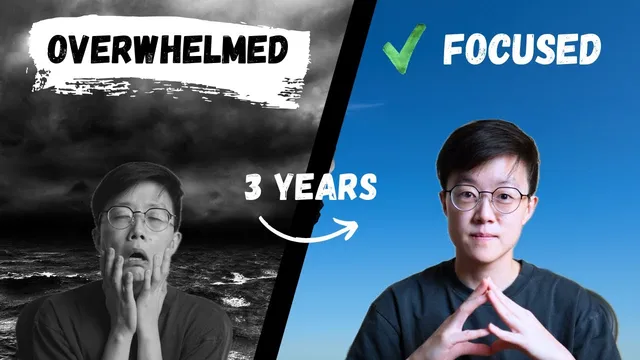
How I get everything done with zero stress
Based on Darin Suthapong's video on YouTube. If you like this content, support the original creators by watching, liking and subscribing to their content.
Capture tasks using two rules: capture everything that occupies mental space and store it in one centralized system for reliable review.
Briefing
A stress-free work and life system hinges on one practical idea: capture everything that’s taking up mental space, review it on a schedule, then turn it into clear, scheduled next actions. The payoff is less anxiety and fewer forgotten tasks—especially for people juggling multiple roles, like a startup founder, lecturer, coach, and content creator.
The framework for “getting things done” is built around five steps: **Capture, Review, Organize, Perform** (with “perform” grounded in timing, environment, and tools). Capture starts with two rules: **complete** and **centralize**. Complete means capturing every task or worry that’s “eating up” attention. Centralize means putting it all in **one trusted place**, because scattering tasks across sticky notes, apps, and notebooks makes later review nearly impossible. To keep capture fast, the workflow relies on quick entry methods into **Things** on Mac—using phone quick add, tapping the back of the phone, long-press shortcuts, or iOS shortcuts.
Review is treated as non-negotiable. The routine is **daily and weekly**: at day’s end, the inbox and “today” list get emptied, with unfinished items either scheduled for later or removed if they no longer matter. Weekly review focuses on priorities and prevents a backlog from turning into clutter. The core warning is psychological as much as logistical: an inbox that never empties or a “today” list full of leftovers breeds anxiety and makes the system feel unreliable.
Organization then converts a messy list into actionable work using a clean-clarify-specify approach. **Clean** removes junk and immediately handles “two-minute” tasks—anything that can be done in under two minutes. **Clarify** makes tasks specific by using action words, adding duration and location, and distinguishing one-session tasks from multi-step projects. Low-effort tasks under ten minutes get grouped into an “errand” bucket to clear them when spare time appears. Larger or multi-step efforts become projects, with a “breakdown project” item created and scheduled.
**Specify** assigns dates for urgent items (today or within the week) and pushes less urgent tasks to next Monday, while leaving no-date items unscheduled to be revisited during weekly review. For big, important work, time-blocking in the calendar ensures the work actually happens; smaller tasks can be batched or handled opportunistically.
Finally, performance depends on three levers: **timing**, **where** work happens, and **what tools** are used. Timing includes an energy-based approach—tracking energy levels for months to find peak focus hours—and a general guideline that deep, important work fits the first half of the day, creative work fits the evening, and afternoons are the hardest. Environment matters through the “cathedral effect,” where physical space influences thinking; creative tasks might happen in a coffee shop or quiet office, while analytical work goes where it supports concentration. Tools also shape behavior: a minimal writing app like **Bear** encourages writing, while structured tools like **Notion** encourage building; even a mechanical keyboard can change how motivated someone feels to type. A **Promotodo** timer (used without strict Pomodoro rules) creates awareness and mini-deadlines to drive follow-through. The overall message is that productivity is personal—borrow what fits, but keep the system’s core discipline: capture completely, review routinely, and turn tasks into next actions you can execute.
Cornell Notes
The system for low-stress productivity centers on turning mental clutter into scheduled action. It starts with **Capture** using two rules—capture everything (**complete**) and store it in one place (**centralize**)—so the mind can stay “empty” and ready. Next comes **Review** on daily and weekly cycles to empty inboxes, remove or reschedule leftovers, and prevent anxiety from persistent clutter. **Organize** uses clean-clarify-specify: delete junk, do two-minute tasks immediately, clarify tasks with action words and details, group quick errands, and convert multi-step work into projects with dates. Finally, **Perform** depends on timing (often peak energy morning), environment (cathedral effect), and tools (writing vs building apps, plus a focus timer).
Why does “complete and centralize” matter more than simply writing down tasks?
What does a daily vs weekly review accomplish in this workflow?
How does “clean-clarify-specify” turn a raw list into executable work?
What’s the logic behind grouping quick tasks into an “errand” section?
How does the workflow handle multi-step work that can’t be finished in one session?
What factors shape when and where tasks get done during “perform”?
Review Questions
- How would you apply “complete and centralize” if your tasks currently live across multiple apps and paper notes?
- What specific criteria would you use to decide whether a task becomes a two-minute action, an errand, or a multi-step project?
- How could you design a weekly review agenda to prevent a “today” list from turning into yesterday’s leftovers?
Key Points
- 1
Capture tasks using two rules: capture everything that occupies mental space and store it in one centralized system for reliable review.
- 2
Run daily review to empty inboxes and the “today” list, rescheduling unfinished items or removing those that no longer matter.
- 3
Use clean-clarify-specify to convert a list into action: delete junk, execute two-minute tasks immediately, clarify with action/duration/location, and assign dates for urgent work.
- 4
Group low-effort, under-ten-minute tasks into an “errand” bucket to clear them opportunistically without cluttering the main plan.
- 5
Convert multi-step tasks into projects (e.g., a “breakdown project”) so they can be scheduled and staged rather than treated as single actions.
- 6
Time-block important, sizable work on the calendar, while batching smaller tasks or doing them when opportunities arise.
- 7
Improve follow-through by aligning task timing with energy, choosing environments that support the task type (cathedral effect), and using tools that nudge the right behavior (e.g., Bear vs Notion plus a focus timer).