How I Manage My Task List in Notion
Based on Ciara Feely's video on YouTube. If you like this content, support the original creators by watching, liking and subscribing to their content.
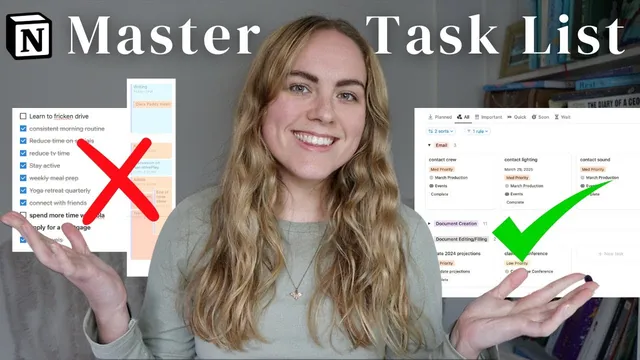
Replace rigid daily time-blocking with a trusted master task list that can absorb unexpected additions without constant rescheduling.
Briefing
Daily to-do lists with tightly time-blocked schedules break down the moment something unexpected lands—so the practical fix is to stop trying to “hold everything in your head” and instead run a trusted master task list built around the Getting Things Done (GTD) approach. The core shift is replacing rigid day-by-day planning with a system that captures tasks as they appear, processes them into clear next actions, and then surfaces only the right work for the moment. That reduces end-of-day frustration, lowers procrastination driven by uncertainty, and frees mental space for actual focus and creativity.
Ciara Feely describes how daily lists used to create a loop of demotivation: new tasks would always appear, leaving her to move items to the next day, while the backlog served as a constant reminder of unfinished work. Procrastination also fed the cycle—when a task felt “icky,” it was often because the next step wasn’t defined. GTD’s principle that “your head is for having ideas not holding them” leads to regular brain dumps (a daily mini dump and a weekly update), which she says can quickly clear overwhelm. She recounts doing a large brain dump during a peak period of running a business while managing YouTube and a PhD; after walking, her mind felt clearer than it had in months.
The system she uses in Notion starts with capturing unprocessed items, then processing them into actionable work. Each inbox item gets a “next action,” and tasks that require multiple steps are treated as projects. When uncertainty drives avoidance, the remedy is usually to identify the next physical step that moves the item forward. She also applies the GTD 3Ds—Do, Delegate, or Delete—so items that don’t matter or can be reassigned don’t keep clogging the workflow.
Organization happens through multiple lenses. Context is the first: tasks are grouped by the type of work and where it can be done (email, phone, app/desk work, errands, home vs. office). This avoids context switching—jumping between writing and email, for example, costs time because the brain needs to reset. She also notes that multitasking tends to be inefficient, favoring batches of one context at a time.
Beyond context, she organizes by priority (high/medium/low) and by time required. “Quick tasks” under five minutes get a special view so they can be handled in a focused batch; she even uses a small time-estimation convention (e.g., two-minute tasks labeled as five minutes) to reduce underplanning. In practice, she spends about an hour (or 30 minutes on lighter days) on quick tasks, then moves to high-priority work earlier in the week, and finally works through the remaining lower-priority items when time and energy allow.
The Notion workflow is updated weekly via a structured review: she brain-dumps new top-of-mind tasks, processes unprocessed items by adding context, time, and status, checks “waiting for” items, and updates project states (paused, backlog, in progress). She also maintains a project list tied to near-term goals—especially work that must be completed before a holiday period—then uses Notion views to track what’s left, what’s done, and what needs tasks added. The result is a task list she trusts enough that her brain stops repeatedly pinging her with reminders, and she reports being on track to achieve her 12-week goals for the first time using this approach.
Cornell Notes
The workflow replaces rigid daily to-do lists with a GTD-style master task system in Notion. Instead of time-blocking every minute, tasks are captured via brain dumps, then processed into clear next actions and grouped by context, priority, and time required. Procrastination often comes from uncertainty, so defining the next action and applying the 3Ds (Do, Delegate, Delete) turns vague items into doable steps. Weekly review updates task and project lists, moving items through statuses like unprocessed → not started/in progress, and keeping projects aligned to near-term goals. The payoff is less end-of-day frustration, fewer mental reminders, and more focused work through batching by context.
Why did daily time-blocked to-do lists end up demotivating, and what GTD-style change fixes that?
How does defining the “next action” reduce procrastination?
What are the 3Ds, and how do they prevent the task list from becoming a junk drawer?
Why organize tasks by context instead of mixing everything together?
How does time-based categorization work for quick tasks in this system?
What does the weekly Notion review accomplish in practice?
Review Questions
- What specific problem does “no wiggle room” scheduling create, and how does a master task list change the workflow to handle surprises?
- Pick one procrastinated task from your own life: what would its next action be, and would it be a task or a project?
- How would you design context views for your own work to reduce context switching (give two contexts and example tasks for each).
Key Points
- 1
Replace rigid daily time-blocking with a trusted master task list that can absorb unexpected additions without constant rescheduling.
- 2
Use regular brain dumps (mini daily and a weekly update) to clear mental load and prevent tasks from living only in working memory.
- 3
Process inbox items by defining the next action; treat multi-step items as projects so every task has a clear starting point.
- 4
Apply the 3Ds—Do, Delegate, or Delete—to keep the system actionable and prevent low-value items from accumulating.
- 5
Organize tasks by context (where and what kind of work) to avoid stress and reduce context switching.
- 6
Add secondary organization by priority and time required, including a dedicated quick-task view for under-five-minute work.
- 7
Run a weekly review in Notion to update task/project statuses, check waiting items, and ensure projects reflect what’s actually left to do.