How I Plan My Month in Notion | Goal Planning
Based on Ciara Feely's video on YouTube. If you like this content, support the original creators by watching, liking and subscribing to their content.
Start each month with a review of completed work and goal progress, then adjust the upcoming month based on what actually finished.
Briefing
A monthly planning routine built inside Notion is being used to turn long-term goals into concrete weekly and daily habits—while also scheduling content, events, and recurring admin work. The core idea is a “monthly reset” that starts with reviewing what finished, then maps remaining goal work into the coming month, and finally converts priorities into projects, tasks, and calendar notes that keep showing up automatically.
The process begins with a monthly review treated as a special case of a weekly review. Completed projects and goal progress from the previous month are checked, then the upcoming month is adjusted based on what worked and what still needs attention. Monthly planning goes beyond task lists: it adds goal progress, new projects, and planning for events and content.
For January, the plan is anchored to a quarterly goal-setting cycle using the 12we year framework, with some annual goals also tracked. A “this month” view filters a goals database to show yearly goals starting in January. Several goals are carried forward from the prior 12we year—especially work that’s too complex to finish quickly—while new goals are broken down into habits and projects.
Posture improvement becomes a daily habit: 10 minutes a day lying semi-supine on the floor (“floor time”). Mobility work is set as a weekly recurring habit, scheduled to recur every Monday at midnight and initially set to three times a week before settling into a weekly cadence. A separate “low spend” habit is also added as a recurring daily constraint for the next couple of months—avoiding extra purchases like coffees, lunch, or dinners outside the budget—because it’s easier to test as a temporary recurring habit than as a permanent daily rule.
Goal work is also translated into brand and career actions. To reach 50,000 YouTube subscribers and make the brand a full-time income, the plan centers on a consistent posting schedule: a planning-focused video every week, posted either Fridays or Sundays. Content themes are planned month-by-month, with January focused on building and sharing parts of the template—especially finances in the next month’s focus.
A major “buying a house” goal is tied to mortgage readiness. Remaining steps include opening a business account for the brand so payroll and taxes can be handled before money hits the personal account, setting up pension handling similarly, and booking a meeting with a mortgage broker (with Jack) due to a more complicated income situation.
The month also includes personal milestones and admin projects: finishing drama school applications after getting through the first round (second round in March), completing remaining PhD research responsibilities (two small coding items plus a final presentation), and producing template-related deliverables like a finances dashboard, a walkthrough video, and Instagram publicity. Recurring projects are set up so they automatically appear in weekly review—examples include monthly payroll on the last Friday, monthly budgeting and business finances, and weekly cleaning and weekly review.
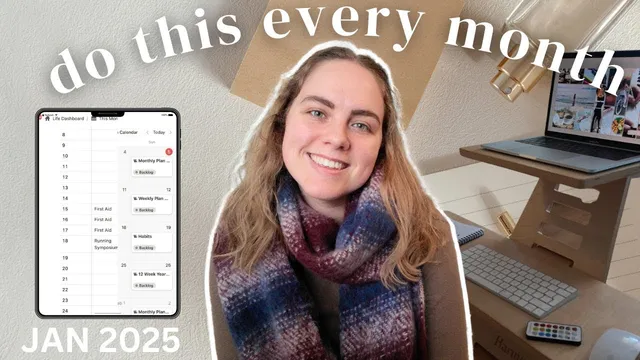
Event planning is handled through a Notion calendar view for appointments and notes, while Google Calendar remains the primary system because Notion lacks fully updating recurring calendar events. January’s calendar entries include first aid training, a research symposium (slides as a project), counseling, an improv class, and a social gathering on January 26.
Finally, content production is automated inside Notion: a “content calendar” view filtered to YouTube area-of-focus duplicates a YouTube video template and triggers subtasks (plan, film, edit, upload) whenever a new video is added. The content schedule for February is also mapped in advance, including adding the finances planner once it’s complete.
The planning tone is intentionally gentle: January is treated as “dream time” in the Celtic calendar, favoring baby steps now and bigger actions later in the 12we year cycle.
Cornell Notes
January planning in Notion is built around a monthly reset: review what finished, check goal progress, then convert priorities into projects, habits, and calendar notes for the month ahead. Long-term goals tied to the 12we year framework are filtered into a “this month” goals view, then broken into actionable work—like daily posture “floor time,” weekly mobility, and a temporary “low spend” routine. Recurring projects (monthly payroll, monthly budgeting, weekly cleaning, weekly review) are set to reappear automatically so weekly planning stays consistent. Content planning is also systematized: a YouTube-focused content calendar duplicates a YouTube video template and auto-creates subtasks for planning, filming, editing, and uploading. The result is a structured month that supports goals without requiring maximum push every day.
How does the monthly reset differ from a weekly review in this system?
What are the January habits, and how are they scheduled to keep showing up?
How does the plan connect 12we year goals to concrete work inside Notion?
What’s the strategy for growing YouTube and turning the brand into full-time income?
How are recurring projects and tasks automated so weekly review stays manageable?
How does the system handle events and calendar limitations?
Review Questions
- Which January goals are converted into habits versus projects, and what scheduling choices make those habits realistic?
- How does the system ensure recurring admin work (like payroll and budgeting) appears at the right time for weekly review?
- What automation is used to generate YouTube subtasks when a new video is added, and why does that matter for consistency?
Key Points
- 1
Start each month with a review of completed work and goal progress, then adjust the upcoming month based on what actually finished.
- 2
Translate long-term goals into either habits (daily/weekly recurring) or projects, using a filtered “this month” goals view to stay focused.
- 3
Use temporary recurring habits (like low spend) to test behavior without locking into permanent rules too early.
- 4
Set up recurring projects and tasks in Notion so weekly review automatically surfaces key work like payroll, budgeting, and cleaning.
- 5
Plan events in Notion as appointment notes, but rely on Google Calendar for true recurring events that need automatic updates.
- 6
Automate content production inside Notion by using a YouTube-focused content calendar that auto-creates subtasks for planning, filming, editing, and uploading.
- 7
Treat the month’s pacing intentionally—aim for baby steps during “dream time,” then scale up actions in the next phase of the 12we year cycle.