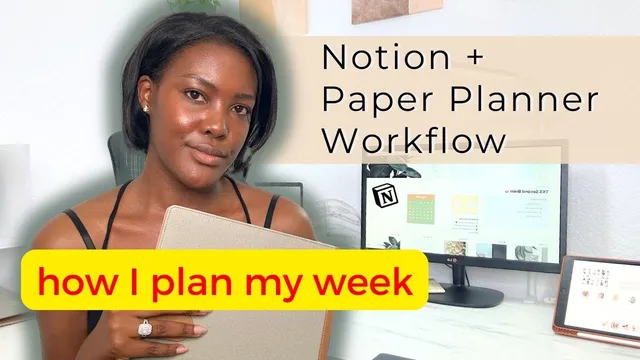
How I Plan My Week | Notion & Paper Planner Workflow
Based on Dr. Tiffany Shelton's video on YouTube. If you like this content, support the original creators by watching, liking and subscribing to their content.
Start weekly planning with a physical reset: clear the desk and file away paper clutter so the review and scheduling happen from a calmer state.
Briefing
A weekly planning workflow built around Getting Things Done (GTD) and a “second brain” system aims to turn scattered tasks into a clear, time-blocked week—fast enough to be repeatable (about 20 minutes) and structured enough to reduce overwhelm. The core move is to start with physical and mental reset, then run a short weekly review that calibrates goals using last week’s results, before processing inbox items and converting them into scheduled work on a paper planner.
The process begins with clearing the “locker”: tidying the desk and workspace so planning happens from a calmer, more grounded state. Clutter isn’t treated as cosmetic; it’s framed as a productivity drag. A cited UK survey links cluttered desks with higher perceived workload and worse productivity, which sets up the rationale for a deliberate pre-planning cleanup on Friday.
Next comes the weekly review—using GTD’s logic and a 12-week year scorecard to check performance against lead actions. The scorecard asks for a quick audit of what was completed and a percentile target (aiming for 85% or more in the 12-week year approach), then resets for the next cycle. In the paper planner, the review also captures wins and challenges from the previous week and cross-checks monthly goals, so next week’s targets can be calibrated without re-analyzing the entire year. The underlying principle: look back only as far as the planning layer you’re using (month for weekly planning, quarter for yearly planning).
After review, the workflow shifts to “processing” tasks—turning raw inputs into actionable commitments. Digital and physical inbox items (email, mail/file inboxes, and on-the-fly ideas) are collected into a Notion task inbox. Items are then clarified by status and timing: tasks with a due date for the current week get scheduled into the paper weekly planner; items marked “due next” are also planned for the week; in-progress items may be scheduled even if they’re not yet due; and tasks that are still undecided get a due date and are marked “scheduled.”
The system also supports project and life-area organization. Tasks can be linked to projects so they populate in project views, and they can be tagged with statuses like “waiting for” when another person’s response is required. Remaining items are organized as hold, waiting for, or to schedule. For ongoing work without hard deadlines—such as social media creation—the workflow uses “trigger list” reminders inside life areas (e.g., scripting a YouTube video or scheduling doctor appointments) to surface recurring responsibilities.
Finally, meetings and fixed commitments are color-coded and placed into the paper planner, then daily time-blocking adds tasks around those anchors with buffers. The result is a week that’s already mapped out: meetings in red, tasks slotted into daily pages, and a “someday/maybe” section used to keep ideas from cluttering the mind. The routine is designed to be simple, repeatable, and quick—about 20 minutes—so planning ends with execution-ready clarity rather than another round of mental juggling.
Cornell Notes
The workflow combines GTD-style weekly review with a Notion “second brain” and a paper planner to convert scattered inputs into a realistic, time-blocked week. It starts with a physical reset (clearing the desk) and then reviews last week using a 12-week year scorecard, wins/challenges, and monthly goals to calibrate next week’s priorities. Next, inbox items from digital and physical sources are processed in Notion: tasks are clarified by due date and status (“due next,” scheduled, in progress, waiting for, hold). Finally, meetings and fixed events are placed into the paper planner, and daily time-blocking slots tasks around them with buffers. The payoff is a repeatable ~20-minute routine that reduces overwhelm by making tasks actionable.
Why does the workflow begin with desk and workspace cleanup before any planning happens?
How does the 12-week year scorecard shape weekly planning decisions?
What does “processing tasks” mean in practice, and how are tasks moved into the paper planner?
How does the system handle meetings and fixed commitments?
What role do projects, life areas, and “trigger list” play for ongoing work?
Review Questions
- What specific steps convert inbox items into scheduled tasks, and how do “due next,” scheduled, and waiting-for statuses differ?
- How does the workflow decide how far back to look when reviewing performance (week vs month vs quarter)?
- Where do “someday/maybe” ideas go, and why does that matter for reducing mental clutter?
Key Points
- 1
Start weekly planning with a physical reset: clear the desk and file away paper clutter so the review and scheduling happen from a calmer state.
- 2
Use a GTD-style weekly review anchored by a 12-week year scorecard to check lead actions and target completion (85%+).
- 3
Calibrate next week’s goals using wins/challenges and monthly goals, avoiding unnecessary deeper lookbacks (e.g., month for weekly planning).
- 4
Process inbox items in Notion by clarifying timing and status, then transfer due items into the paper planner’s weekly and daily time blocks.
- 5
Place meetings and fixed events into the paper planner first, then time-block tasks around them with buffers for realism.
- 6
Link tasks to projects and apply statuses like “waiting for” so dependencies and ownership stay visible.
- 7
Use life areas and a trigger list for ongoing work without hard deadlines, keeping recurring responsibilities from slipping through the cracks.