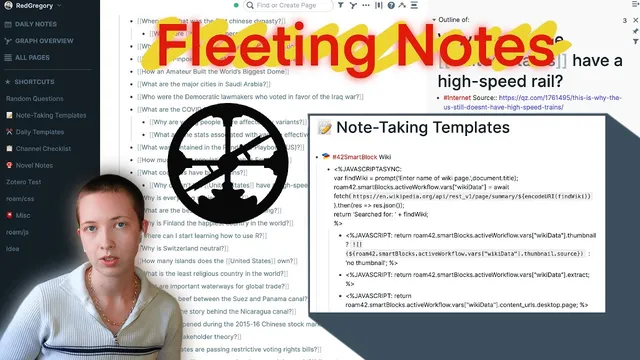
How I Process Fleeting Notes With Roam And Roam42 Smartblocks
Based on Red Gregory's video on YouTube. If you like this content, support the original creators by watching, liking and subscribing to their content.
Treat fleeting notes as question-and-answer fragments, then rely on Roam links to connect them into a growing idea network.
Briefing
Fleeting notes—quick, low-stakes ideas pulled from podcasts, documentaries, and conversations—can be turned into a usable research engine by treating them as linked question-and-answer fragments inside Roam Research. The core move is to capture each note as a question, then connect it to other notes through Roam’s linking so the network gradually reveals the original prompts and the relationships that can later become concrete projects. Instead of waiting for inspiration to strike at the moment of writing, this workflow builds an “idea archive” that a less creative future self can mine.
The process is designed to be circular: start and end inside Roam. A practical example begins with a question about “important waterways for global trade,” tagged as a place. The answer note includes sources and links out to broader geographic entities like the Mediterranean Sea and the Red Sea. From there, the system encourages further exploration by following links and adding new questions under existing answers—such as whether there’s “beef” between two canals, or what the story is behind a third canal. When a thread runs out, the unanswered question is left visible (tagged as empty), making it easy to return later.
To keep the workflow fast, Roam42 Smartblocks are used to automate the steps that normally break the flow: searching the web, extracting summaries, and inserting structured references back into Roam. When the user asks, “When was the last monarch of Hawaii,” they highlight the question and trigger a Smartblocks menu (via a “jj” shortcut). A script formats the query for Google, runs the search, and returns a concise answer. The user then tags the resulting year (e.g., 1898) and optionally adds it to a timeline using a dedicated tag (tl). This turns ad-hoc research into something sortable and retrievable.
The workflow also leans on “copy the right evidence, then link it.” After getting a Wikipedia-style summary, the user can paste in a link, highlight specific lines using a browser extension (Roam Highlighter), and store metadata such as the source URL, publication date, and access date alongside the extracted highlights. Those highlights become new building blocks that can be linked back to places, people, and time periods already in the Roam graph.
Because Roam doesn’t natively sort timeline years the way the user wants, a Roam.js helper is used to sort by page title, letting years appear from most recent to oldest. From there, shifting into a year’s references shows every connected question and note tied to that time period.
Under the hood, the Smartblocks templates standardize common tasks: Wikipedia extraction, etymology lookups, country history lookups, quick source capture from a copied URL, and even image and Google Maps link generation. The end result is a contained research loop where fleeting ideas become a connected graph—complete with sources, highlights, and time anchors—so future projects can be assembled from the network rather than from scratch.
Cornell Notes
Fleeting notes become valuable when they’re captured as question-and-answer fragments and then stitched together with Roam’s linking. The workflow keeps research inside Roam by using Roam42 Smartblocks to run searches, extract summaries (often from Wikipedia), and insert results back into the graph with tags like place, year, and tl. Browser highlighting (via Roam Highlighter) adds source URLs plus publication/access dates, turning casual reading into traceable evidence. A Roam.js helper helps sort timeline years so references to specific dates remain easy to find. Templates also automate recurring lookups like etymology, country histories, source capture, and Google Maps links.
What qualifies as a “fleeting note,” and how does this workflow make it actionable later?
How does linking in Roam turn a single research question into a growing web of ideas?
How do Roam42 Smartblocks speed up the “search → answer → insert back into Roam” loop?
What role do highlights and metadata play in making notes trustworthy and reusable?
Why add timeline tags like tl, and how are years managed for retrieval?
What kinds of templates are used to automate common research tasks?
Review Questions
- How does the workflow ensure fleeting notes don’t stay isolated—what specific mechanisms (tags, linking, nested questions) connect them into a usable structure?
- Describe the end-to-end process for turning a highlighted question into a Roam entry using Smartblocks, including how years and timeline tags are handled.
- What metadata is captured when using Roam Highlighter, and why does that matter for later reuse of notes?
Key Points
- 1
Treat fleeting notes as question-and-answer fragments, then rely on Roam links to connect them into a growing idea network.
- 2
Nest follow-up questions under existing answers to preserve context and keep research threads discoverable.
- 3
Use Roam42 Smartblocks to run searches and insert extracted summaries back into Roam without leaving the workflow.
- 4
Tag key entities (places, years) so the graph can be navigated later, including timeline-style retrieval with tl.
- 5
Capture evidence with Roam Highlighter by storing highlights plus source URL, publication date, and access date.
- 6
Use Roam.js to sort timeline years when Roam’s default behavior isn’t sufficient for chronological review.
- 7
Build templates for recurring tasks like Wikipedia summaries, etymology, country histories, source capture, images, and Google Maps links.