How to Build a Habit Tracker in Notion from Scratch
Based on Thomas Frank Explains's video on YouTube. If you like this content, support the original creators by watching, liking and subscribing to their content.
Build habit tracking in layers: start with checkboxes, then move to templates, then databases, then formulas, and finally streak logic.
Briefing
A five-level Notion build turns habit tracking from a simple checkbox list into a fully automated system that generates daily entries and computes both day-by-day completion and streak stats. The core payoff is that each level remains a working habit tracker, while higher levels add database structure, progress scoring, and finally streak counters that calculate current and longest runs automatically—without manually resetting anything.
Level one starts with a checklist-style habit tracker built directly on a Notion page: create a few checkbox items and use a quick inline workflow to check habits off during the day. The key behavioral detail is that the checklist resets by design—habits are meant to be re-checked each day rather than left in a persistent “done” state.
Level two introduces daily records using a template button. A “New Day” button inserts a mini page section containing a “Today” date block and a set of checkbox habits. Clicking the button creates a fresh daily entry so habits can be checked off once per day, without the need to manually uncheck previous days. The build uses Notion’s template button actions and date duplication so each new record corresponds to the day the button is pressed.
Level three upgrades the tracker into a database. Each day becomes a database row, with one checkbox property per habit and a date property for sorting. A recurring database template ensures a new “habit journal” page is created every day automatically (set to repeat daily at midnight). Views add usability: a table view supports quick checking, while a gallery view displays each day as a card. The gallery view is configured so card previews don’t clutter the interface, and habit properties are surfaced as the card’s content.
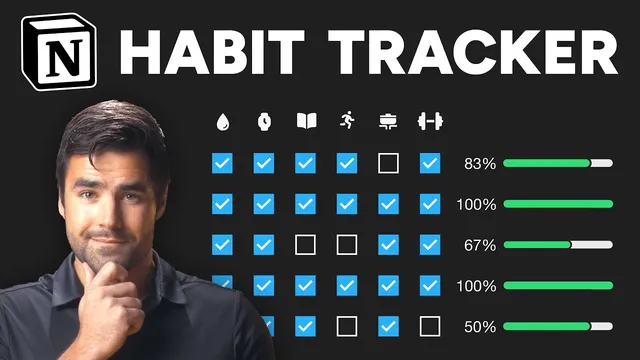
Level four adds a “daycore” score—an automated progress indicator. A formula property converts each checkbox (true/false) into numeric values (1/0), sums them, divides by the number of habits, rounds to a clean percentage, and formats the result as a progress bar. This score is then shown in the gallery view so daily performance is visible at a glance.
Level five is the most advanced: streak tracking for each habit, including both current streak and longest streak. The build creates a separate “stats” aggregator database and relates every habit-day entry to a shared stats page. For each habit, a long Notion formula pulls related habit records, sorts them by date, reverses the order to focus on recent days, maps checkbox values into 1/0 arrays, and then transforms that sequence into streak lengths. It slices out today’s record to avoid mid-day ambiguity, uses the `lets` function to manage intermediate variables, and applies conditional formatting so the streak chips change color and display “day/days” correctly. The final result is a dashboard-ready habit system where daily pages appear automatically and streak counters update as checkboxes change.
The workflow also extends beyond the tracker itself: the build can be embedded into a larger productivity dashboard (like “Ultimate Brain”) using linked database views and date filters (e.g., showing today and yesterday) so habit tracking sits alongside tasks, notes, and resources in one place.
Cornell Notes
The build progresses from a simple checkbox habit list to a database-driven tracker that auto-creates daily entries and computes stats. Level two uses a “New Day” template button to generate a fresh set of habit checkboxes each day. Level three converts days into database rows with checkbox properties per habit, a date field for sorting, and a recurring daily template so entries appear automatically. Level four adds a formula-based “daycore” percentage and displays it as a progress bar. Level five creates a related “stats” aggregator and uses a long Notion formula to calculate each habit’s current streak and longest streak, with conditional formatting and correct pluralization.
How does the “New Day” button prevent habit checkboxes from becoming a permanent checklist?
What database features make the Level three tracker both flexible and low-maintenance?
How is “daycore” calculated from checkbox habits in Level four?
Why does Level five use a separate “stats” aggregator database?
How does the streak formula avoid counting today incorrectly mid-day?
Review Questions
- What Notion features are responsible for automatically creating daily habit entries, and how are they configured?
- Describe the steps used to convert checkbox values into a percentage score (“daycore”).
- What is the purpose of the stats aggregator relation in Level five, and how does the formula use it to compute streaks?
Key Points
- 1
Build habit tracking in layers: start with checkboxes, then move to templates, then databases, then formulas, and finally streak logic.
- 2
Use a recurring database template to generate one habit journal entry per day automatically, so daily setup never becomes a chore.
- 3
Compute progress with a formula that converts checkbox booleans into 1/0 values, averages them across habits, rounds, and formats as a percent/progress bar.
- 4
For streaks, relate all habit-day rows to a single stats aggregator page so formulas can calculate across time.
- 5
Sort related records by date, reverse for recency, map checkbox values into numeric sequences, and transform the sequence into streak lengths.
- 6
Exclude today from streak calculations using array slicing to prevent mid-day changes from breaking streak accuracy.
- 7
Embed the habit tracker into a larger dashboard using linked database views and date filters (e.g., today and yesterday).