how to turn your phone into a productivity machine
Based on Mariana Vieira's video on YouTube. If you like this content, support the original creators by watching, liking and subscribing to their content.
Delete apps that no longer “spark joy,” and identify whether they trigger insecurity, constant stress, or compulsive updating.
Briefing
Smartphones don’t have to be productivity killers. With deliberate setup—removing “joyless” apps, silencing attention-stealing alerts, and reshaping what shows up on screen—phones can become a tool for focus, planning, and mindful connection.
The first step is a KonMari-style cleanup: delete apps that no longer “spark joy,” but also name why they drain value. The transcript points to common culprits—apps that trigger insecurity or feelings of falling behind, apps that add stress through constant updates, and apps that create a sense of compulsion to check. Keeping those apps in your pocket, it argues, can be harmful to mental health, not just time management.
Next comes a full reduction of triggers that pull attention away from intentional use. The advice is to turn off all notifications except those from the phone app, including messaging and other high-frequency apps. The goal is to reverse the “attention cycle”: when notifications are on, the phone decides when to interrupt; when they’re blocked, the user chooses. The transcript adds a practical reassurance—if something is truly urgent, people will call rather than text.
Visual distractions get treated the same way. Badges should be disabled across apps so the user isn’t constantly confronted with counts of unread emails or pending messages. That small change reduces ongoing visual stimuli and helps prevent stress from watching numbers accumulate.
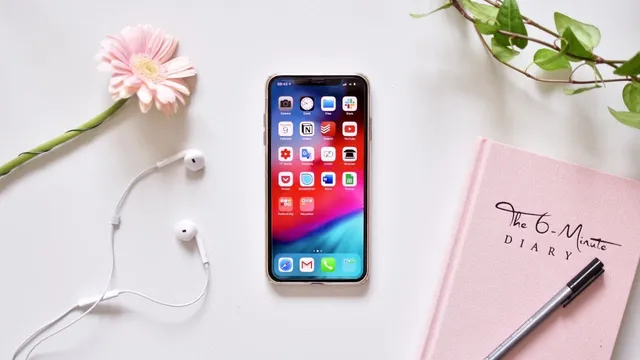
Home screen design then becomes a daily cue system. Social apps can be hidden inside folders, while productivity tools—email and organization apps—stay on the main page so the first glance supports work rather than Instagram reminders. A tiered layout can further reinforce habits by placing less-used apps on later pages, based on how often they support the day’s schedule.
Time management is handled through the phone’s built-in clock and alarms. The transcript recommends creating routines that divide the day into chunks, using labeled alarms and combinations that vary by day of the week. The phone’s constant availability makes it an effective “time structure” device.
At the same time, the advice warns against over-organization. Instead of stacking many to-do and planning apps, it recommends sticking to a small set: a calendar, a to-do app, and a broader organization/planning tool. For event planning, it names Google Calendar and iCalendar; for templates and major projects, it points to Notion; and for task lists, it recommends Todoist.
Android users are encouraged to use widgets mindfully as a lightweight dashboard for reminders, calendar blocks, and notes. Even the lock screen background is framed as a productivity lever: change it weekly to reflect a personal intention or thought-provoking question.
Finally, the transcript draws a line between mindful use and rigid blocking. It argues for a constructive relationship with tech rather than treating social media as something to be shut out entirely. It references the documentary “Curious Minds: the Internet” and promotes CuriosityStream as a way to watch it, tying the broader theme together: productivity comes from attention control and intention, not from fear of the device itself.
Cornell Notes
Smartphones can become productivity tools when attention is controlled rather than surrendered. The transcript recommends deleting apps that don’t “spark joy,” then turning off nearly all notifications (keeping only phone calls) to stop interruptions from deciding when the device gets used. It also advises disabling app badges to avoid constant visual stress from unread counts, and reshaping home screens so productivity apps are front and center while social apps are hidden. Time management is strengthened with labeled, day-specific alarm routines, and productivity software should be limited to a small set: a calendar (Google Calendar or iCalendar), a to-do app (Todoist), and a planning tool (Notion).
How does the transcript recommend deciding which apps to remove, beyond just “time-wasting” labels?
What’s the practical method for reducing attention-stealing interruptions?
Why disable notification badges, and what does that change look like day to day?
How should home screens be organized to support work habits?
What’s the recommended approach to alarms and daily structure?
Which app categories does the transcript recommend limiting to, and what specific tools are named?
Review Questions
- What changes would most directly reduce both auditory/haptic interruptions and visual stress from unread counts?
- How does the transcript’s home screen strategy (folders, main page placement, tiered pages) support intentional phone use?
- Why does the transcript recommend limiting the number of organization apps, and which three categories does it prioritize?
Key Points
- 1
Delete apps that no longer “spark joy,” and identify whether they trigger insecurity, constant stress, or compulsive updating.
- 2
Turn off all notifications except phone-call notifications to regain control over when the phone gets used.
- 3
Disable app badges to prevent ongoing visual reminders that can create stress from accumulating unread counts.
- 4
Use home screen layout—main-page productivity apps and hidden social apps—to make the first tap align with work goals.
- 5
Structure the day with labeled alarms and day-specific combinations using the clock app to create time chunks and planned downtime.
- 6
Limit productivity software to a small set: a calendar (Google Calendar or iCalendar), a to-do app (Todoist), and a planning tool (Notion).
- 7
Treat phone customization (widgets and weekly intention backgrounds) as a cue system that supports focus and mindful reflection.