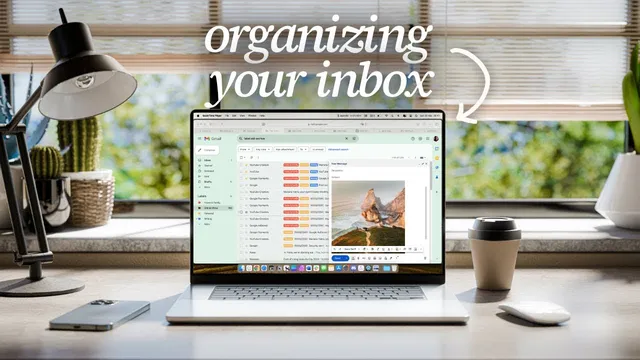
If You're Terrible at Email, This Video is For You
Based on Mariana Vieira's video on YouTube. If you like this content, support the original creators by watching, liking and subscribing to their content.
Move all existing messages out of the inbox into an archive folder to reach inbox zero quickly without sorting years of email.
Briefing
An overflowing inbox doesn’t just waste time—it triggers anxiety and turns everyday communication into a constant, low-grade emergency. The core fix is to stop treating email like a junk drawer and instead run it like a lightweight workflow: clear it fast, organize it with a system you’ll actually maintain, convert actionable messages into tasks, and limit how often you check it.
The first move is a “clean slate” reset. Instead of sorting through years of messages, everything gets moved out of the inbox into an archive-style folder (names like “Old,” “Archive,” or “Deal with later”). That creates inbox zero immediately, removing the mental clutter while keeping old emails searchable. Once the inbox is empty, the focus shifts to building a folder structure that matches how work and life generate messages—without over-engineering it. The guidance is to keep categories minimal: for personal use, separate broad areas (like personal/home/family) and carve out only what must be easy to find quickly (such as bills). For work, the structure can scale by project and status: an admin folder, then yearly project folders, with “in progress” and “closed” subfolders. Completed projects get moved from in progress to closed, and active projects live inside their own folders. Where the email client limits customization, a simple symbol or text-based marker can distinguish projects that are on hold from those needing immediate attention.
Next comes the real reason inboxes become unmanageable: emails are tasks in disguise. When a message requires action—replying, following up, reading attachments, or scheduling—those steps shouldn’t stay trapped in the inbox. The workflow is to convert actionable emails into tasks using a task manager. Tools mentioned include TickTick, Todoist, and Akiflow, with Akiflow highlighted for tagging emails inside Gmail so they automatically appear as tasks. Those tasks can then be dragged onto a calendar, assigned to projects, dated, and handled like any other to-do item. If an email doesn’t require action, it gets archived as “closed,” so the inbox stops acting as a storage unit.
The final step is behavioral: schedule email time and stop checking constantly. Instead of refreshing every few minutes, set specific check windows—twice daily for some people, hourly for others—then do deep work between those windows. After processing the inbox, close it and move on. To keep the system healthy, a quick weekly review clears old items and checks that nothing slipped through, and a larger annual cleanup rebuilds the project structure (for example, rolling projects into a new yearly folder).
To support time-blocking and task scheduling, the transcript promotes Akiflow as a tool for consolidating tasks from other apps, importing tasks from Notion, creating tasks via a command bar, organizing work into time slots, and scheduling meeting availability. The takeaway is straightforward: email isn’t going away, but with four habits—reset, organize, convert to tasks, and time-box checking—it can become useful instead of stressful.
Cornell Notes
The transcript argues that email becomes overwhelming because people treat the inbox like storage and let actionable messages sit there. A four-step system fixes that: (1) move everything out of the inbox into an archive folder to reach inbox zero quickly, (2) build a simple folder structure that mirrors real life and work—minimal categories for personal, and year/project/status folders for work, (3) convert any email that needs action into a task using a task manager (e.g., forwarding/tagging from Gmail into Akiflow), and (4) schedule specific email check times so email stops interrupting the day. Weekly reviews and an annual cleanup keep the system working as projects change. The result is less anxiety, faster retrieval, and a clearer plan for what to do next.
Why does an inbox feel stressful even when the messages are “just emails”?
What’s the fastest way to stop the inbox from dominating attention?
How should folder categories be designed so they don’t become another source of overwhelm?
What does it mean to “turn emails into tasks,” and how is it implemented?
How does scheduling email time reduce interruptions without losing responsiveness?
Review Questions
- What specific steps convert an inbox from “storage” into a task-driven workflow?
- How would you design a folder structure for a job with multiple simultaneous projects and recurring yearly planning?
- What weekly and annual maintenance actions prevent the system from breaking down over time?
Key Points
- 1
Move all existing messages out of the inbox into an archive folder to reach inbox zero quickly without sorting years of email.
- 2
Keep folder categories simple: separate only what must be easy to find (like bills) and avoid creating dozens of overlapping labels.
- 3
For work, organize by admin, year, and project status—use “in progress” and “closed,” and move completed projects forward as they finish.
- 4
Convert any email that requires action into a task using a task manager, so the inbox stops acting as a to-do list.
- 5
Time-box email checking into scheduled windows and stop refreshing constantly to protect deep work.
- 6
Run a quick weekly review to clear old items and confirm nothing was missed, then do a larger annual cleanup to refresh the project structure.