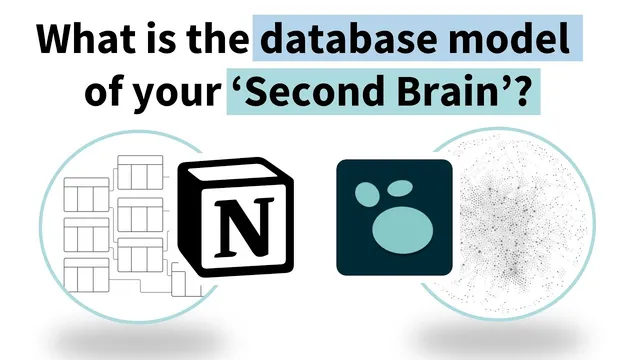
Logseq vs Notion | Understanding your 'Building a Second Brain' database
Based on CombiningMinds's video on YouTube. If you like this content, support the original creators by watching, liking and subscribing to their content.
Treat a second brain as a storage-and-retrieval system: capture choices determine how fast and accurate later retrieval will be.
Briefing
Personal knowledge management works best when notes behave like a database—because retrieval is only as fast as the way information is stored. The core insight here is that “querying your mind” is expensive: if notes aren’t captured with a usable structure, finding them later becomes slow and frustrating. Understanding database principles—storage, retrieval, and how relationships are represented—turns a second brain from a dumping ground into a system that can be searched, filtered, and traversed.
The discussion starts with a practical definition: a database is an organized collection of data stored and accessed electronically. Everyday examples mirror the idea—folder hierarchies for shared files, spreadsheets for task tracking, and e-commerce order histories that connect customers to products. In that framing, a second brain is a storage-and-retrieval engine: input determines how well information can be retrieved later. Storage is about how entries are created (journal pages, indentation, block placement), while retrieval is about queries, filtering, and search.
From there, the comparison shifts to database models. Relational databases use tables and typically enforce a schema: each record lives in a defined place, and relationships are represented through links between tables. The transcript walks through the evolution from Excel-style spreadsheets (with laborious lookups like VLOOKUP/XLOOKUP-style thinking) to Airtable, where projects and tasks sit in separate tables and tasks relate to their parent projects. Notion is positioned as a hybrid: it supports relational behavior (tables and linked records) but also allows pages to hold extra content outside the table, and it can display multiple related tables on one page—something Airtable doesn’t do in the same way.
Graph databases are presented as the next step for personal knowledge management. Instead of forcing everything into tables, graph systems treat the smallest unit of meaning—Logseq blocks—as nodes that can be tagged and linked anywhere. Each block gets a unique address, and links (via square brackets and hashtags) connect blocks to pages and to other blocks. Pages are described as a higher-level node type that helps organize relationships. Crucially, relationships are “first-class”: in graph database terms, relationships can have their own properties (like a start date for a “has CEO” relationship), not just the nodes.
Logseq is used as the concrete example of how this plays out. Projects can be created as pages, while tasks can be entered in journals and linked back to those project pages. The transcript also warns that nesting can affect what appears in views—tasks nested under a block may not show up the same way as tasks surfaced through queries/filters.
The payoff is why graph databases are argued to be better for PKM: they reduce the need for upfront structure (supporting stream-of-consciousness capture), make retrieval easier through tags/backlinks and powerful search, and enable knowledge traversal—clicking through relationships to see connected ideas, including implicit links. Finally, information can be replicated across multiple contexts and hierarchies without breaking, unlike rigid folder structures where moving or renaming can cause “path does not exist” problems. The overall message: treat notes as interconnected data, and the system becomes faster, more flexible, and more navigable over time.
Cornell Notes
The transcript frames a second brain as a database: effective storage enables efficient retrieval. It argues that mind-based “querying” is costly, so notes must be captured in a way that supports later search and filtering. Relational tools like Airtable rely on tables and schemas (e.g., separate Projects and Tasks tables linked together), while Notion blends relational tables with page-based flexibility. Graph databases—illustrated through Logseq blocks and links—treat blocks as nodes with unique addresses, where tags and backlinks connect information anywhere. This model supports stream-of-consciousness input, powerful retrieval, and knowledge traversal across relationships, making PKM more flexible than folder hierarchies.
Why does the transcript treat “understanding the database model” as the starting point for using a second brain tool effectively?
How do relational databases represent information and relationships, and what does that look like in the Airtable example?
What does “graph database” change compared with tables, and how does Logseq implement that idea?
What does it mean that relationships can have properties in graph databases, and why is that useful?
Why does the transcript say graph-style PKM can be better for retrieval and navigation than folder structures?
What practical caution does the transcript raise about how tasks appear in Logseq views?
Review Questions
- Relational databases and graph databases both support relationships—what structural difference (tables vs nodes/links) does the transcript claim affects how easily PKM can be navigated?
- In the Logseq approach described, how do tags, backlinks, and unique block addresses work together to make retrieval possible without knowing where information was originally entered?
- What trade-off does the transcript suggest when entering information “at the nodes” in a graph-style system, and how might that influence how someone designs their workflow?
Key Points
- 1
Treat a second brain as a storage-and-retrieval system: capture choices determine how fast and accurate later retrieval will be.
- 2
Relational tools rely on tables and schemas; relationships are handled by linking records across tables (e.g., Projects ↔ Tasks in Airtable).
- 3
Notion blends relational tables with page-based flexibility, including the ability to show multiple related tables on one page and add content outside table fields.
- 4
Graph databases model information as nodes and links; in Logseq, blocks act as nodes with unique addresses that can be referenced via square brackets and hashtags.
- 5
Graph-style PKM reduces the need for upfront structure, supports stream-of-consciousness capture, and improves navigation through knowledge traversal (linked and implicit connections).
- 6
Nesting and view mechanics matter in Logseq: tasks nested under blocks may not surface the same way as tasks returned through queries/filters.
- 7
Graph systems can replicate information across multiple contexts and hierarchies without breaking references the way rigid folder paths can.