Make An Easy Habit Tracker In Notion From Scratch
Based on Red Gregory's video on YouTube. If you like this content, support the original creators by watching, liking and subscribing to their content.
Create a Notion database with one checkbox property per habit and a date property to store daily entries.
Briefing
A Notion habit tracker built from scratch can turn daily checkboxes into a dashboard of usable signals—an archive of every day, a calendar for quick marking, and weekday “progress averages” that reveal which days tend to go well or poorly. The core mechanism is a database where each habit is a checkbox, then a formula converts how many boxes are checked into a single progress percentage that updates instantly as habits are completed.
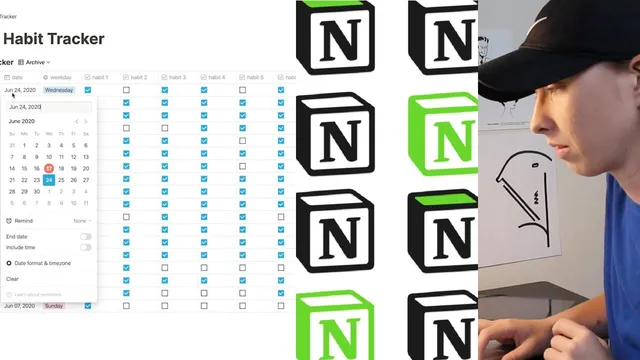
The finished setup starts with four database views. The “Archive” view lists every tracked date, sorted by date, with one checkbox property per habit (the example uses seven habits to demonstrate scale). As checkboxes are toggled, a “progress” property updates from 0% to 100%. A “Calendar” view then maps those same entries onto actual calendar days, letting habits be checked directly from the calendar without drilling into each record. A “Zoom in” calendar view filters entries to the coming week, so the interface stays focused on the next seven days. Finally, a “Progress per weekday” board groups entries by weekday and calculates an average progress score for each day of the week, making it easier to spot patterns like consistently stronger Sundays or weaker Wednesdays.
To make the tracker feel more like a coaching tool than a spreadsheet, the build uses database templates tied to progress ranges. When a new daily entry is created, a default dash symbol is shown and then replaced by an emoji and cover image styling based on the computed progress. The transcript lays out progress bands such as “poor” (roughly 0–25%), “will be 25 to 40%,” “bit lazy” (40–60%), “great” (80–99%), and “perfect” (100%), each with a distinct emoji and background color. This template approach keeps daily setup fast: create a new entry and the cover/emoji automatically reflects performance.
The build process begins by creating a new Notion page, switching to a full-width inline table, and defining core properties: a date field, a weekday select field, and one checkbox field per habit. Weekday options are entered in bulk using comma-separated text, then converted into select values. The progress formula is the centerpiece: each habit checkbox is treated as a text-to-number conversion (checked becomes 1, unchecked becomes 0), summed across all habits, then converted into a percentage using 100 × (sum / number_of_habits). After populating sample rows, the views are configured with filters and sorting—especially the “Zoom in” filter for “within the next week” and the weekday board using an average-progress aggregation.
By the end, the tracker supports both day-to-day execution (calendar checkmarks) and retrospective insight (weekday averages), with templates providing immediate visual feedback on how each day went. The result is a compact system that turns habit completion into a structured, pattern-seeking workflow inside Notion.
Cornell Notes
The tracker uses a Notion database where each habit is a checkbox and a formula converts checked boxes into a single progress percentage. Four views make the data actionable: an Archive list of all days, a Calendar view for quick daily checkmarks, a “Zoom in” calendar filtered to the next week, and a “Progress per weekday” board that averages progress by weekday. Database templates add an emoji and cover styling based on progress ranges (e.g., poor, bit lazy, great, perfect), so new entries look consistent and informative. The key is wiring properties (date, weekday select, habit checkboxes) and then using a progress formula that sums checked habits and scales to 0–100%.
How does the tracker turn multiple habit checkboxes into one progress percentage?
What’s the purpose of the four database views, and how do they differ?
How are weekday values handled so the weekday board can populate?
How do templates make daily entries faster and more visually informative?
What filters and sorting choices keep the views aligned with real time?
Review Questions
- If you changed the number of habits from 7 to 5, what parts of the progress formula would need adjustment?
- Why does the weekday board require a weekday select property on each entry, and what would happen if some entries lacked it?
- How would you modify the “Zoom in” view filter if you wanted a 14-day window instead of 7?
Key Points
- 1
Create a Notion database with one checkbox property per habit and a date property to store daily entries.
- 2
Use a progress formula that sums checked habits (checked=1, unchecked=0) and converts that sum into a 0–100% percentage.
- 3
Set up four views—Archive, Calendar, Zoom in (next week), and Progress per weekday (average by weekday)—to support both execution and analysis.
- 4
Add a weekday select property and populate it with Monday–Sunday so weekday grouping and averaging work reliably.
- 5
Use database templates tied to progress ranges to automatically apply emoji and cover styling for quick visual feedback.
- 6
Configure view filters and sorting (especially date filters) so the calendar views reflect the correct time window.