Notion Masterclass: Build Historical Timelines with Board View
Based on Red Gregory's video on YouTube. If you like this content, support the original creators by watching, liking and subscribing to their content.
Build the timeline using a Notion board view grouped by date (year or month) with chronological sorting and empty groups hidden for readability.
Briefing
Notion’s board view can be turned into a flexible historical timeline—especially for events spanning decades or centuries—by leaning on grouping, relations, and formulas instead of relying on Notion’s built-in timeline database view. The core move is to store each event with a date (or date range), then create board views that group cards by year, month, or even “century” buckets computed from formulas. That approach makes long-range history easier to scan and reorganize as the dataset grows.
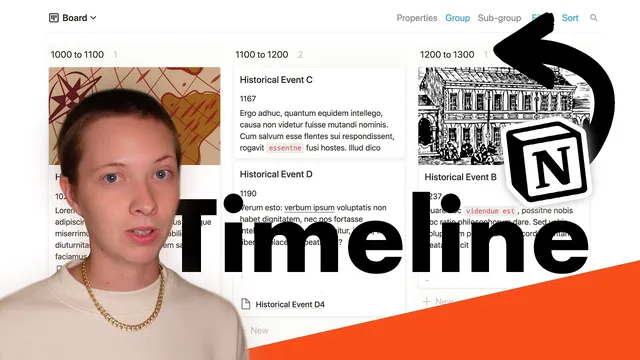
The build starts with a simple table schema: a title for the historical event, a date property that can be a single date or a date range, a text description, and a cover image using a Files & media field. A checkbox (“show”) controls whether an event appears on the timeline. From there, a board view (named “board”) is created and grouped by the date property—choosing “year” as the grouping unit, hiding empty groups, and sorting chronologically. The result is a timeline-like board where years appear as columns at the top, with event cards inside.
As soon as multiple entries belong under one umbrella event, the structure gets more powerful. Titles like “Historical event A” followed by “A1, A2, A3…” are handled by adding a relation property (e.g., “sub events”) that links child cards to a parent event. With a two-way relation set up, each sub event automatically displays its parent, and the board cards can be configured to show related sub events for quick reference. This lets the board behave like a nested timeline: broad eras at the top, detailed moments inside each card.
The method scales by adding additional board views. One variant groups by month and year, and another groups by centuries using a computed “started” formula. The century grouping works by extracting the first year an event begins (via a formula like year(dateProperty)) and then grouping by that computed value in 100-year increments. Another formula creates a month label using formatDate(date, “MMMM”), enabling subgrouping by month within each year. When month ordering matters, months may need manual sorting rather than alphabetical ordering.
For datasets that don’t fit cleanly into a date property—such as BC/AD ranges stored as text—the workflow shifts to parsing strings. A “started” formula extracts the first year from a “year range” text field, handles BC by converting it into negative numbers, and then feeds that numeric value into century grouping. The same idea can be adapted when the year range is embedded in the title: a regular-expression-based formula isolates the content inside parentheses, extracts the first year, and converts it into a sortable number. The payoff is a timeline board that can include negative years, nest subgroups inside cards, and remain readable for events stretching across centuries.
The transcript also contrasts this approach with Notion’s timeline database view, noting its limitations for long spans of time. For history that stretches across decades or centuries, board views with formulas and grouping are presented as the more practical visualization tool, with a personal “Red’s historical timeline” setup as the preferred configuration.
Cornell Notes
A historical timeline in Notion can be built with board views by grouping event cards by year, month, or century—computed through formulas—rather than using Notion’s timeline database view. The foundation is a table with event title, date (or date range), description, cover image, and a “show” checkbox. For nested detail, a relation property links parent events to “sub events,” letting cards display related items. When dates span centuries or include BC, formulas parse year ranges (including converting BC to negative numbers) or extract years from text in titles using regular expressions, enabling century grouping and readable long-range timelines.
How does grouping by a date property turn a Notion board into a timeline?
What’s the role of a relation property when one event has multiple sub-events?
How can Notion group events into centuries even when the underlying data is a date range?
How do month-based timelines work in this setup?
What changes when year ranges are stored as text (including BC) instead of a date property?
How can regular expressions help when year ranges are embedded in titles?
Review Questions
- What specific Notion settings (grouping unit, sorting, and hiding empty groups) are needed to make a board read like a chronological timeline?
- How would you design a relation-based parent/sub-event structure so sub-events appear inside the parent card on the timeline board?
- When handling BC/AD year ranges stored as text, what formula logic is required to convert BC years into negative numbers for correct century grouping?
Key Points
- 1
Build the timeline using a Notion board view grouped by date (year or month) with chronological sorting and empty groups hidden for readability.
- 2
Use a relation property to connect parent events to sub-events, then enable showing related sub-events inside each timeline card.
- 3
Create a “started” formula to extract the first year of an event and group by that computed value to form century buckets.
- 4
For month-level views, generate a month label with formatDate and subgroup by month within each year, using manual sorting if necessary.
- 5
When year ranges are stored as text (especially with BC), parse the string in a formula to extract the first year and convert BC to negative numbers for correct sorting.
- 6
If year ranges live inside titles, use regular expressions to extract the first year from parentheses and feed it into grouping formulas.
- 7
Notion’s timeline database view is less practical for multi-century visualization compared with board + formula + grouping approaches.