Notion's Slice Function (Formulas Made Easy)
Based on Red Gregory's video on YouTube. If you like this content, support the original creators by watching, liking and subscribing to their content.
Slice extracts substrings from text using start and end character indexes inside Notion formulas.
Briefing
Notion’s Slice function lets users extract specific characters from a text string inside formulas—then convert the result into numbers when needed—unlocking practical workflows like sorting “date-in-title” databases and generating star/progress-style visuals without a dedicated date or numeric field.
A first use case targets a database where each page title encodes a date in a fixed format like “MM-DD-YYYY” (or “month date year”). Instead of using a built-in date property, the setup relies on formulas to slice the year, month, and day out of the title text. Slice works by taking three inputs: the string to read, a start index, and an end index. Indexing is character-based, and spaces count as characters. The transcript emphasizes a common gotcha: when extracting a substring, the start position should be the character *before* the first character you want, and the end position should be the character *you want included* (because the end index is treated as inclusive in practice). Once the year/month/day fragments are sliced, they still come back as strings—so sorting would behave incorrectly unless the values are converted to numbers.
To fix that, the formulas wrap the sliced output in Notion’s two number conversion function (“toNumber” written as two capital N). With year, month, and day extracted and converted, the database can sort properly: first by the year formula, then by month, then by day. After sorting works, the view can hide the intermediate formula properties so the database remains clean, and the layout can be adjusted (for example, switching gallery card settings) to make the “daily pages” view easier to scan.
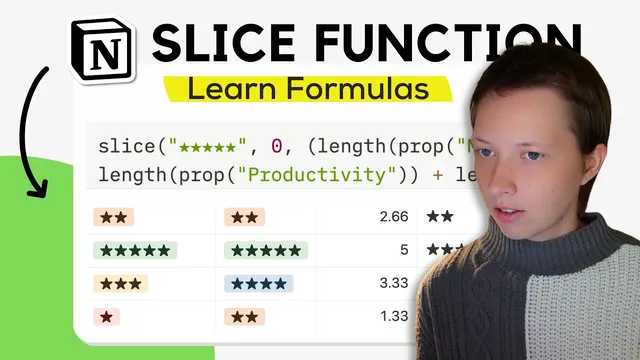
A second use case turns Slice into a visual rating generator. In a “daily survey” database, each day’s page includes select properties for mood, productivity, and workout, each choosing a value from 1 to 5. The formula builds a star display by slicing a string of five star characters (“★★★★★”) from index 0 up to a computed end index. Changing the end index determines how many stars appear. To make the star count reflect multiple inputs, the end index becomes an average: the formula uses the length function to count how many characters each star value represents (e.g., a 4-star selection corresponds to 4 characters), sums the lengths across the three properties, divides by 3, and then rounds down using floor. For finer control, the transcript suggests scaling by 100, applying floor, then dividing by 100 to keep two-decimal precision before the final floor step.
In short, Slice is the character-level lever: extract from titles or template strings, convert to numbers for correct sorting, and combine with length/average/rounding to create dynamic “progress bar” style outputs inside Notion formulas.
Cornell Notes
Slice in Notion formulas extracts a substring from a text value using start and end character indexes. In a daily-pages database where dates live in the page title (e.g., “MM-DD-YYYY”), slicing the year/month/day and converting the results to numbers (via toNumber) enables correct sorting without a date property. Slice also powers a star-rating display by slicing “★★★★★” up to a computed end index. By using length to count characters for mood/productivity/workout selections, then averaging and rounding down with floor, the formula generates an “overall” star/progress-style rating. This matters because it turns fixed text formats and select values into sortable and visual outputs entirely through formulas.
How does Slice determine which characters to extract in Notion formulas?
Why do sliced date fragments need conversion before sorting?
What’s the formula strategy for extracting year, month, and day from a title like “MM-DD-YYYY”?
How can Slice generate a star rating display from a template string?
How does the transcript compute an overall star rating from mood, productivity, and workout?
Review Questions
- In Slice, what happens if the start index is placed at the first character you want instead of the character before it?
- Why is toNumber necessary after slicing a year or month from a title string?
- How do length and floor work together to turn three star selections into a single overall star count?
Key Points
- 1
Slice extracts substrings from text using start and end character indexes inside Notion formulas.
- 2
Character positions are index-based and spaces count as characters, so off-by-one errors can remove the first expected character.
- 3
Sliced numeric-looking text still returns as a string, so sorting requires converting with toNumber.
- 4
For date-in-title databases, slice year/month/day from the title and sort by the resulting numeric formulas to get correct chronological order.
- 5
Slice can build visual outputs by slicing a template string like “★★★★★” up to a computed end index.
- 6
Using length on star-based select values enables averaging across multiple inputs, and floor can round the result down for stable star counts.