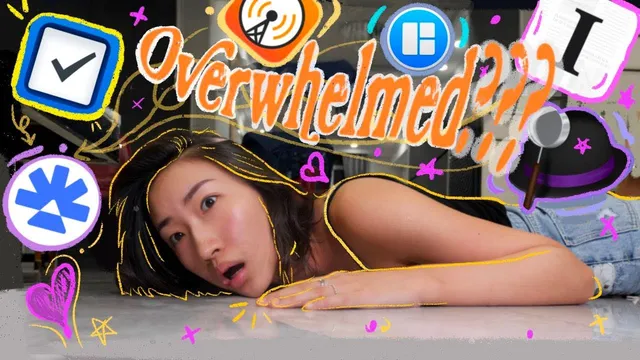
Try this to overcome information overload? (alfred, logseq, readwise, etc)
Based on Priscilla Xu's video on YouTube. If you like this content, support the original creators by watching, liking and subscribing to their content.
Treat information overload as a selection problem driven by dopamine and “busyness,” not just an abundance of content.
Briefing
Information overload is treated as a dopamine-and-busyness problem, not a lack of content. The core claim is that people keep consuming “pleasure-dense” information—like choosing gummy candy over broccoli—because the brain rewards entertainment and novelty, which can slide into compulsive scrolling and shallow attention. The fix proposed is an “information diet”: intentionally selecting what to consume, then using tools to digest it into usable knowledge.
The framework starts with a practical analogy to eating. Just as a healthy diet depends on choosing unprocessed, nutrient-rich foods, a healthy information intake depends on choosing less “processed” material that stays closer to original meaning. Highly processed information is described as dense but “kind of empty,” leading to “information obesity”—a state where people may feel informed yet miss basic facts or accept falsehoods. The emphasis is that the problem often isn’t volume; it’s skewed selection and presentation.
To operationalize selection, the transcript introduces “RROIT” (reading return on invested time). Before consuming a book, podcast, or course, the decision question is the purpose: Is it for fun, to improve at a current job, or to learn a new skill? Another selection lever is context—matching what gets read to the environment and the moment, so learning fits real life rather than becoming another idle tab.
After selection comes “chomping,” the consumption layer, where different media types get different tools. Books often start with Audible (audio-first, with human narration), especially when the goal is entertainment or broad subject exposure rather than heavy note-taking. For text-based material, Speechify is used to “chug” PDFs with adjustable reading speed and a highlighting aid, designed originally for dyslexia and ADHD. Kindle is positioned for relaxed reading, while Air is highlighted as a podcast highlighting app that can connect directly with Overcast. For articles, Instapaper is used for offline reading, highlighting, and note capture without distracting ads.
Then “saliva” is the knowledge capture layer: Readwise turns highlights from many sources into an organized center and supports resurfacing via daily emails and space repetition. It integrates with sources including Twitter, Apple Books, Kindle, Instapaper, Pocket, PDF highlights, and Hypothesis (via a Chrome extension highlighter). The workflow also includes exporting highlights into tools like Evernote, Notion, and Obsidian.
Finally, “small intestine” is where the second brain lives—note-taking and knowledge management apps such as Alfred, Obsidian, Logseq, Notion, and Rome/Research (as named). Alfred is described as a fast search and retrieval layer for questions and definitions, while “Magnets” is used to snap windows so notes and source material can sit side-by-side. The overall goal is digestion: internalizing information so it becomes time-tested wisdom, not just stored fragments.
The closing message ties the system back to identity: the result is an “info vegan” mindset—conscious consumption—paired with a warning that even educational spending can become waste if time and attention aren’t protected. The proposed antidote to overload is slower, purposeful intake and a pipeline that turns highlights into long-term recall and usable thinking.
Cornell Notes
The transcript frames information overload as a dopamine-driven habit: people gravitate toward “pleasure-dense” content and keep busy even when it’s meaningless. The remedy is an “information diet” built around selection (RROIT—reading return on invested time), then consumption (“chomping”) using different tools for books, PDFs, articles, and podcasts. Highlights are then processed through Readwise, which organizes notes and resurfaces them with daily emails and space repetition. Finally, knowledge management apps (like Obsidian, Logseq, Notion, and Alfred) act as the “second brain” where information is searched, connected, and internalized. The practical takeaway is that volume matters less than purposeful intake and a system that turns consumed content into long-term recall.
Why does the transcript connect information overload to dopamine and “busyness”?
What is “RROIT,” and how does it guide what to read or listen to?
How does the transcript split the workflow into “chomping,” “saliva,” and “small intestine”?
What does Readwise do beyond storing highlights?
Why does the transcript argue that processed information can be “dense but empty”?
What’s the practical warning at the end about building a second brain?
Review Questions
- How does RROIT change the way you decide what content to consume, and what purpose-based criteria would you apply this week?
- Map the transcript’s pipeline (selection → chomping → saliva → small intestine) to your current workflow: which step is weakest for you?
- What specific role does space repetition play in turning highlights into long-term knowledge, and how would you measure whether it’s working?
Key Points
- 1
Treat information overload as a selection problem driven by dopamine and “busyness,” not just an abundance of content.
- 2
Use RROIT (reading return on invested time) to decide what to consume based on purpose and context.
- 3
Choose consumption tools by media type: Audible for audio-first books, Speechify for PDFs, Kindle for relaxed reading, Air for podcast highlighting, and Instapaper for ad-free article reading with offline support.
- 4
Use Readwise to convert scattered highlights into an organized system with daily resurfacing and space repetition.
- 5
Build a second brain with note apps (e.g., Obsidian, Logseq, Notion) plus retrieval tools like Alfred to search questions and definitions quickly.
- 6
Avoid “information obesity” by prioritizing less-skewed, higher-substance sources over heavily processed, pleasure-dense content.
- 7
Watch spending and tool sprawl: a second-brain setup fails if it consumes time without improving recall or thinking.